
Overview
File Scanned RabbitMQ notifications allow you to receive real-time alerts whenever a file has been scanned by MetaDefender Storage Security. This feature is useful if you need to:
Enable cross-MDSS instance scanning where one MDSS instance publishes scan results and another automatically rescans the file
Setup
Go to Settings > Notifications in the MetaDefender Storage Security console.
Select Upon File Scan from the RabbitMQ Notifications section.
Choose whether you want to receive notifications for all scanned files or only blocked files.
Enter the RabbitMQ URL (your endpoint).
(Optional) Add any custom headers.
Save the configuration.
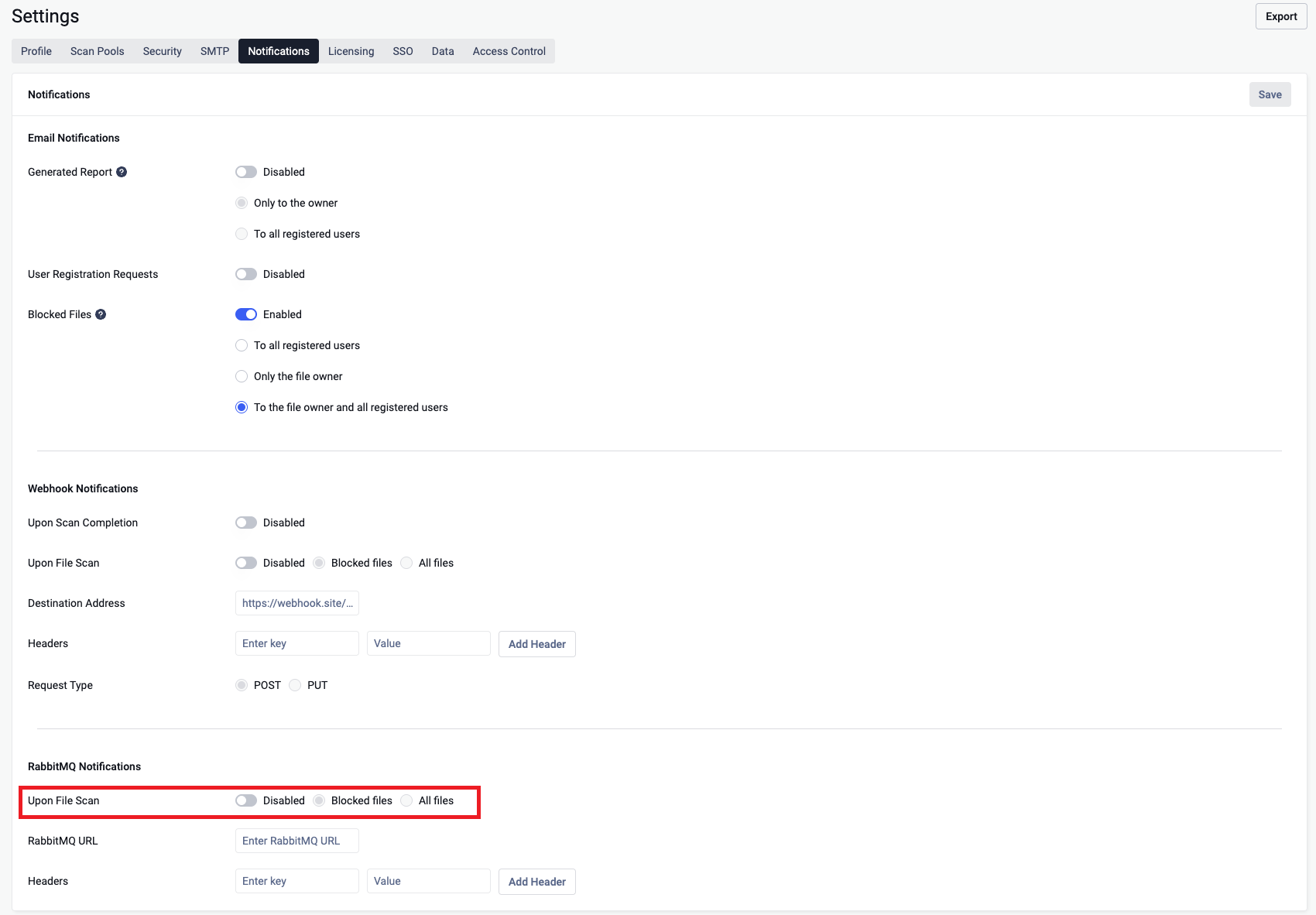
Configuration Details
RabbitMQ URL – The URL of the receiving system (ex: amqp://username:passowrd@localhost:27049).
Headers – Optional key-value pairs (e.g.,
StorageClientId: string; ScanId: string).StorageClientId - destination storage client Id
ScanId - destination scanId
Notification scope – Choose between:
All scanned files → You will receive a notification for every file scanned.
Blocked only → You will only receive notifications when a file is marked as blocked in MetaDefender Storage Security (see File Definition)
RabbitMQ Payload
When triggered, the RabbitMQ sends a JSON request body to your configured endpoint.
Field Reference
Field | Type | Example Value | Description |
|---|---|---|---|
| string (UUID) |
| Unique identifier of the destination scan. |
| string |
| Unique identifier of the destination storage client. |
| bool |
| Used only for webhook |
| WebHookMetadataRtp | "" | Empty for RabbitMQ notification |
| WebHookMetadataRtp |
| Populated with FileScannedNotificationDetails |
Delivery Behavior
Cross-MDSS Instance Scanning: When MDSS Instance A completes a scan and publishes to RabbitMQ, Instance B consumes the notification and automatically triggers an Event-Based RTP scan for the same file.
Delivery is best-effort → if the destination is invalid, the request is logged in the Audit page, but no retries are performed.
Security Considerations
The RabbitMQ URL is stored encrypted
Troubleshooting
No RabbitMQ message received → Verify the endpoint URL and headers you configured.
Audit shows delivery failed → Endpoint is invalid. Fix and test again.