
Overview
Scan Completed webhook notifications allow you to receive real-time alerts whenever an Instant or Scheduled scan has finished running in MetaDefender Storage Security. This feature is useful if you need to:
Track the completion status of scans for auditing and compliance.
Monitor whether scans succeed, fail, or are cancelled.
Integrate scan lifecycle events into external systems (e.g., scheduling dashboards, reporting tools, SIEM).
Trigger automated follow-up processes once a scan has completed.
Setup
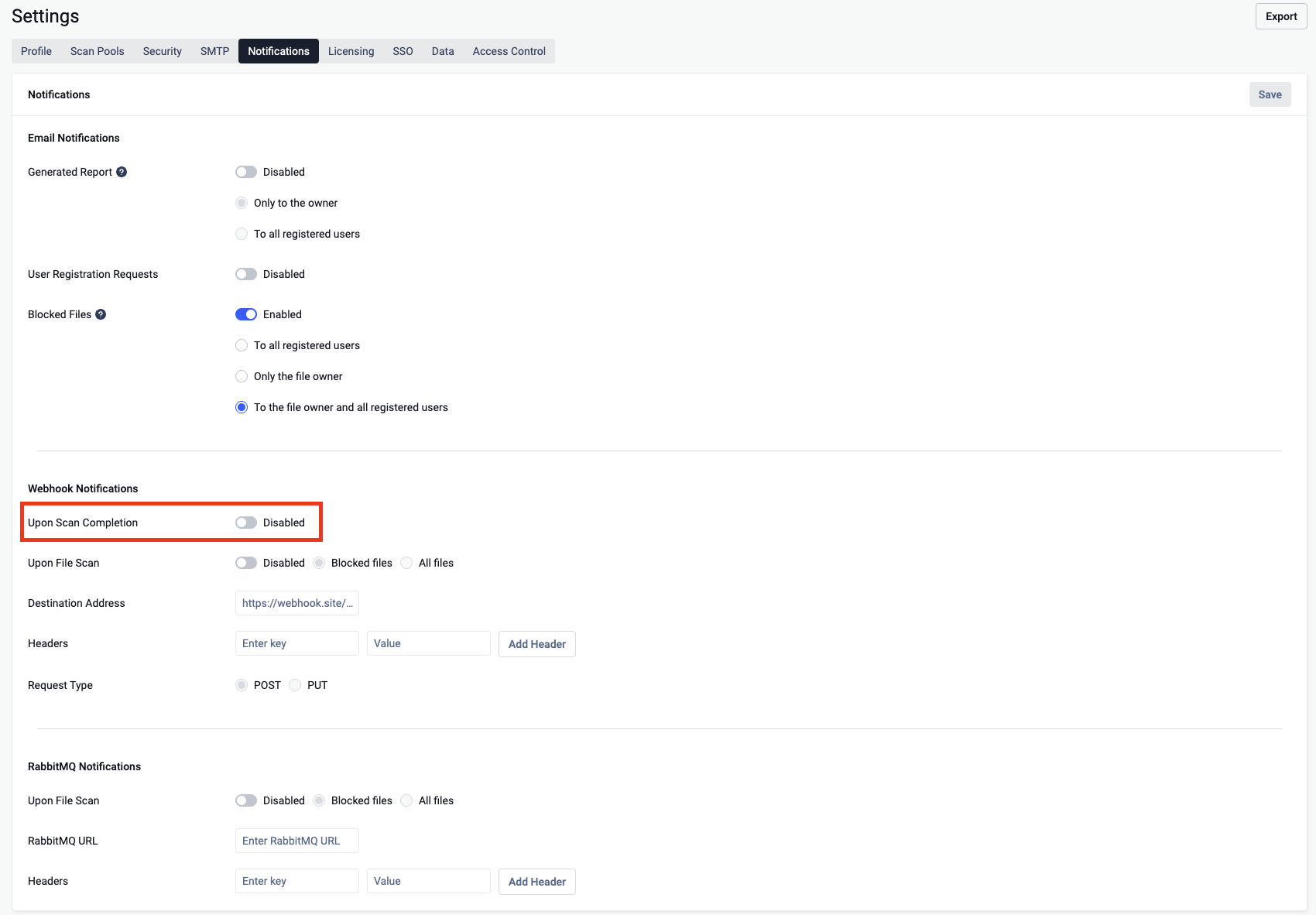
Go to Settings > Notifications in the MetaDefender Storage Security console.
Select Upon Scan Completion under the Webhook Notifications section.
Enter the Destination Address (your endpoint).
Select the Request Type (POST or PUT).
(Optional) Add any custom HTTP headers.
Save the configuration.
Configuration Details
Destination address – The URL of the receiving system (must accept HTTP requests).
Request type – Either
POSTorPUT.Headers – Optional key-value pairs (e.g.,
Authorization: Bearer <token>).
Webhook Payload
When triggered, the webhook sends a JSON request body to your configured endpoint.
Field Reference
Field | Type | Example Value | Description |
|---|---|---|---|
| string(UUID) |
| Unique identifier of the scan. |
| string |
| Name of the scan as configured. |
| datetime (UTC) |
| Time the scan started. |
| datetime (UTC) |
| Time the scan finished. |
| string |
| Final status of the scan. |
| string |
| Identifies the notification type. |
Delivery Behavior
Webhooks are delivered as standard HTTP requests.
Delivery is best-effort → if the destination is invalid, the request is logged in the Audit page, but no retries are performed.
Payload size is small (JSON only, no scan contents).
Security Considerations
Configure HTTPS endpoints to ensure data is transmitted securely.
Use authentication headers (e.g., API tokens) to protect your webhook endpoint.
Ensure your endpoint validates payloads before processing.
Troubleshooting
No webhook received → Verify the endpoint URL and request type (POST/PUT).
Audit shows delivery failed → Endpoint is invalid or unreachable. Fix and test again.
Authentication errors → Confirm your endpoint accepts the headers you configured.