
MetaDefender MFT HA Controller™
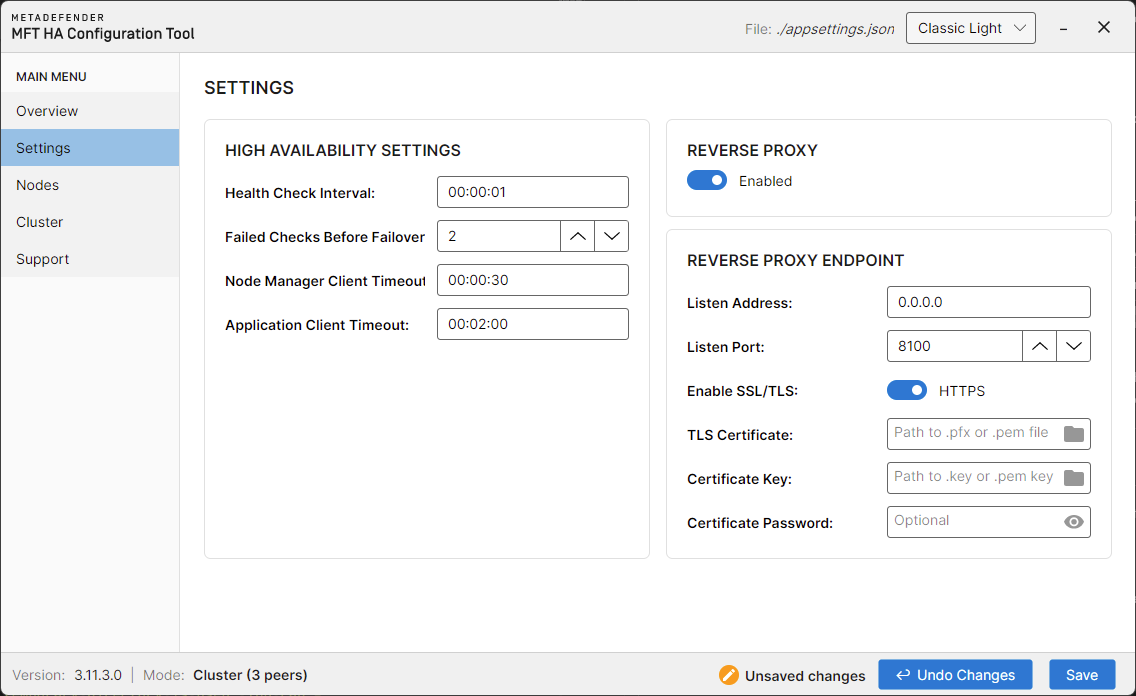
To enable HTTPS for MetaDefender MFT HA Controller™, open the HA Configuration Tool™, and navigate to the Settings page.
Enable the SSL/TLS option in the Reverse Proxy endpoint section, then provide the certificate.
For further details, see Settings Page
Example
MetaDefender® MFT
In the recommended network setup the communication between the HA Controller and the active/passive nodes occurs over an internal network. In this scenario, HTTPS is not strictly required—but it is recommended for added security. Using TLS internally helps to protect against internal threats, misconfigurations, or accidental exposure.
How to configure on both nodes
You can configure HTTPS for the MetaDefender® MFT nodes from the Web UI, see more details here.
Since the server configuration is instance node specific you have to separately configure HTTPS for both active and passive nodes. Because certificate configuration can only be applied on a node while it is active, updating the certificate on the passive node requires manually triggering a failover so that the passive becomes active. After configuring the certificate on that node, you may optionally trigger failover again to restore the original node to active status. See more details about manually trigger a failover mechanism here.
If you change the protocol, hostname, or port, you must update the Nodes configuration section in MetaDefender MFT HA Controller™ to reflect the new values.
More information about the Nodes section can be found here.
Certificate requirements
The MetaDefender MFT HA Controller™ will validate the certificate presented by each application node—checking both its trust chain and validity period—before forwarding traffic or accepting node communication.
If you issue a custom certificate (or self-signed cert) for the application servers, you must also install the corresponding root certificate (or CA cert) into the MetaDefender MFT HA Controller™’s trusted root certificate store so it can validate server certificates.