
This feature enables detailed filtering for a more customized file transfer process. By setting specific conditions, you can ensure that only files meeting your criteria are transferred.
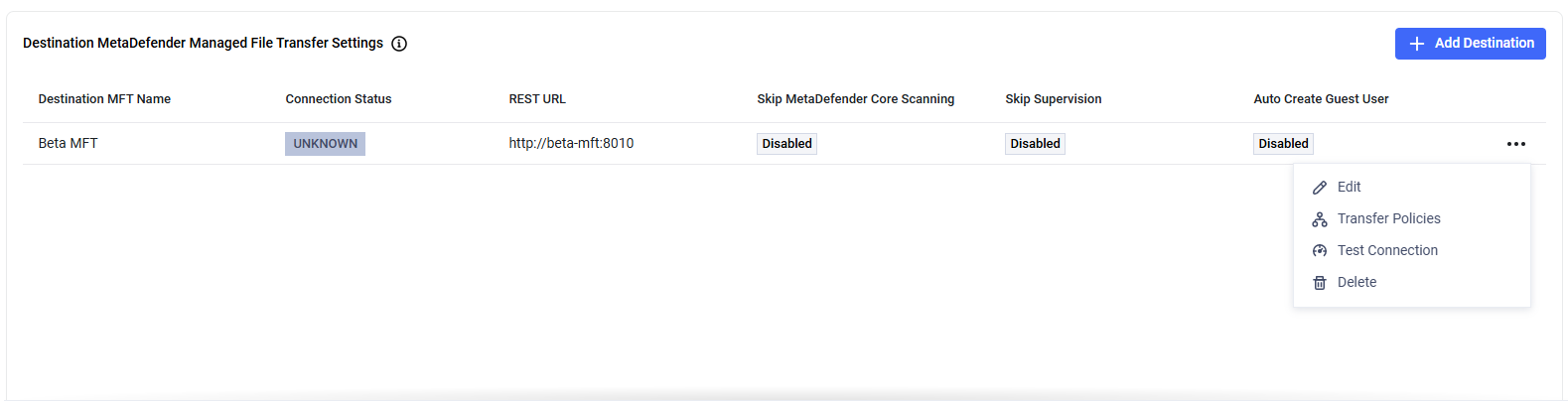
You can apply transfer conditions individually to each destination MetaDefender® MFT location. This means that each destination can have its own specific criteria, allowing for tailored file transfers based on the unique requirements of each MetaDefender® MFT destination.
By default, no conditions are applied, meaning all files are transferred without filtering unless specific criteria are set.
The Transfer Policy is applied before any Transfer Policies. Files must first meet the Transfer Policy rules before proceeding to the filtering stage set by the Transfer Policies.
Example
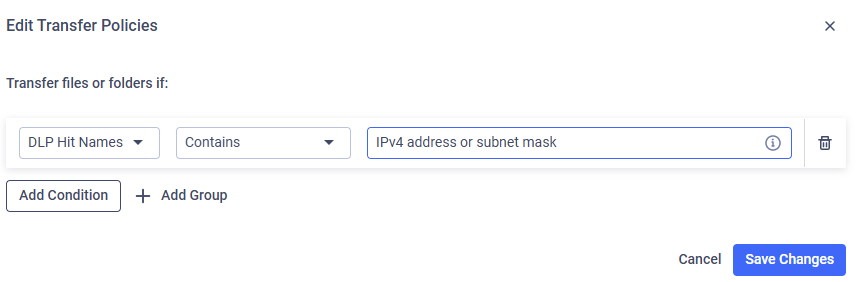
I want to transfer only files with a specific DLP hit (e.g., files containing an IPv4 address).
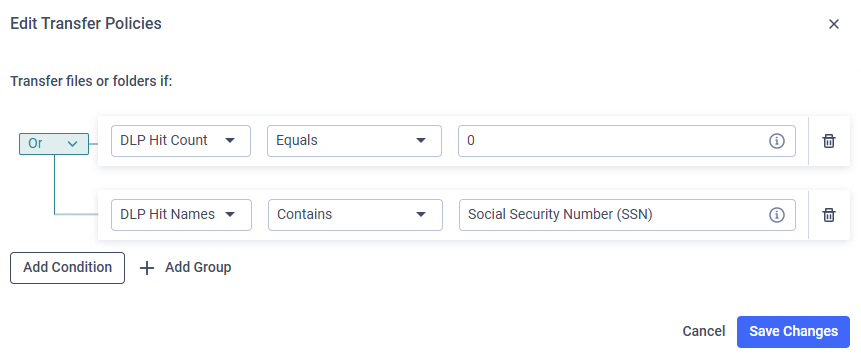
I want to transfer files that either have zero DLP findings or, if there are DLP hits, none contain a Social Security Number (SSN).
Available Properties
Name | Description |
|---|---|
DLP Hit Names | Name of the DLP policy/hit |
DLP Hit Count | Number of hits in a file |
File Name | Name of the file |
File Type | Type of the file reported by MetaDefender Core™ |
User Group(s) | The group of uploader |
File Size | Size of the file |
Upload Questions | The questionnaire filled out during file upload |
Upload Questions
To get an overview of the whole feature, refer to Secure Web Forms.
By selecting the Upload Questions property, admins can create rules that evaluate specific question answers. For single or multiple choice questions, policies of this type can map specific answer IDs to destinations.
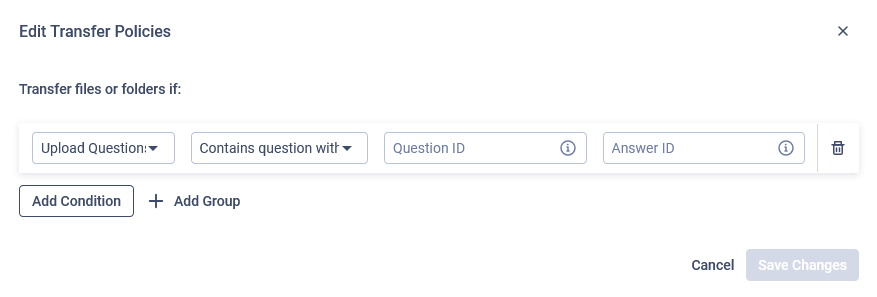
Currently there are two operators supported for questionnaire-based policies:
Contains question with answer: Matches if the questionnaire contains a specific question with the specified answer ID among its answers.
Does not contain question with answer: Matches if the questionnaire does not contain a specific question with the specified answer ID among its answers.
Be aware that Does not contain question with answer policies match not only when the specified answer ID is absent, but also when the question itself is missing from the questionnaire. Ensure this behavior aligns with your routing logic.
To overcome the limitation of the Does not contain question with answer operator matching missing questions, consider the following options:
Make sure the question is always visible and required, ensuring it is always answered. This way, the absence of the answer ID directly indicates the user did not select that answer.
Use positive logic in your policies. Instead of relying on negative matches, create policies that explicitly define the desired routing based on the presence of specific answers using the Contains question with answer operator.
Examples
Given an Upload Questionnaire with a single choice question "What is the sensitivity level of the file?" (Question ID: sensitivity_level) with possible answers "Public" (ID: public), "Internal" (ID: internal), and "Confidential" (ID: confidential), the following policies can be created:
Listing multiple answer IDs (e.g. in Policy #3) can be achieved by creating separate policies for each answer IDs and grouping them in an OR condition.