
Overview
This section provides administrators with step-by-step instructions to configure Microsoft 365 (Graph API) for OAuth email authentication, enabling the system to send email reports and notifications.
Prerequisites
** Application Registration in Entra ID: **To use Microsoft 365 (Graph API), an application must be registered in Entra ID. Follow this guide for step-by-step instructions on registering an application
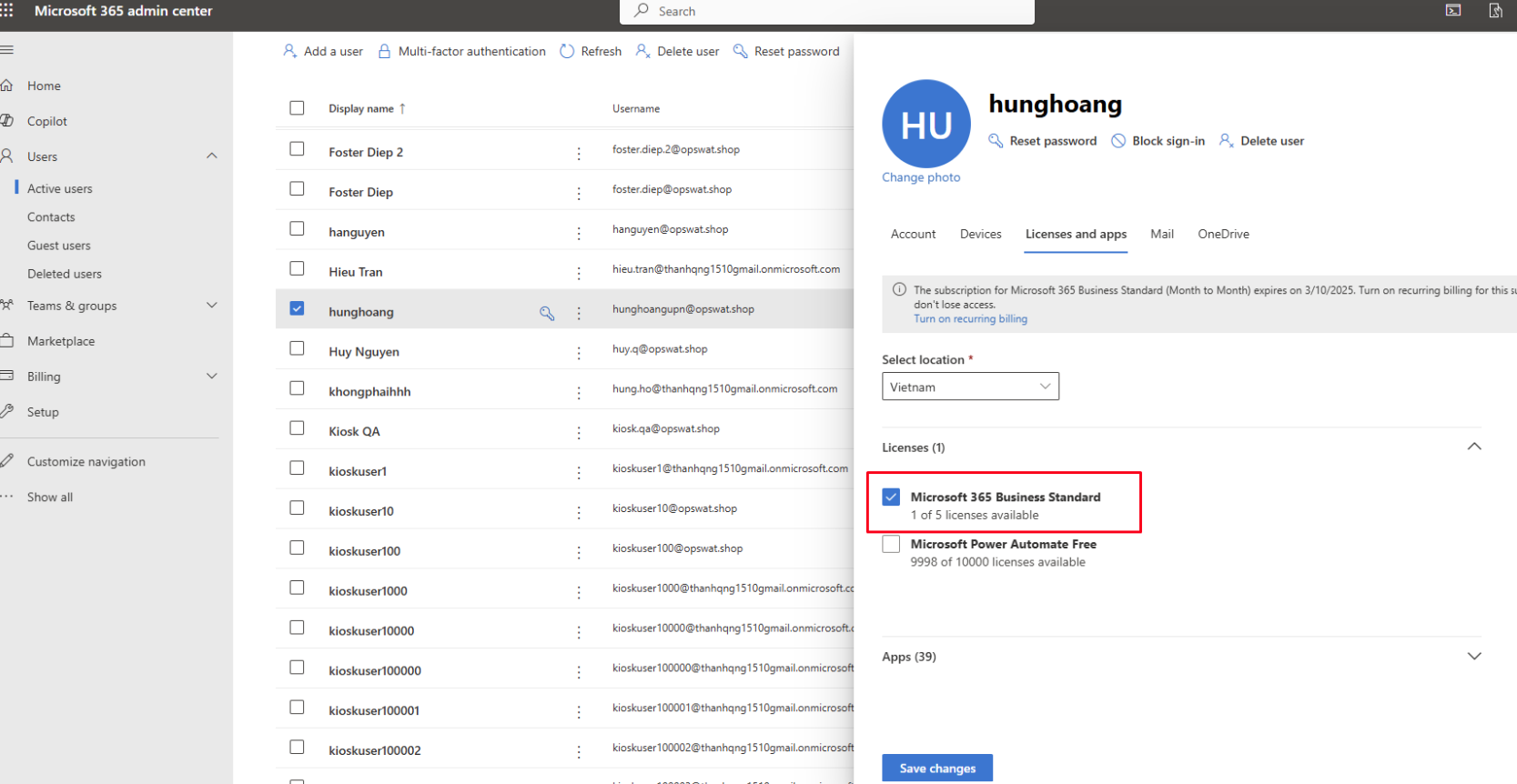
** Microsoft 365 license for email: **The account which will send email notifications and reports must have an assigned Microsoft 365 license
Configure Microsoft 365 (Graph API) for OAuth email authentication
Step 1. Create an Application in Entra ID. Assign the following Microsoft Graph application permissions, then grant admin consent for them:
Mail.Send — allows the application to send email as the configured sender.
User.Read.All (or the narrower User.ReadBasic.All, if you prefer to grant less access) — allows the application to look up the sending mailbox before it sends. This permission is required in every configuration, even if you only use Kiosk to send to external or guest recipients — it applies to how Kiosk accesses the sending account, not to who receives the email.
A user-read permission (User.Read.All or User.ReadBasic.All) is always required for Graph API email sending, regardless of who the email is sent to. If you only need to minimize scope, use User.ReadBasic.All instead of User.Read.All — but one of the two must be granted.

Step 2. Login to https://admin.microsoft.com/ as an Administrator. Assign the required Microsoft 365 license to the user who will send email reports and notifications
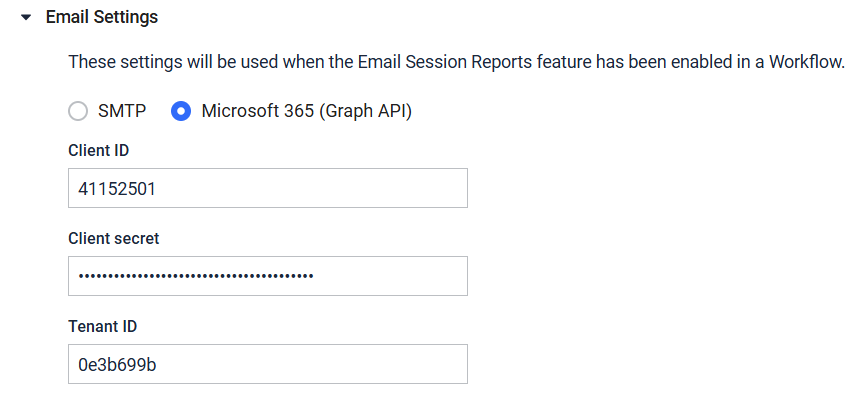
Step 3. From Kiosk WebMC, navigate to Configuration, select Email, expand Email Settings, select Microsoft 365 (Graph API). Enter the Client ID, Client Secret and Tenant ID acquired from Step 1.
Step 4. Configure sending email session report under Kiosk WebMC, select Workflows, select Email.
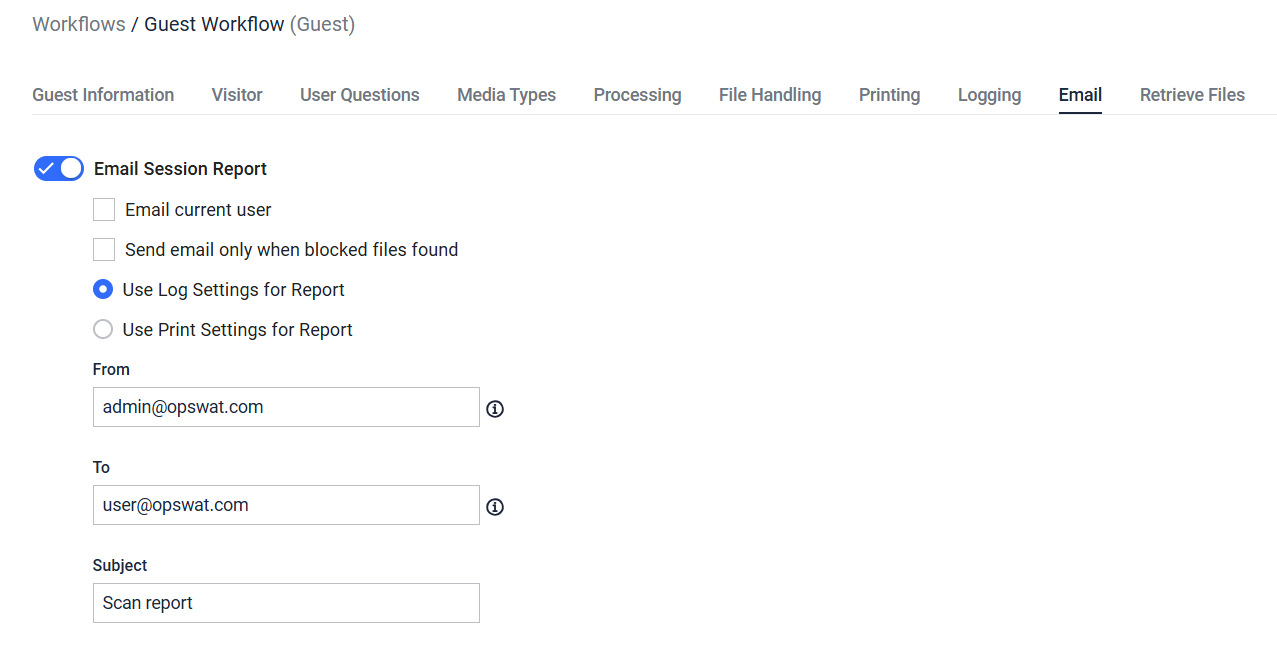
The email account used to send email reports must have an active Microsoft 365 license and the necessary privileges to send emails.