Knowledge Base
v4.7.1
Search this version
Knowledge Base
Knowledge Base
Title
Message
Create new category
What is the title of your new category?
Edit page index title
What is the title of the page index?
Edit category
What is the new title of your category?
Edit link
What is the new title and URL of your link?
How can I create a new workflow?
Copy Markdown
Open in ChatGPT
Open in Claude
Our MetaDefender Kiosk product has some built-in workflows for Employees and Guests after a fresh install, but new workflows can be created by following the steps mentioned below:
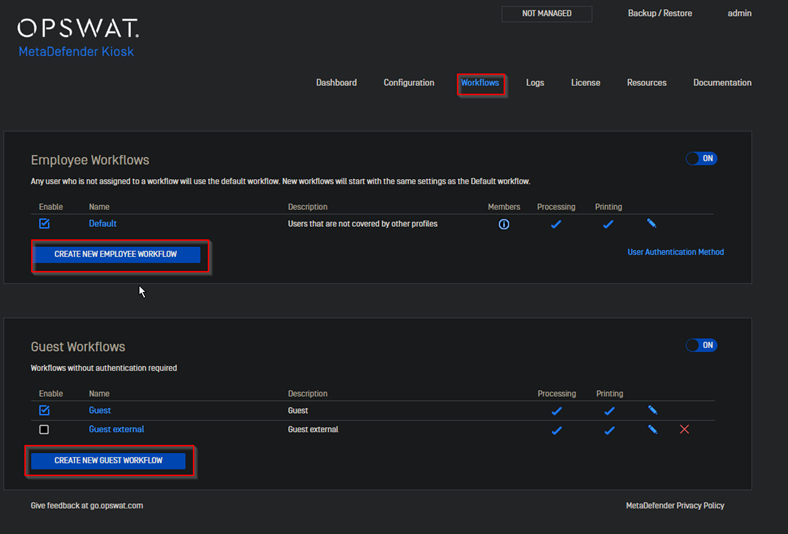
- Navigate to the workflows tab and select the desired option (Employees or Guests).
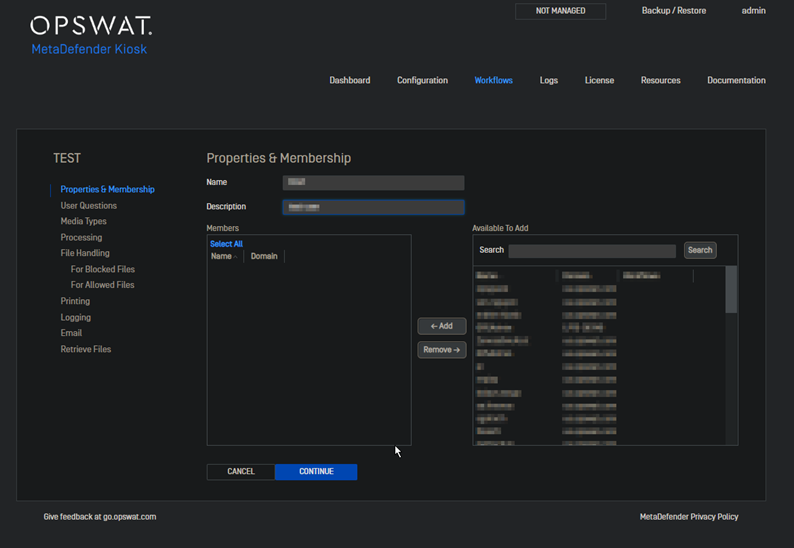
- Enter the Name for the workflow and description. At this stage, you can also select the users that will be a part of this workflow.
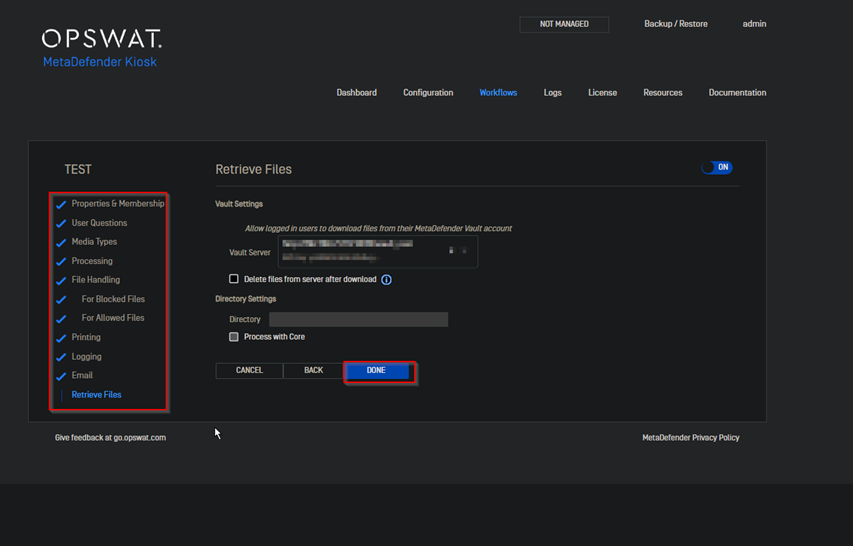
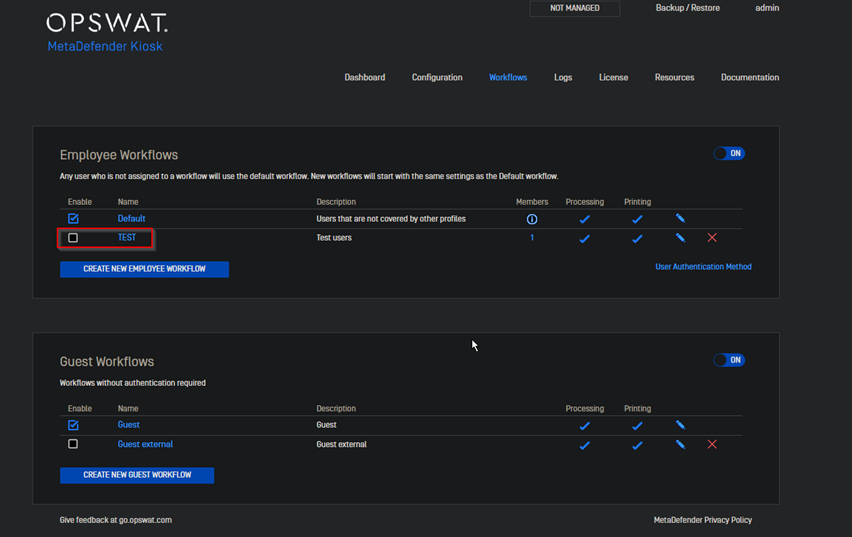
- After going through all the tabs highlighted in the image below and selecting the Done tab the workflow will be created and should be observable from the console.
If Further Assistance is required, please proceed to create a support case or chat with our support engineer.
Type to search, ESC to discard
Last updated on
Was this page helpful?
Next to read:
Can I have a backup (Core) server integrated with Kiosk?Discard Changes
Do you want to discard your current changes and overwrite with the template?
Archive Synced Block
Message
Create new Template
What is this template's title?
Delete Template
Message
