
Overview
By default, administrators using OPSWAT MetaDefender for Salesforce can configure workflows to determine whether encrypted files are allowed or blocked when uploaded by end-users. This ensures that potentially unsafe encrypted files do not bypass security scans.
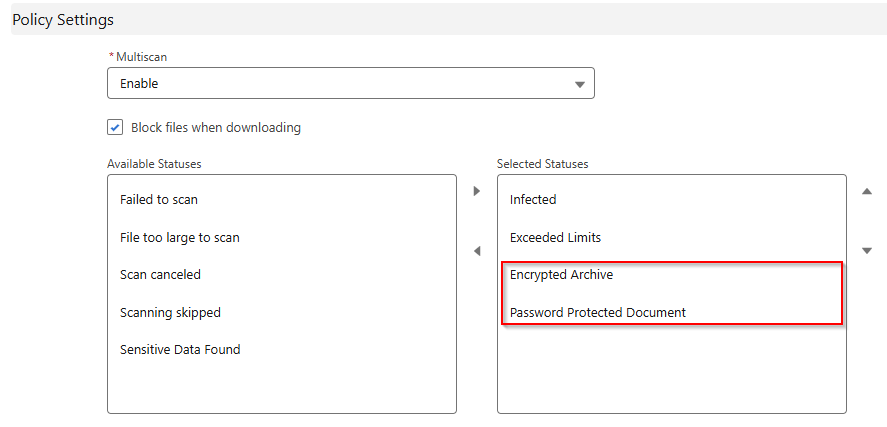
Starting with MDFS version 5.9, an enhancement has been introduced: Workflow for Password-Protected Files. This feature allows end-users to provide the password for protected files during the upload process, enabling MDFS to decrypt and scan them before the upload is completed.
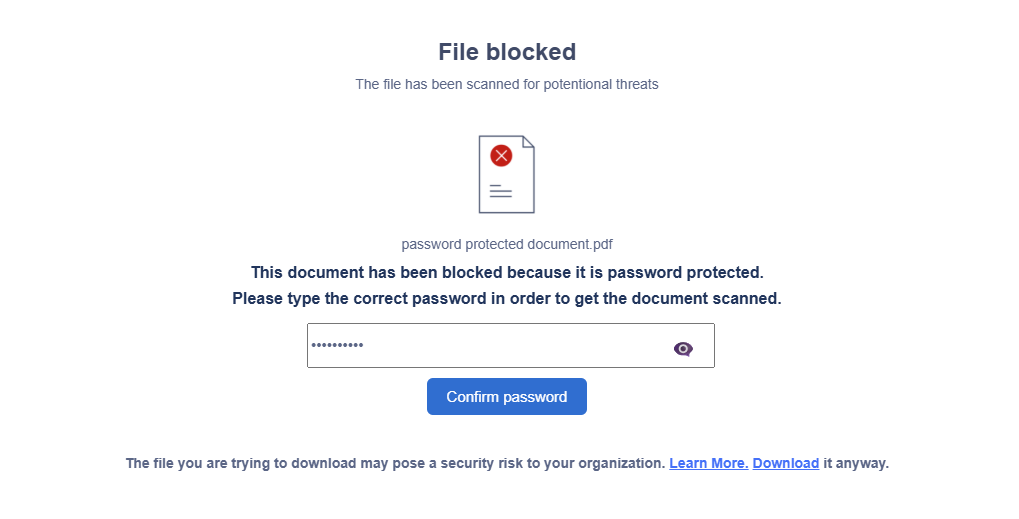
With version 5.9:
End-users are prompted to provide the file password.
MDFS uses this password to decrypt the file temporarily.
The decrypted file is then scanned to identify any potential threats before completion of the upload.
Benefits
Improved Security: Ensures all files, including password-protected ones, are scanned for threats.
Better Flexibility: Allows administrators to balance security with user productivity.
Enhanced User Workflow: End-users are no longer blocked outright from uploading password-protected files.
If further assistance is required, please proceed to log a support case or chatting with our support engineer.