This article explains how to use MetaDefender Drive Toolkit in an isolated environment to update the scanning engines and the MetaDefender Drive image. Both procedures use packages that were downloaded on an internet-connected system and transferred into the isolated environment.
Before you begin, make sure you have downloaded the MetaDefender Drive engine packages using MetaDefender Update Downloader. See Update MetaDefender Drive Offline for setup instructions.
Update the Scanning Engines Offline
To update the scanning engines using MetaDefender Drive Toolkit in an isolated environment:
Download the MetaDefender Drive engine package files from Update Downloader.
Transfer the packages to the system running MetaDefender Drive Toolkit.
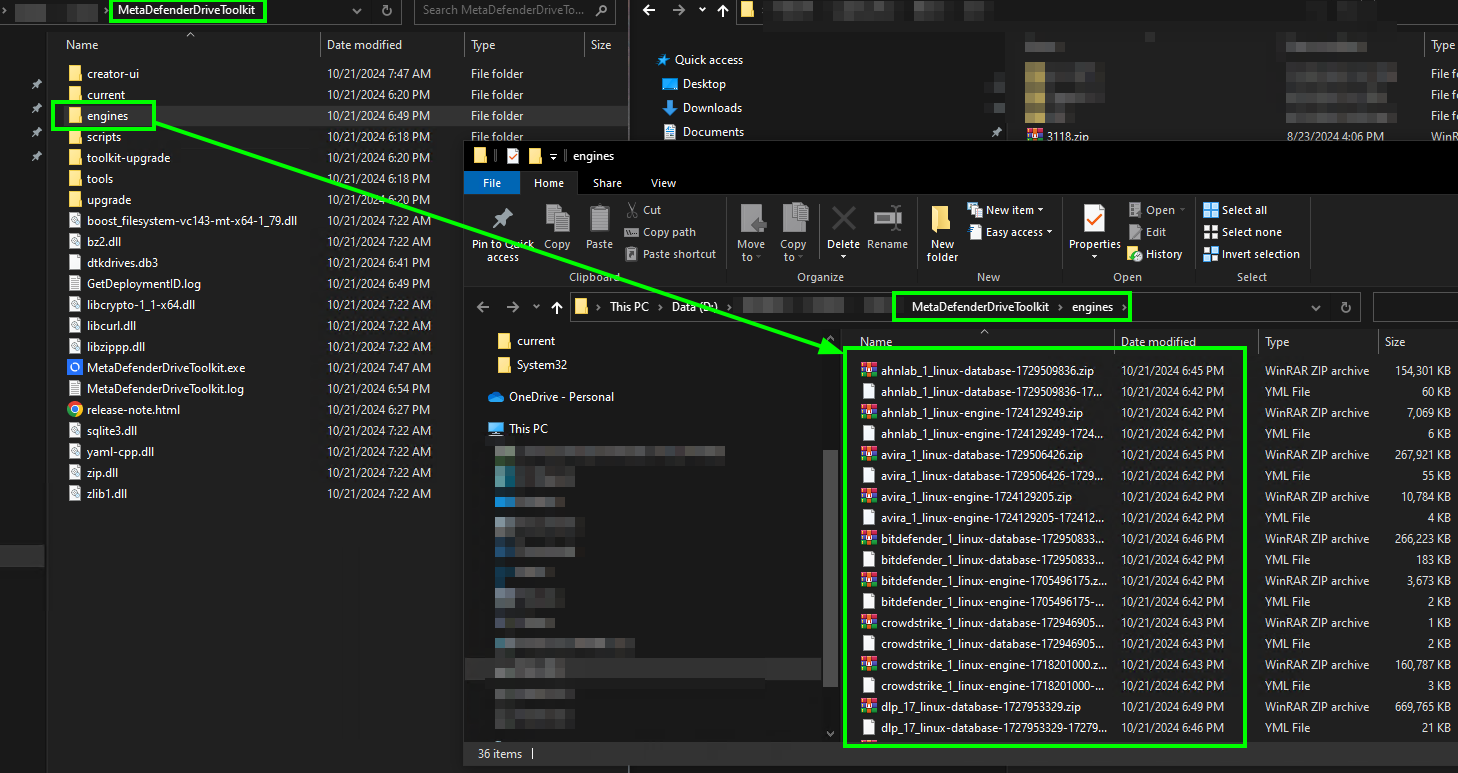
Open the MetaDefender Drive Toolkit folder and locate the engines subfolder.
Copy and extract the engine packages into the engines folder.
The updated engine definitions will be applied to MetaDefender Drive the next time you run an update from Drive Toolkit.
Update the MetaDefender Drive Image Offline
To update the MetaDefender Drive version using Drive Toolkit in an isolated environment:
On a system with internet access, download the image and its YAML descriptor from the following URLs:
https://installer-cdn.opswat.com/MD_Drive/3.0/update_infra/main/mdd-dd.tgz
https://installer-cdn.opswat.com/MD_Drive/3.0/update_infra/main/mdd-dd.yml
Extract the .tgz file. After extracting, you will see the image file mdd-pkg.dd.
Transfer mdd-pkg.dd and mdd-dd.yml to the system running MetaDefender Drive Toolkit.
Open the MetaDefender Drive Toolkit folder and locate the current sub-folder, then delete all existing image files in this sub-folder.
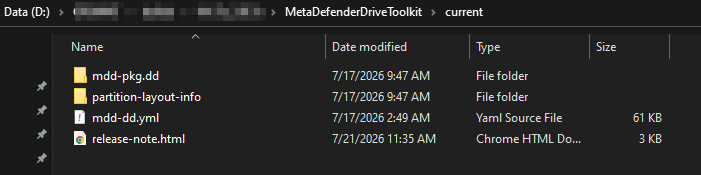
Copy mdd-pkg.dd, mdd-dd.yml and partition-layout-info into the current sub-folder.
After copying, the folder structure should look like this: