
This article explains how to perform an offline update for MetaDefender Drive Smart Touch application using an external USB storage device.
This document instructs you to update the Smart Touch.
In Ready To Scan mode, Smart Touch works as a MetaDefender Drive. To update the scanning engines, follow the same steps as for MetaDefender Drive: Update MetaDefender Drive Offline In AirGapped Environment.
The procedure below applies to updating the Smart Touch application itself using the offline update package (.deb + .yml).
Before you begin, prepare the following:
A USB storage device formatted (NOT ENCRYPTED) as NTFS or FAT32 with at least 500MB space free
Download the Debian package
.deband its YAML descriptor.ymlfile from published download URLs in My OPSWAT.
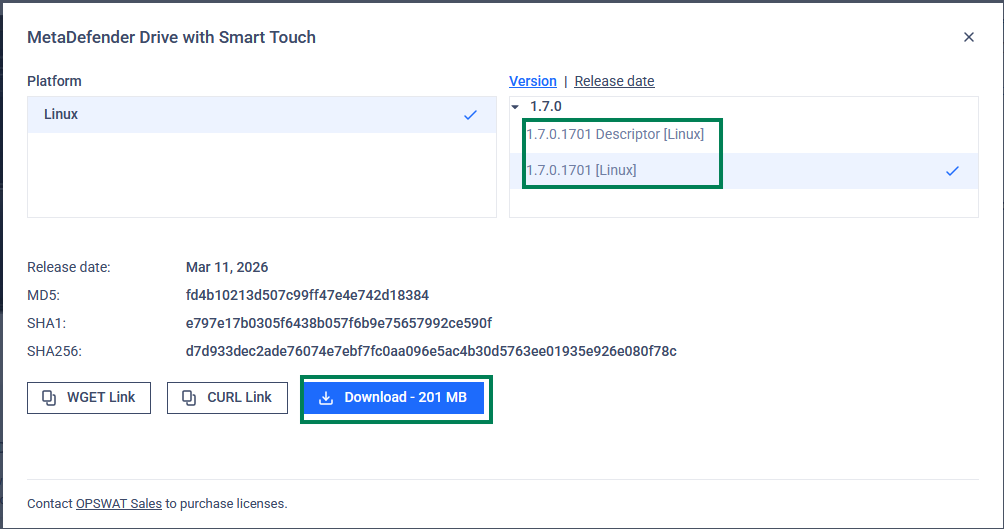
Create the
/updatesfolder on the USB drive.Copy the update files into the
/updatesfolder.Safely eject the USB storage from your computer.
Perform the offline update
Make sure Smart Touch is powered off. If Smart Touch is currently running, shut it down gracefully from the UI or power button before proceeding.
Insert the prepared USB storage into the USB-C port of the Smart Touch device
Power on Smart Touch, enter PIN code
After Smart Touch starts it will
automatically detect the
/updatesfolder on the USB storageautomatically pick up the offline update package (
.deb+.yml) and begin the update process.The update will proceed without requiring user interaction until finish. Do not power off Smart Touch or remove the USB storage during this time.