
MetaDefender Kiosk can enroll a MetaDefender Drive with My OPSWAT Central Management when the drive is plugged in. The drive is enrolled with the same Central Management as the Kiosk.
MetaDefender Drive 4.4.11 or later.
MetaDefender Kiosk 4.8.7 or later, enrolled with My OPSWAT Central Management.
If the Kiosk is not enrolled with Central Management, no enrollment screen is shown and the Kiosk works as before.
End-user workflow at the Kiosk
Plug the drive into the Kiosk. The Kiosk checks the drive's current enrollment.
Drive state | What the Kiosk does |
|---|---|
Not enrolled | Enrolls the drive with the Kiosk's Central Management, then continues with the normal tasks. 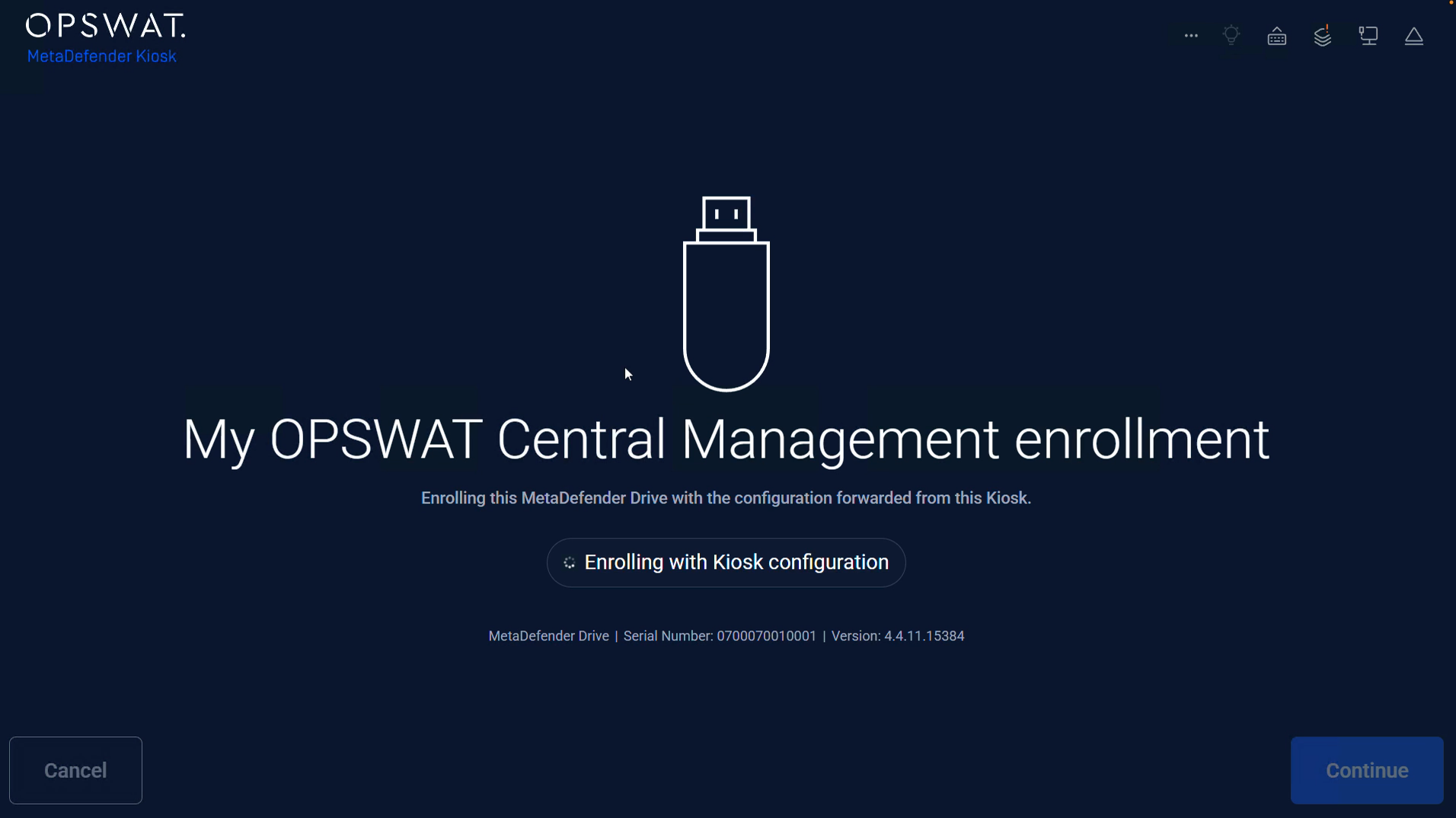 |
Enrolled with the Kiosk's Central Management (same URL and registration code) | No question. Goes directly to the normal tasks. |
Enrolled with another Central Management (different URL or registration code) | Asks the user to Skip or Enroll. See below. 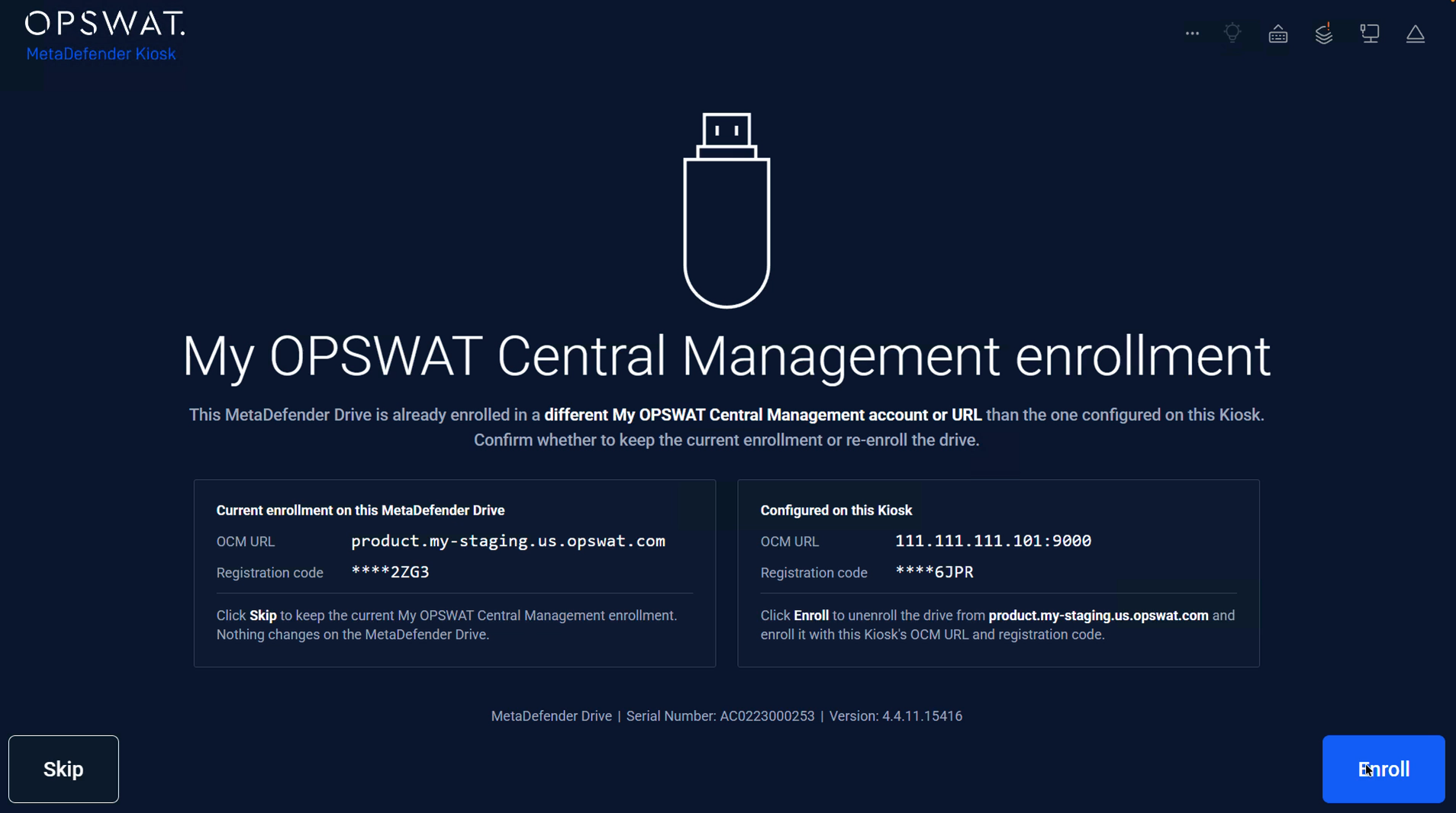 |
Drive already enrolled with another Central Management
The Kiosk never moves a drive to another Central Management without asking. When the drive is plugged in, the Kiosk shows the Skip / Enroll screen:
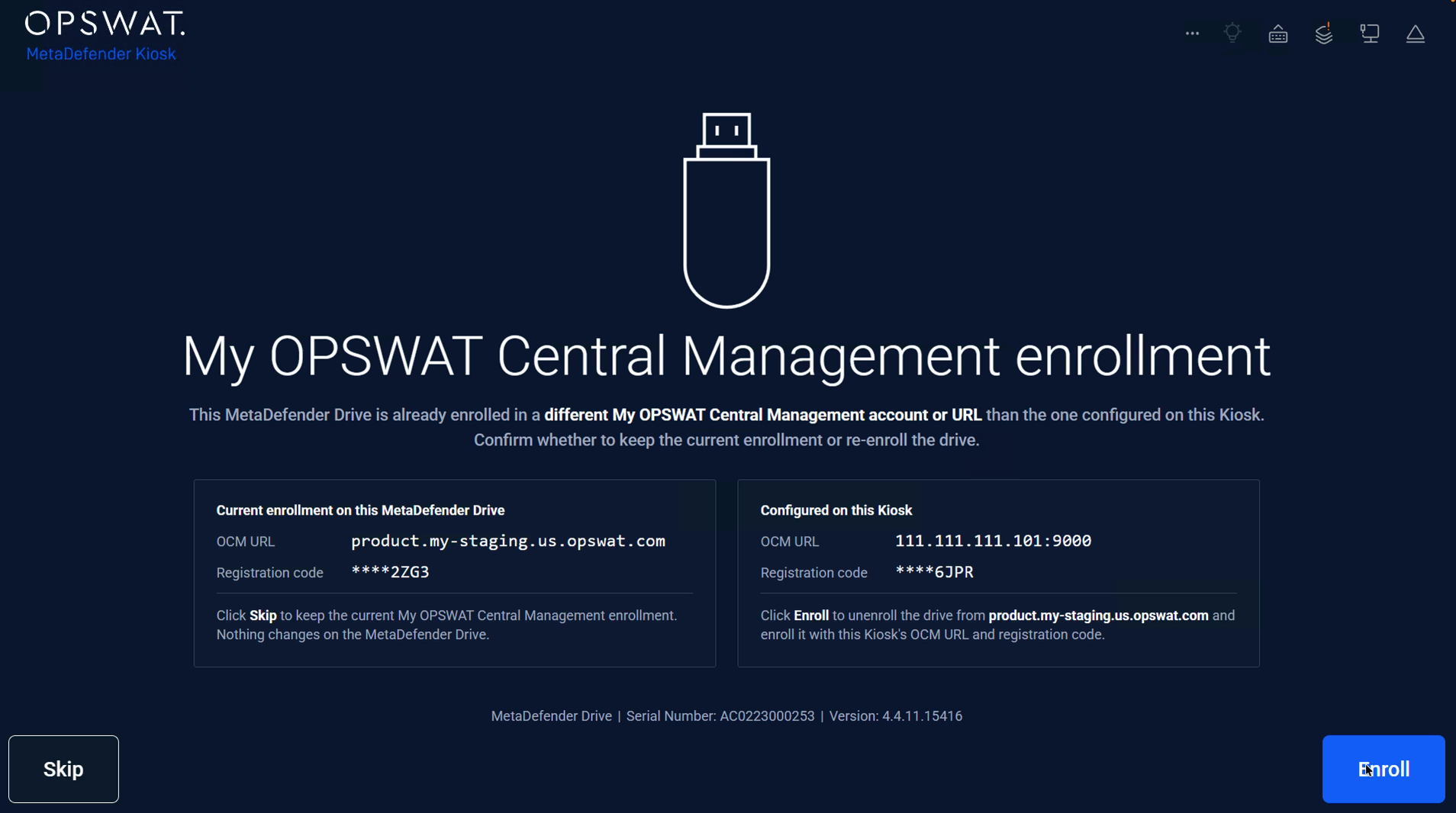
The current Central Management URL and the Kiosk's Central Management URL.
The registration code of each, showing only the last 4 characters (
****ABCD).
Enroll:
The Kiosk shows Checking Kiosk configuration.
The drive is removed from its current Central Management and enrolled with the Kiosk's Central Management.
Select Continue to go on with the normal tasks.
Skip:
The screen shows Enrollment skipped. Nothing changes on the drive or in either Central Management.
Select Continue. The drive keeps working with its current Central Management.
If the user does not answer within 5 minutes, the Kiosk skips the enrollment.
Troubleshooting
Issue | Result |
|---|---|
Kiosk's Central Management is unreachable, or its registration code is wrong | Enrollment fails with "nothing was changed". The drive stays with its current Central Management. |
Current Central Management is unreachable when enrolling | The drive is enrolled with the Kiosk's Central Management. An amber Could not unenroll status and the reason are shown. The previous Central Management may still list the drive. 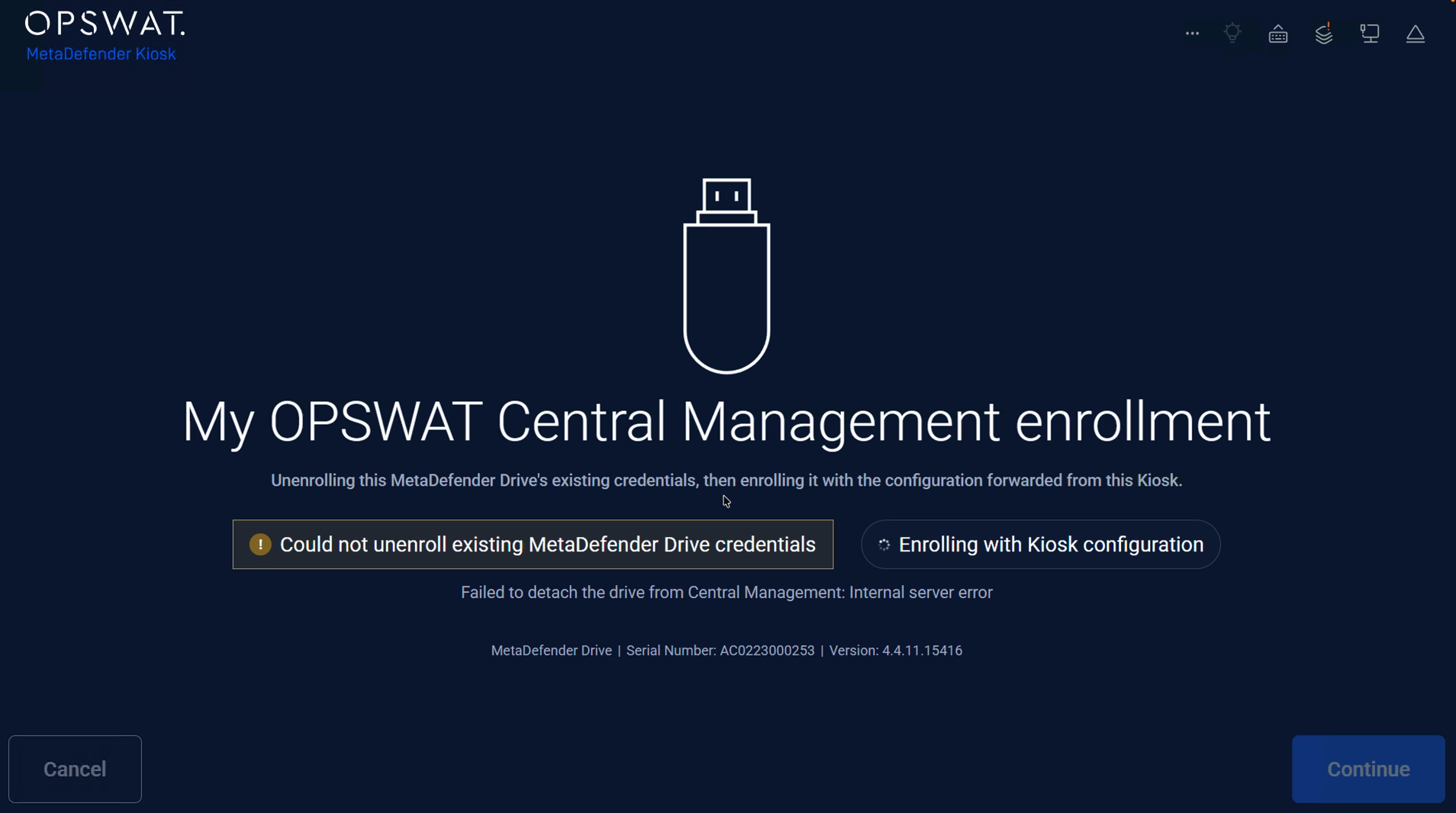 |
Enrollment fails after the drive was removed from its previous Central Management | The screen shows the drive is no longer managed. Only Cancel is available. |