Configuration
v4.4.5
Search this version
Configuration
Configuration
Title
Message
Create new category
What is the title of your new category?
Edit page index title
What is the title of the page index?
Edit category
What is the new title of your category?
Edit link
What is the new title and URL of your link?
Centralized Scanning Profile - Unlock in MetaDefender Drive
Copy Markdown
Open in ChatGPT
Open in Claude
Operator Authorization
As a MetaDefender Drive Operator, once the MetaDefender Drive is enrolled, you will be restricted from performing Quick and Custom scans. You can only perform a Full Scan and Update Engine Version.
Ad-hoc configuration changes are required to obtain a 6-digit One Time Password (OTP) from a user who was assigned an Approver role in order to perform any of the restricted actions, such as a quick scan or custom scan.
- To check if your Drive is locked, You can go to the Scan page, or the Engines page to see if there are restricted actions.
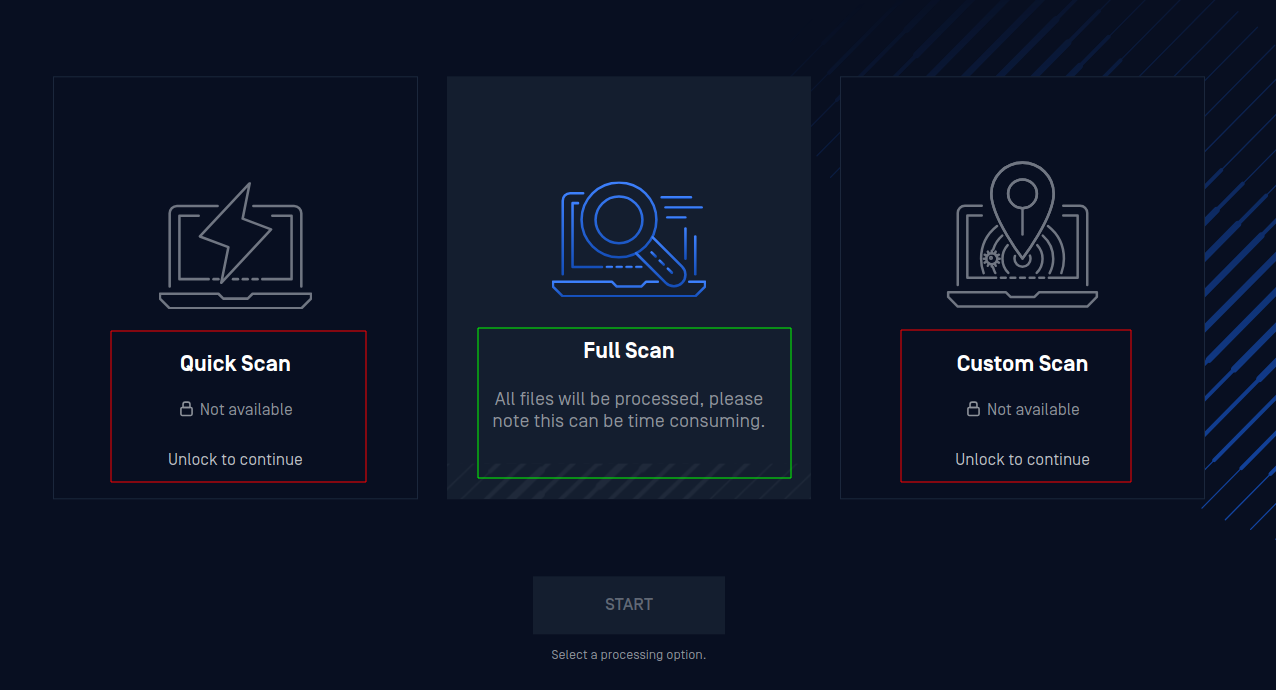
Scan options on a locked Drive
- To unlock your Drive, click any of the restricted actions. You will be prompted to enter a 6-digit authentication code.
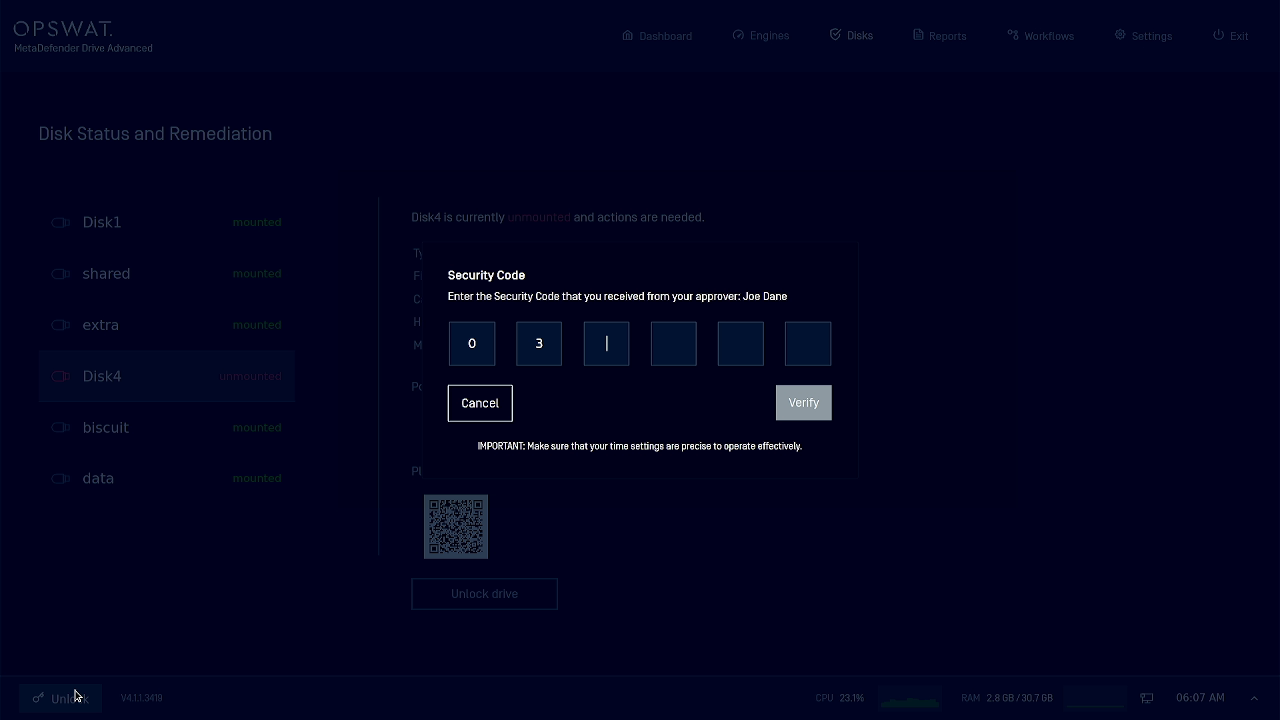
- Ask the Approver for the Drive you are using to provide you with an updated authentication code using their Google Authenticator app, then enter this code and click Verify.
VariableType to search · ESC to discard
GlossaryType to search · ESC to discard
InsertType to search · ESC to discard
No matches
Last updated on
Was this page helpful?
Next to read:
Settings → OPSWAT Management Consolenull
Discard Changes
Do you want to discard your current changes and overwrite with the template?
Archive Synced Block
Message
Create new Template
What is this template's title?
Delete Template
Message