
How to generate a Core's scan result summary in JSON format
This article applies to all MetaDefender Core V4 and V5 releases.
The following instructions will guide you through the process of saving your MetaDefender Core scan results to a JSON file.
Option 1 (V5)
MetaDefender Core V5 releases include an option to export a JSON result directly from the Console. Select JSON Export as illustrated in the screenshot below:
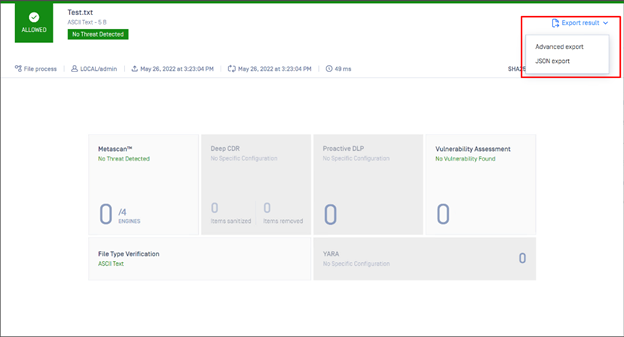
Option 2 (V4/V5)
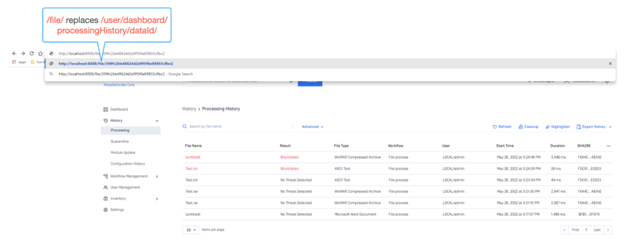
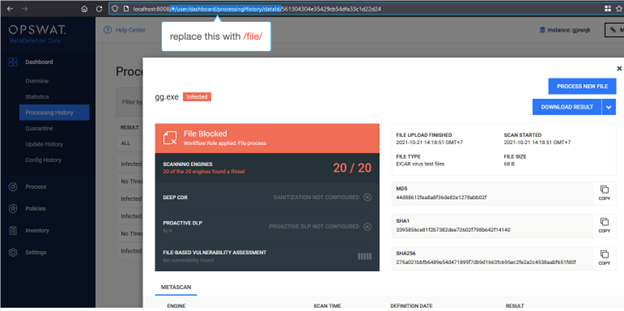
On the MetaDefender Core Scan Result Page, modify the URL as follows:
http://localhost:8008/#/user/dashboard/processingHistory/dataId/399fc2bb48624d2d9f5f6e89855c9bc2
=> http://localhost:8008/file/399fc2bb48624d2d9f5f6e89855c9bc2
Or, as illustrated in the relevant screenshot below:
V5:
V4:
Hit Enter, and your screen will update as follows:
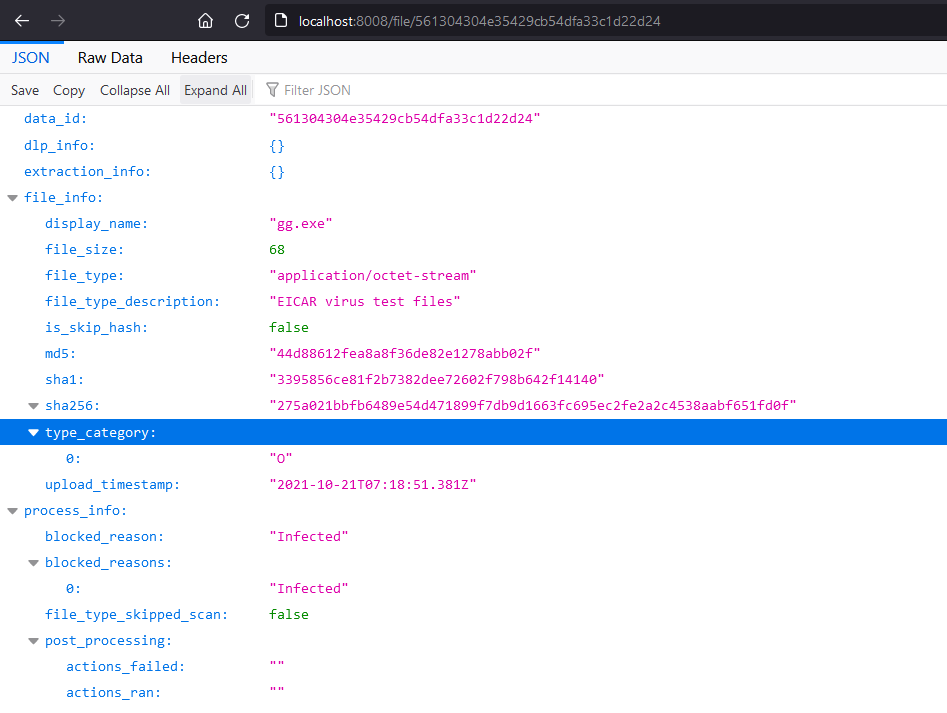
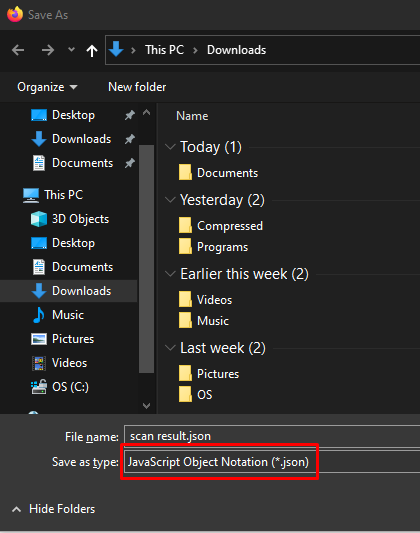
Finally, hit Ctrl+S to save this scan result into a JSON file, as follows:
If Further Assistance is required, please proceed to log a support case or chatting with our support engineer.