
How to completely uninstall MetaDefender Core?
This article applies to all MetaDefender Core V5 releases deployed on Windows and Linux systems.
This article provides comprehensive steps to completely uninstall MetaDefender Core, including removal of the application, services, configuration files, logs, and database files on both Windows and Linux platforms.
Uninstall Microsoft Windows Deployments
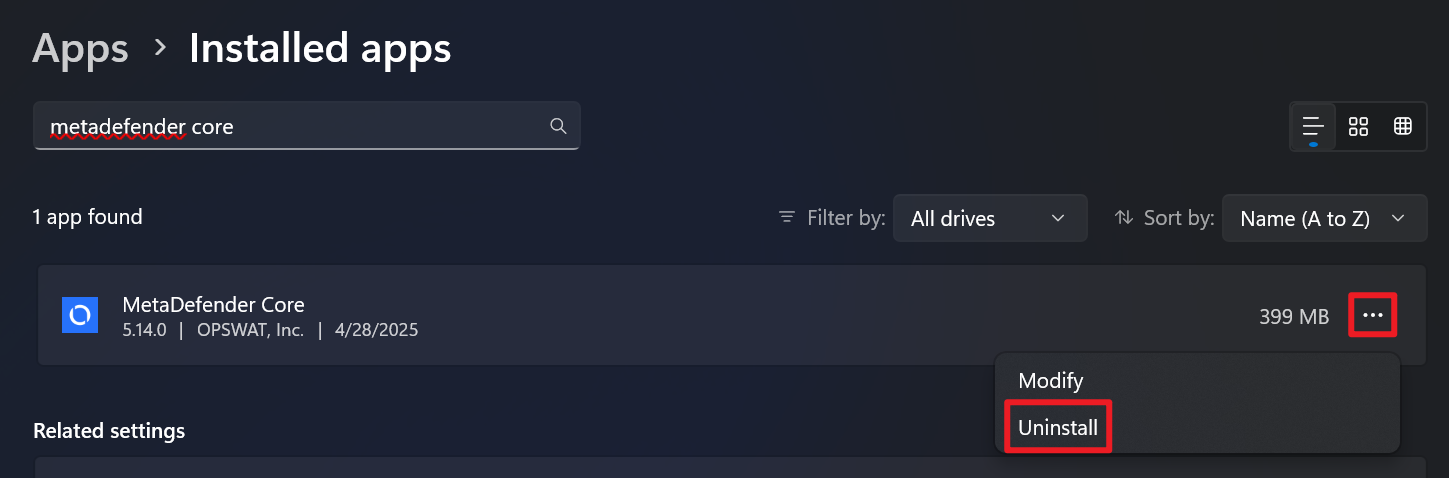
Open the Add or Remove Programs settings in Windows, then search for MetaDefender Core in the list of installed applications.
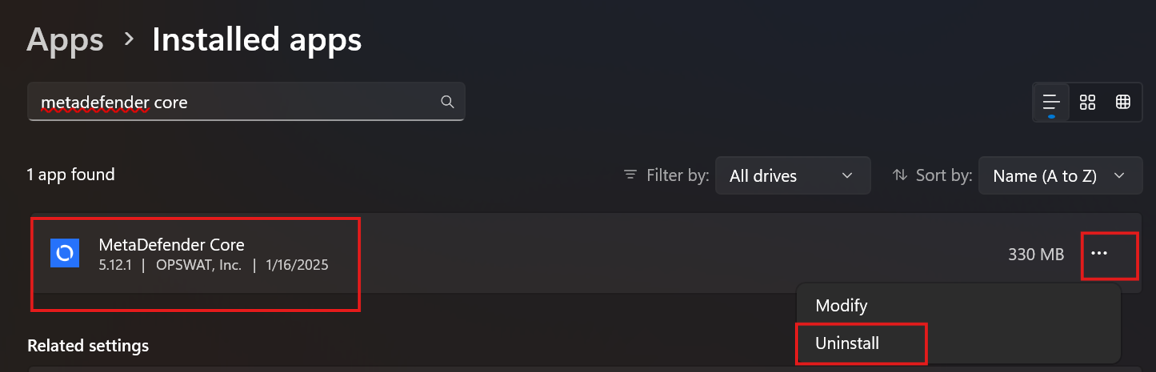
Click the three-dot menu next to MetaDefender Core, and select Uninstall.
Delete Remaining Files and Directories
To completely remove all MetaDefender Core-related data, logs, and configuration files, please refer to this article: What are the List of folders that should be removed after MetaDefender Core uninstallation on Windows?
Uninstall Linux Deployments
1. Stop and Disable MetaDefender Core Services
Before uninstalling, stop the service to ensure no processes are running:

2. Remove the Core Software Package
For RPM-based systems (Rocky Linux, CentOS, RHEL):

For Debian-based systems (Ubuntu, Debian):

3. Delete Remaining Files and Directories
To completely remove all MetaDefender Core-related data, logs, and configuration files, please refer to this article: What are the List of folders that should be removed after MetaDefender Core uninstallation on Linux?
Navigate to the File Explorer and remove the following folders if they exist:
If Further Assistance is required, please proceed to create a support case or chat with our support engineer.