
Please refer to this page for an overview of the Quarantine feature
This section provides guidance on how to save or download quarantined files for further investigation.
Navigate to History > Quarantine, select the file you wish to download, and click the “…” button. You will be presented with the following options:
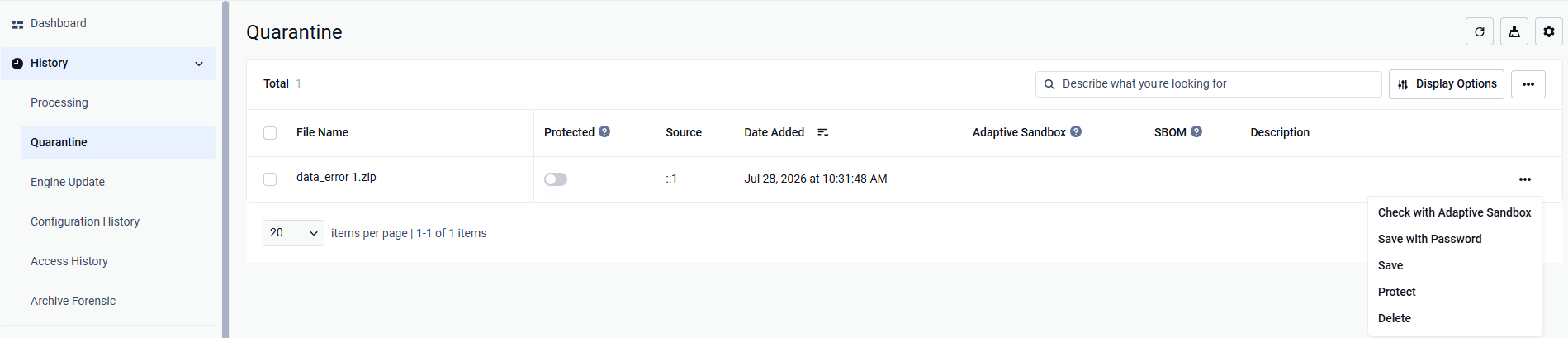
Save: The file is downloaded directly in its original format without password protection. For example, if the file is a PDF, it will be downloaded as a standard PDF file.
Save with Password: The file is downloaded as a password-protected ZIP archive. You will be required to enter a password during the download process and use the same password to decrypt the file later. This option helps reduce the risk of accidental execution on the user’s machine and prevents unintended actions.
Password only accept these characters (same as export settings) Alphanumeric: A-Z, a-z, 0-9 Special characters: ~`!@#$%^&*()-_=+[]{}':<>,".;?/\| and space.
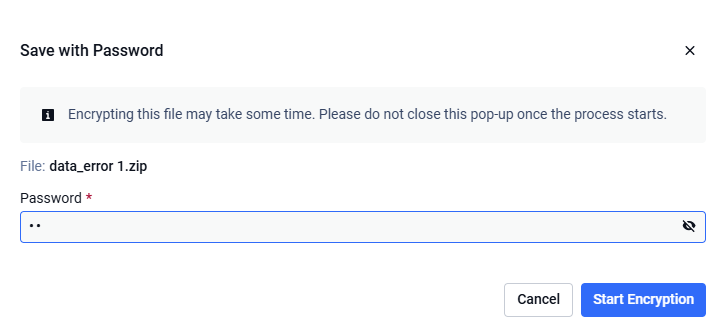
Please note that when using the “Save with Password” option, the file may take several minutes to complete the encryption process. During this time, please do not close the pop-up window. If the window is closed, the process will be interrupted, and you will need to restart it from the beginning when attempting to download the file again.