
Here you will be shown how to remove user accounts from MetaDefender Aether if it is no longer needed.
Removing a user account on MetaDefender Aether
The right to remove a user account is only available for Admins.
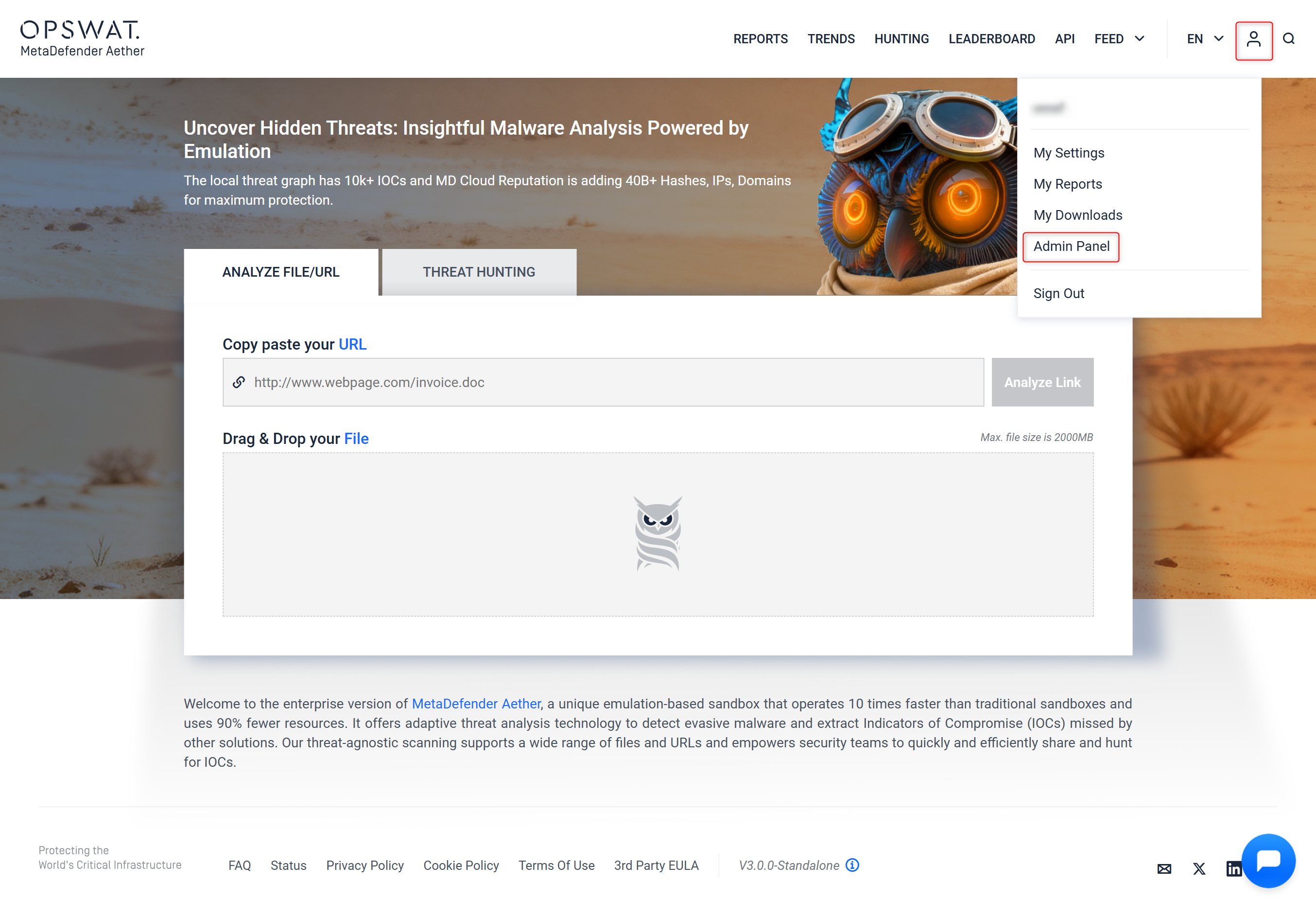
Step 1 - Go to "Admin Panel"
Go to your "Admin panel" by clicking on Your account icon on the top right corner.
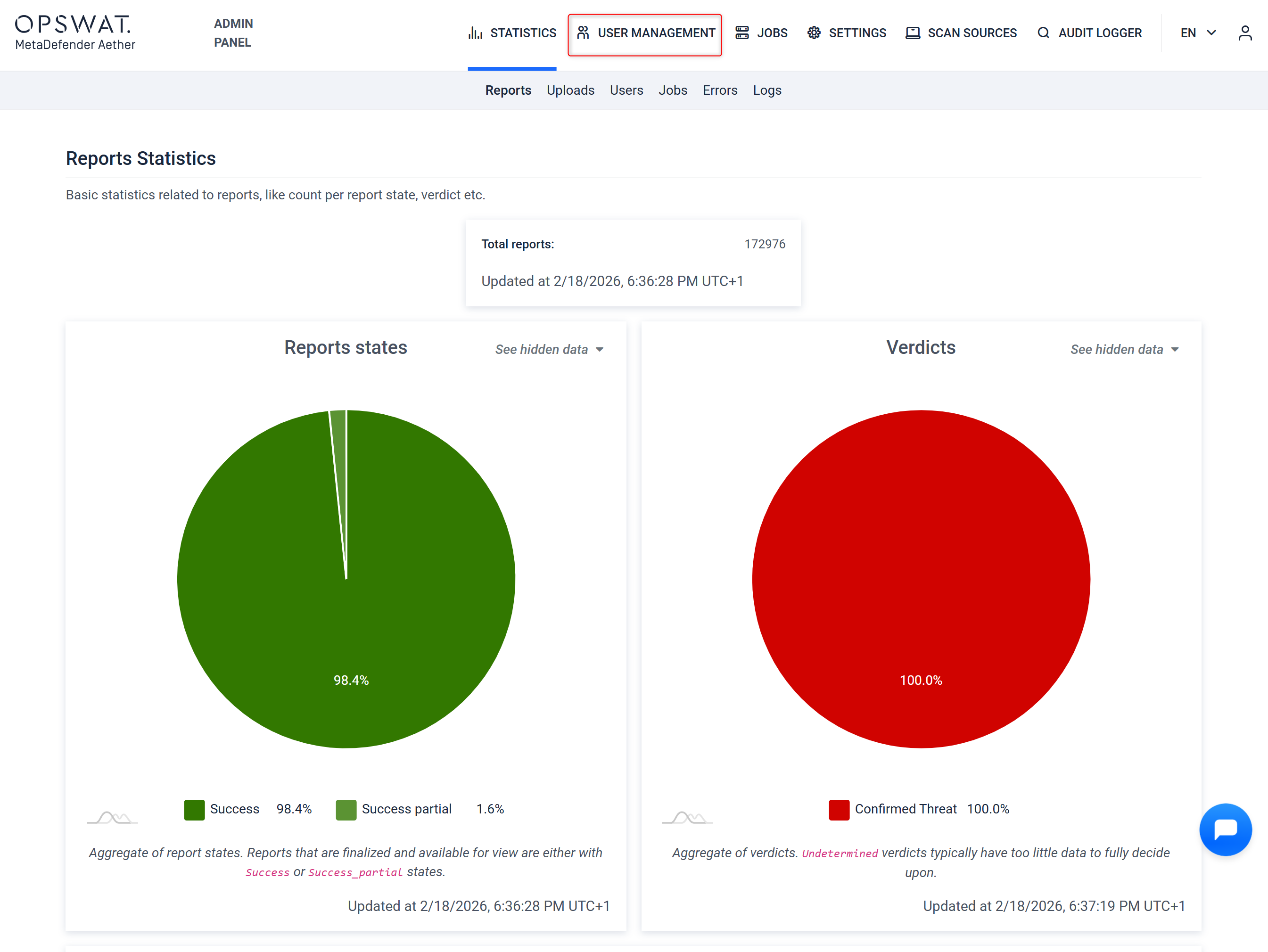
Step 2 - Select "User Management"
After you arrive to the Report Statistics Dashboard, where you can select "User Management" on the top left area of the menu bar.
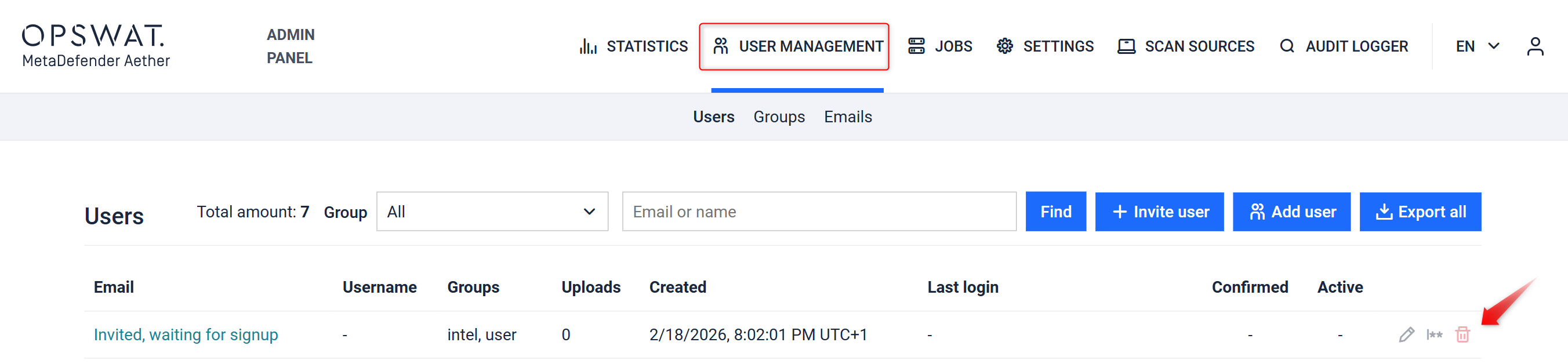
Step 3 - Find the user to be deleted
You can type the user / email address of the user that needs to be removed from the platform. You can use the red trash can icon to delete the user.
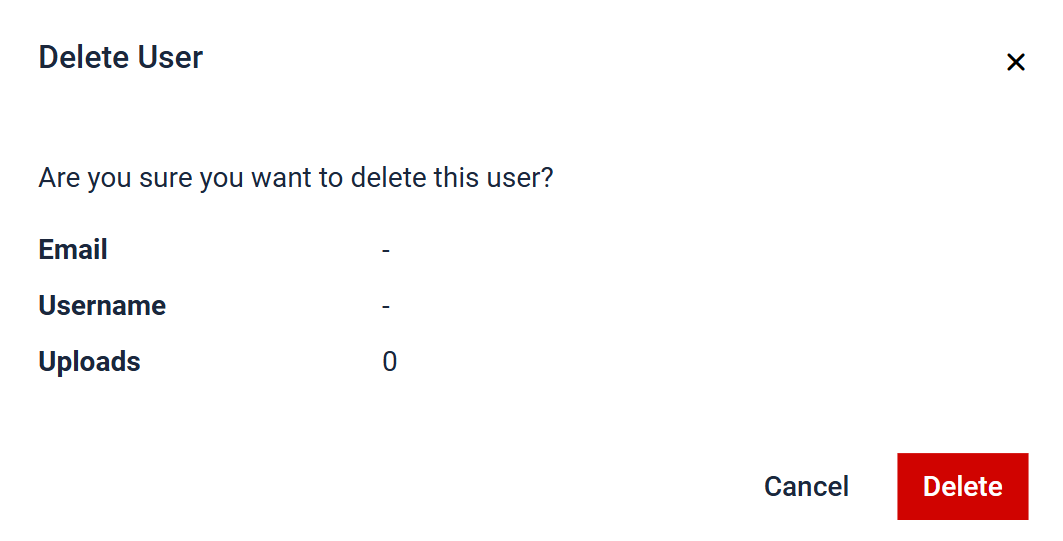
Step 4 - Remove the user
The pop-up window allows you to confirm the user that you wish to remove from the platform. After that you need to click "Delete", if you want to delete the user. If not, hit "Cancel"
Was this page helpful?
Admin Guide