
Setup Steps
After Okta IdP MFA is setup for My OPSWAT Central Management, follow these steps to configure Authentication policies for Okta Dashboard with My OPSWAT Central Management IdP MFA as the only possession MFA factor.
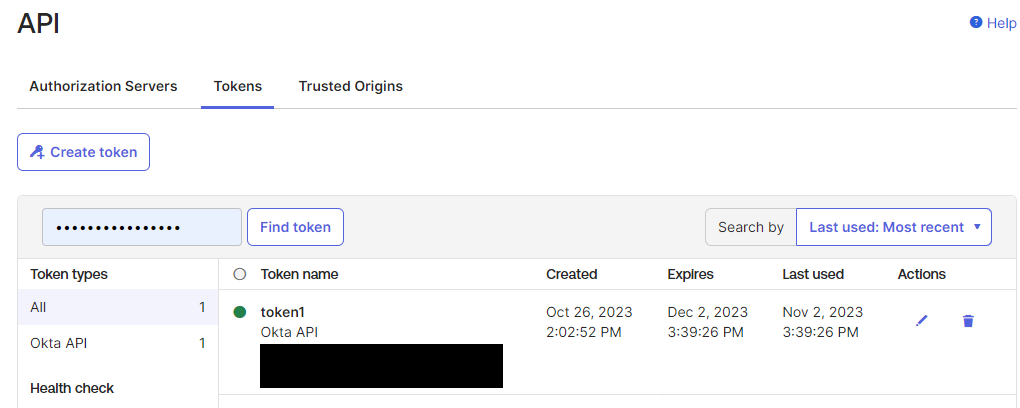
Create an Okta API token.
Reference: https://help.okta.com/oie/en-us/content/topics/security/api.htm#create-okta-api-token
Explore the Okta Policy API with Postman.
Reference: https://developer.okta.com/docs/reference/api/policy/#get-started
In Postman, go to Environments and input variables
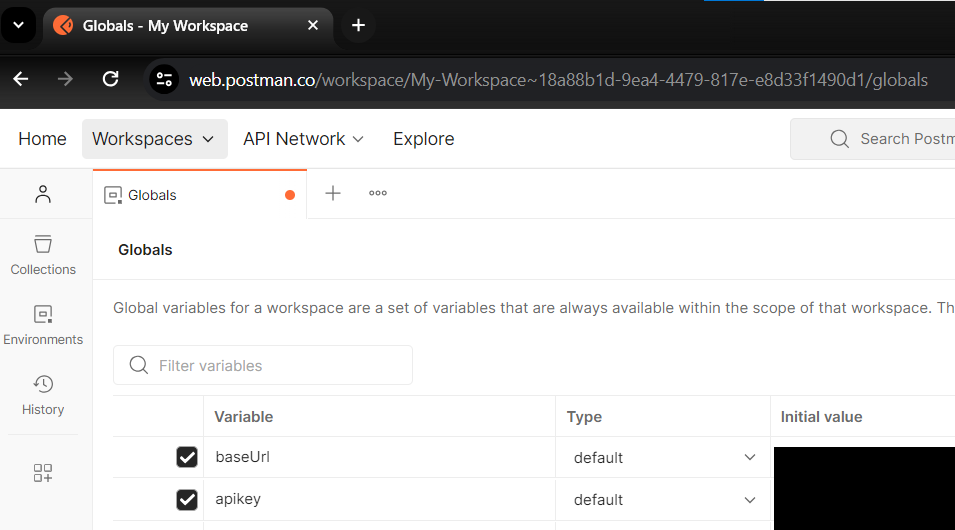
baseUrl: your Okta domain https endpoint
apikey: the API token created from Step 1.
Make an API call "[PUT] Replace a Policy Rule".
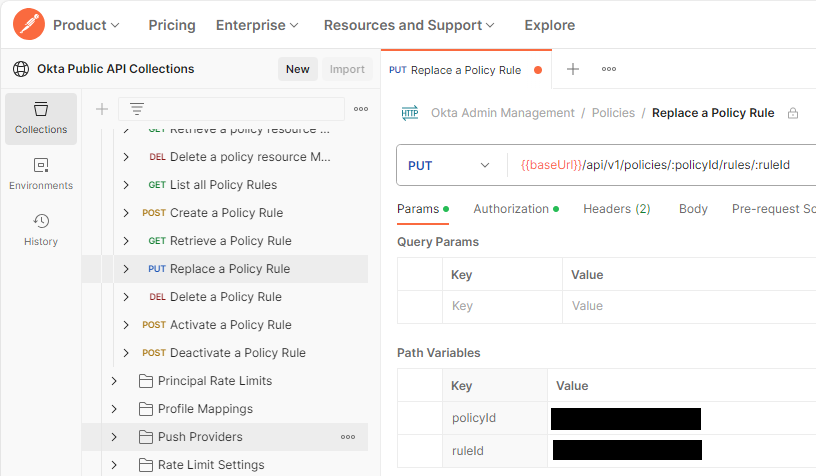
Input policyId and ruleId
Update the rule with expecting "verificationMethod", "factorMode" and "constraints"
Reference: https://developer.okta.com/docs/reference/api/policy/#verification-method-object
Note: the configured My OPSWAT Central Management IdP MFA has authenticator method as IDP

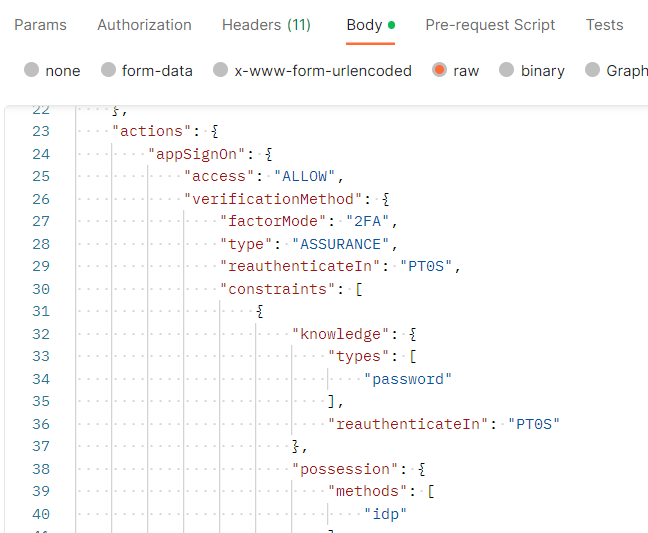
Click Send
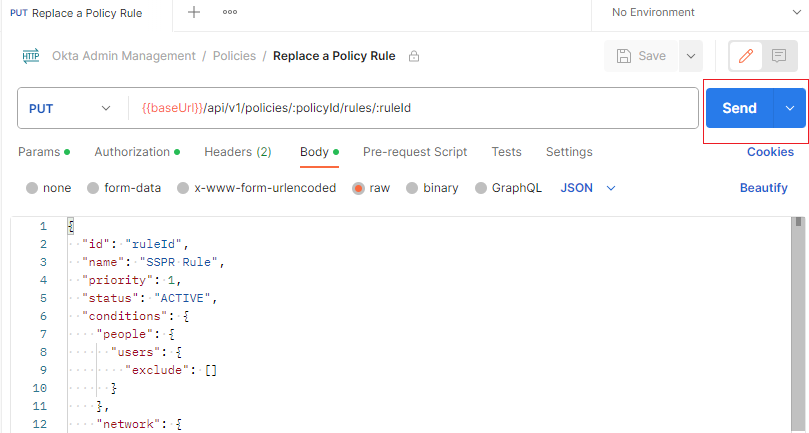
Verify your Policy API configuration.
In Okta, go to Security > Authentication Policies > go to configured policy and rule
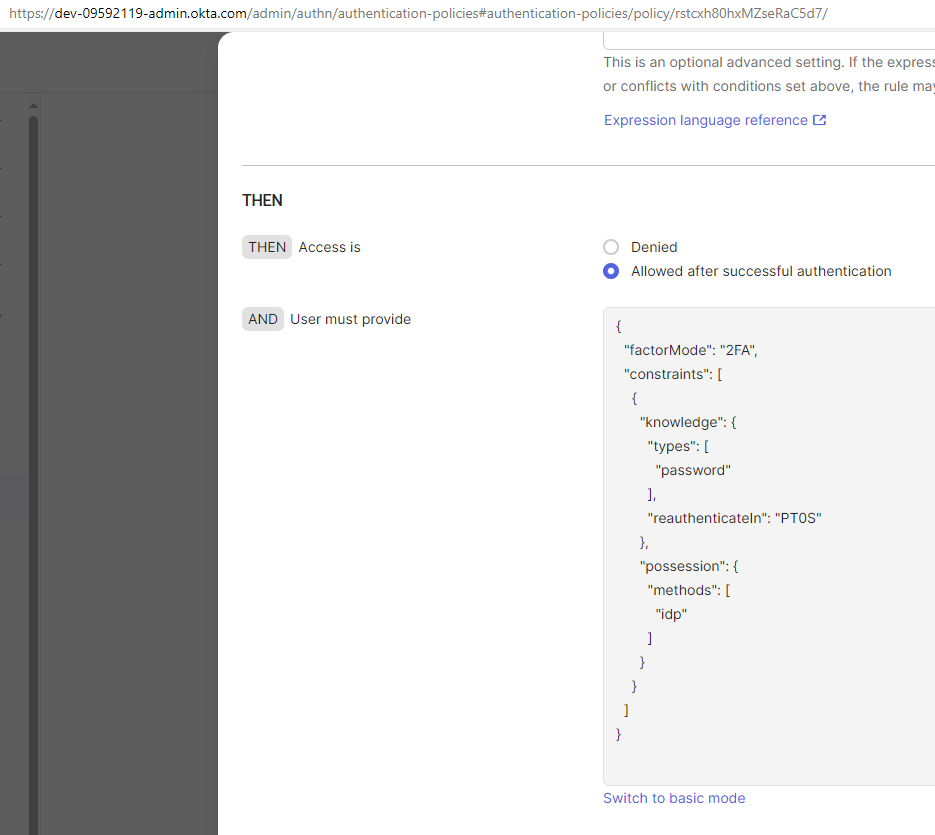
The rule updated by Policy API should appear in Advance mode (JSON).