
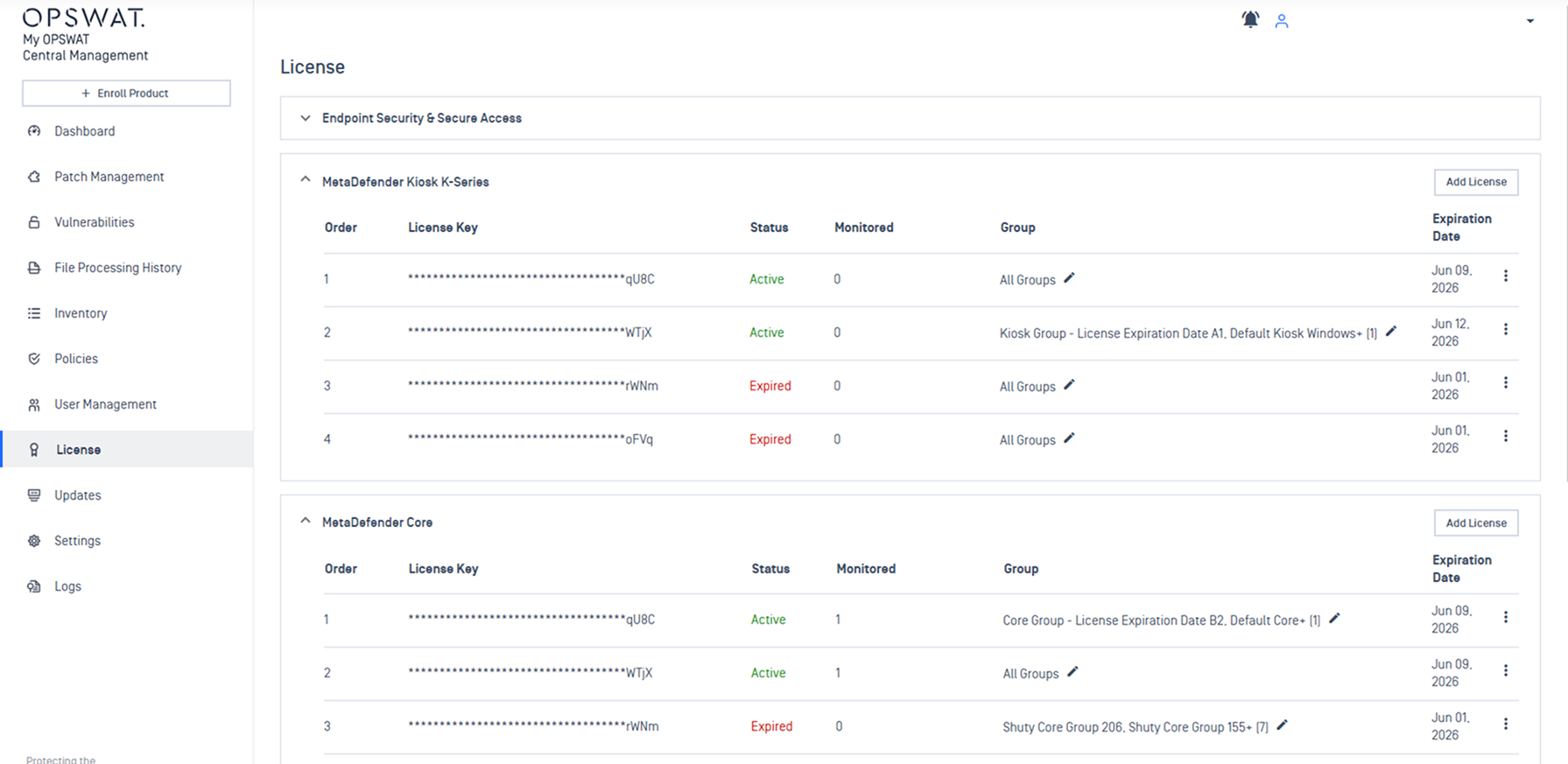
The License Management feature in My OPSWAT Central Management provides a centralized hub to manage product licenses across your entire deployment. Administrators can use this single console to activate licenses, monitor consumption, and assign capacity to specific groups.
Supported Products
License Management supports the following OPSWAT products:
Endpoint Security & Secure Access
MetaDefender Kiosk (K-Series and L-Series)
MetaDefender Core
MetaDefender Managed File Transfer
MetaDefender Aether
MetaDefender Industrial Firewall
Key Capabilities
Monitor License Details: View real-time status, expiration dates, and usage across all connected products that My OPSWAT Central Management grant licenses.
Manage Product License: Administrators can add and remove product licenses directly from a single console.
Allocate Group License: Assign license to specific device groups to prevent one group from using license capacity intended for another.
Troubleshooting
Use this reference table to resolve common licensing configuration errors.
Issue | Cause | Resolution |
|---|---|---|
Device exceeds account limit or "Out of License Usage" error | The number of enrolled devices has surpassed the license's device limit | Contact OPSWAT Sales to purchase additional device slots. Reference: What happens if I exceed the limit of devices for my account? |
Device limit does not match the purchased license. | The license key may need refresh after an upgrade | Re-activate the license key, contact OPSWAT Support to verify the device count on your key, Reference: What do I do if my device limit does not match my license purchased? |
License status shows "Invalid" | A network timeout prevented connection to the activation service | Retry adding license. If the error persists, verify your network connectivity to the OPSWAT Activation Server |
Product instance does not receive its license. | The instance may not be in the correct group | Verify the group assignment for the instance, or assign a Global fallback license to support unassigned groups |
"No License Available" error | All group-specific AND global slots are consumed | Add license to your account, or reassign underutilized licenses from other groups. |
An expired license fails to renew automatically. | No valid renewed license key added to My OPSWAT Central Management | Add the renewed license key to restore active status. |