
This article applies to ESET Endpoint Security for Windows, the current My OPSWAT Central Management Console and API, and all MetaDefender Endpoint releases deployed on Windows systems.
The following article covers three common My OPSWAT Central Management device compliance warnings that users may encounter when running ESET Endpoint Security in conjunction with MetaDefender Endpoint.
These warnings/flags are triggered by device issues and will appear under My OPSWAT Central Management Console>Inventory>Devices>Relevant Device>Detailed Device Information>Deep Compliance>Anti-Malware.
Please follow the relevant instructions below.
My OPSWAT Central Management Compliance Warning: ESET Endpoint Security - No Successful Scan Recently
Launch ESET Endpoint Security for Windows.
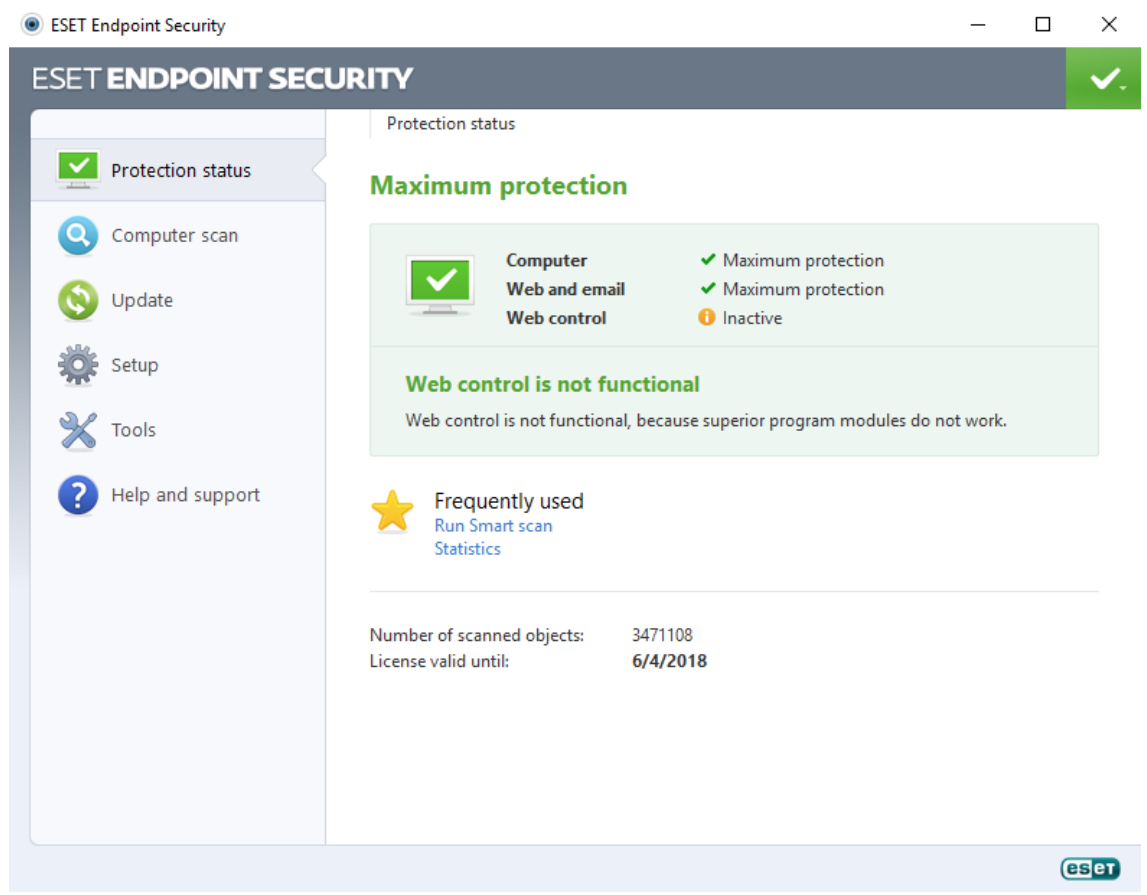
Click Computer scan in the left-hand navigation bar.
On the Computer scan page, click on Custom scan.
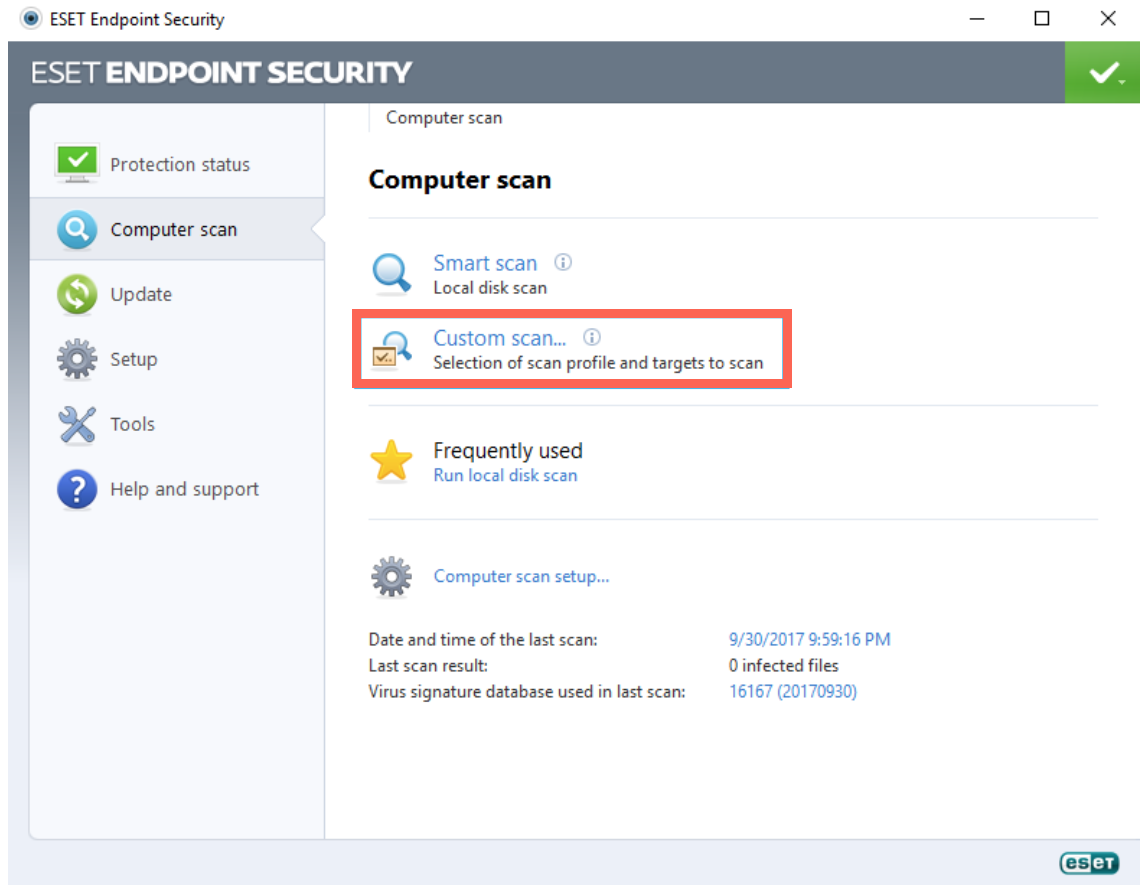
From the Custom scan pop-up window, select Local drives, then click the Scan button, as illustrated below.

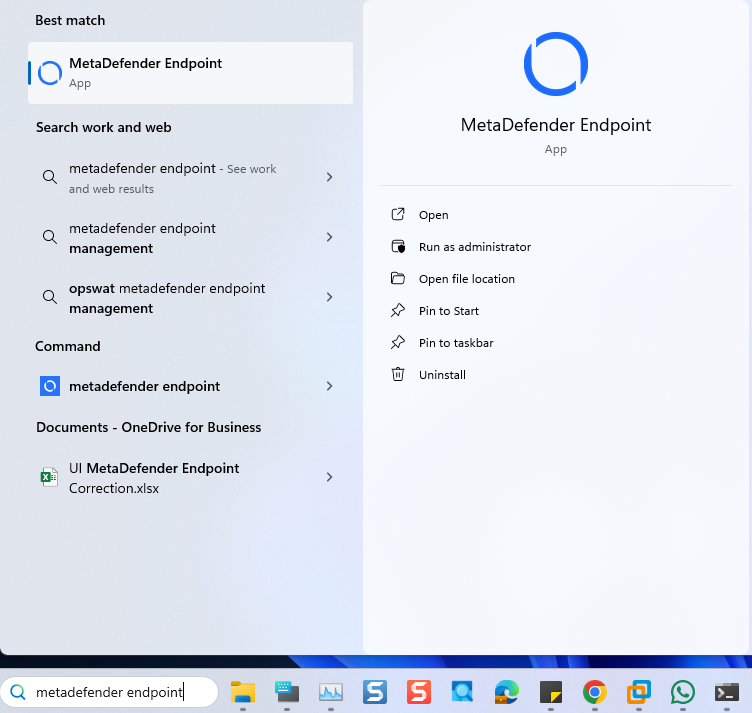
Open the Windows Start menu, then search for MetaDefender Endpoint (or My OPSWAT Central Management) and select Run as administrator.
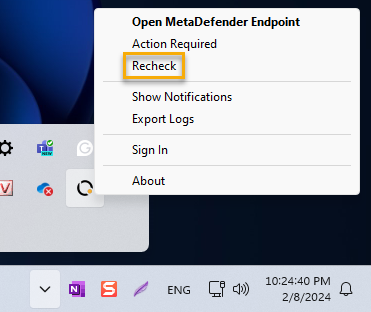
Once the app is running, right-click on the MetaDefender Endpoint tray icon and, from the pop-up menu, click Recheck.
This will trigger the MetaDefender Endpoint to scan all device compliance data and report to the My OPSWAT Central Management servers again.
My OPSWAT Central Management Compliance Warning: ESET Endpoint Security - Realtime Protection Disabled
Launch ESET Endpoint Security for Windows.
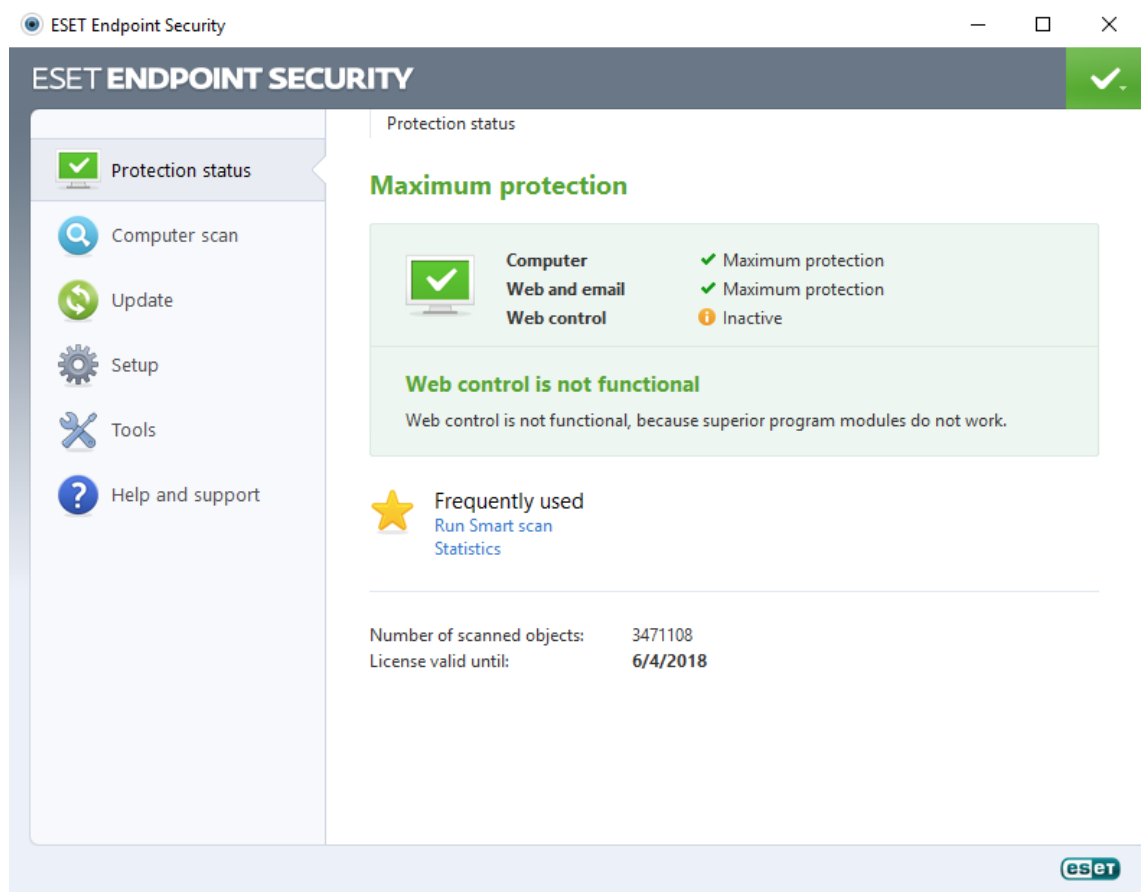
Click Setup in the left-hand navigation bar.
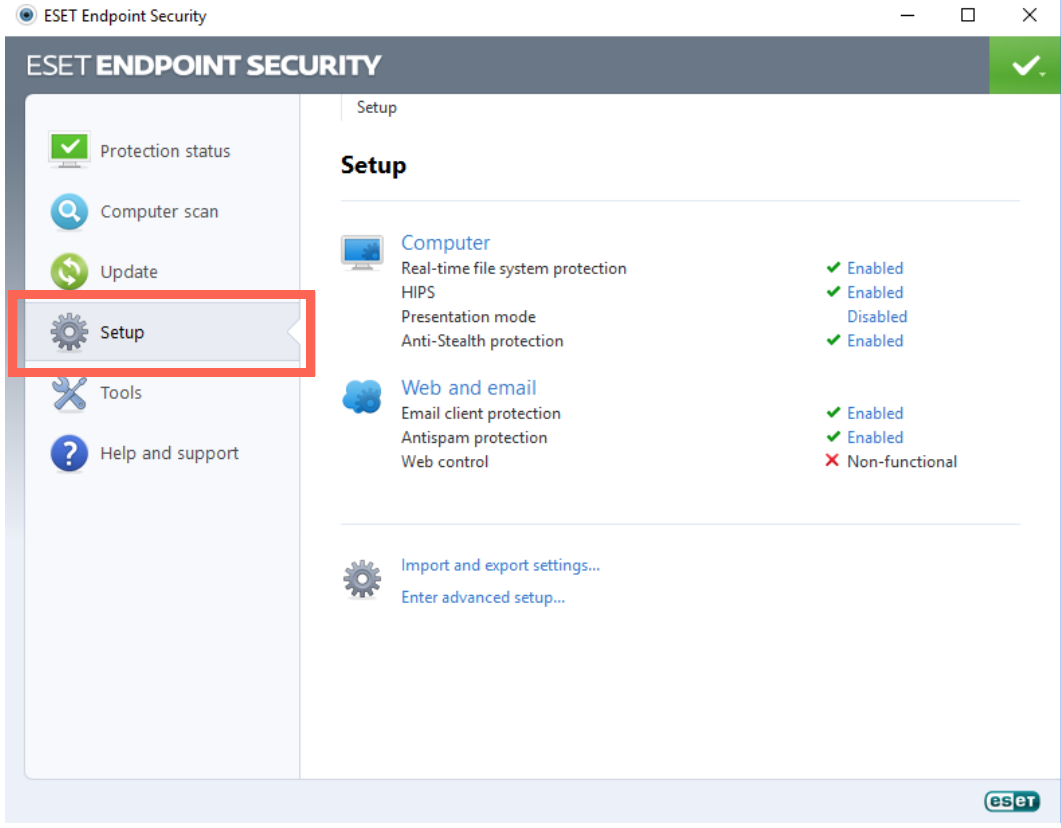
On the Setup page, click Real-time file system protection to enable it.

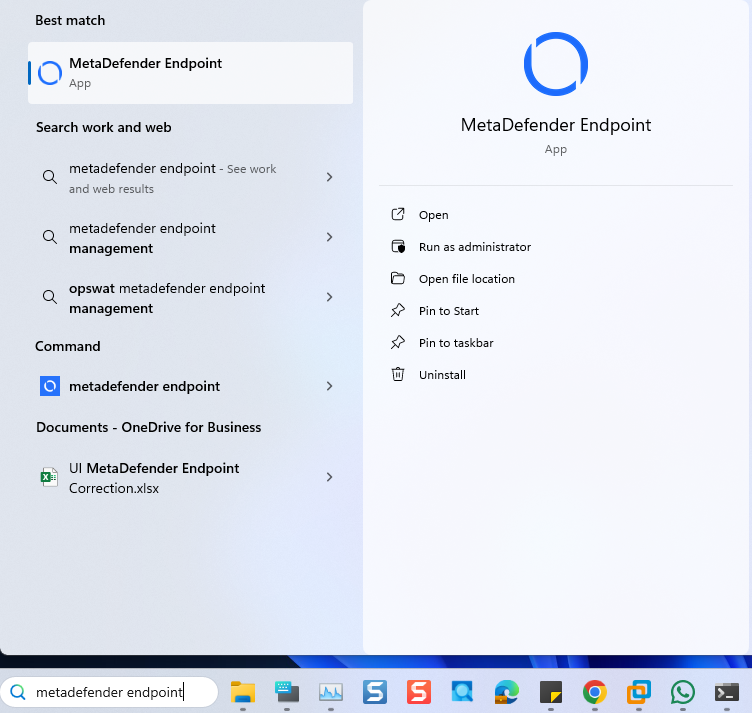
Open the Windows Start menu, then search for MetaDefender Endpoint (or My OPSWAT Central Management) and select Run as administrator.
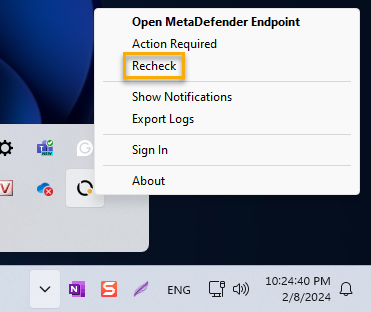
Once the app is running, right-click on the MetaDefender Endpoint tray icon and, from the pop-up menu, click Recheck.
This will trigger the MetaDefender Endpoint to scan all device compliance data and report to the My OPSWAT Central Management servers again.
My OPSWAT Central Management Compliance Warning: ESET Endpoint Security - Virus Definition Out Of Date
Launch ESET Endpoint Security for Windows.

Click Update in the left-hand navigation bar.
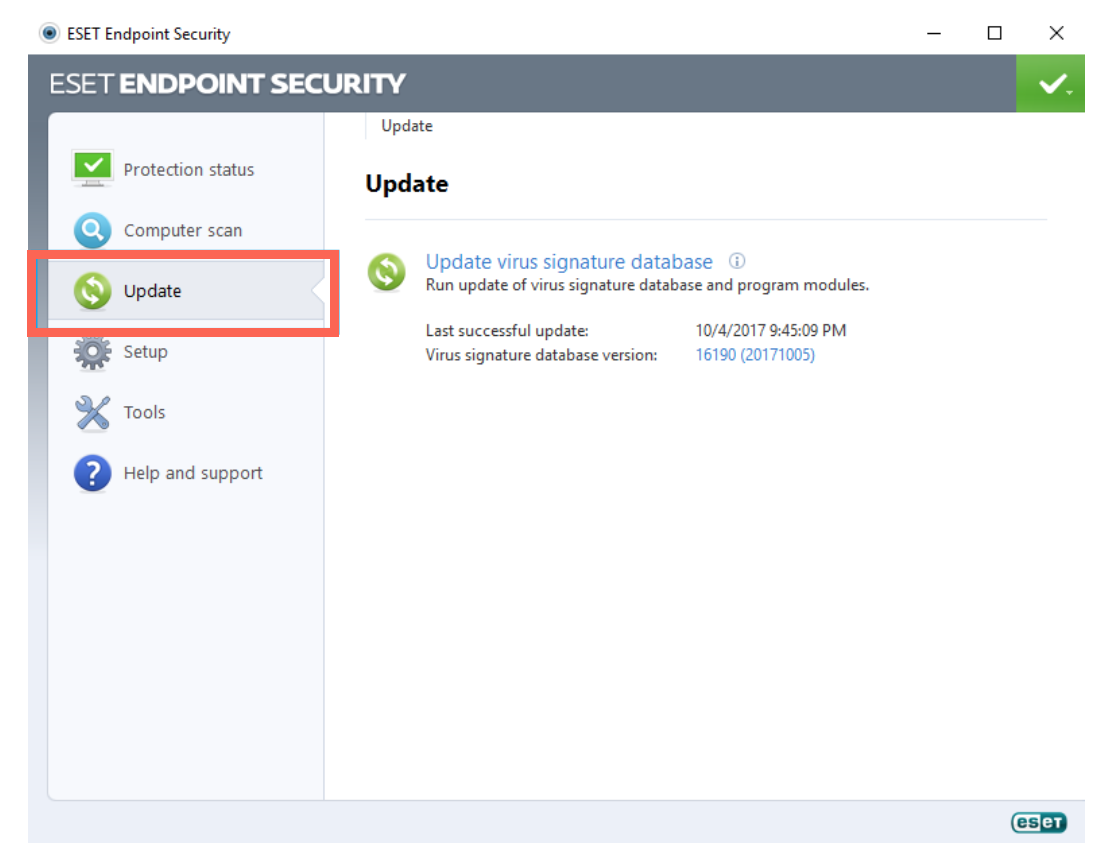
On the Update page, click on Update virus signature database.

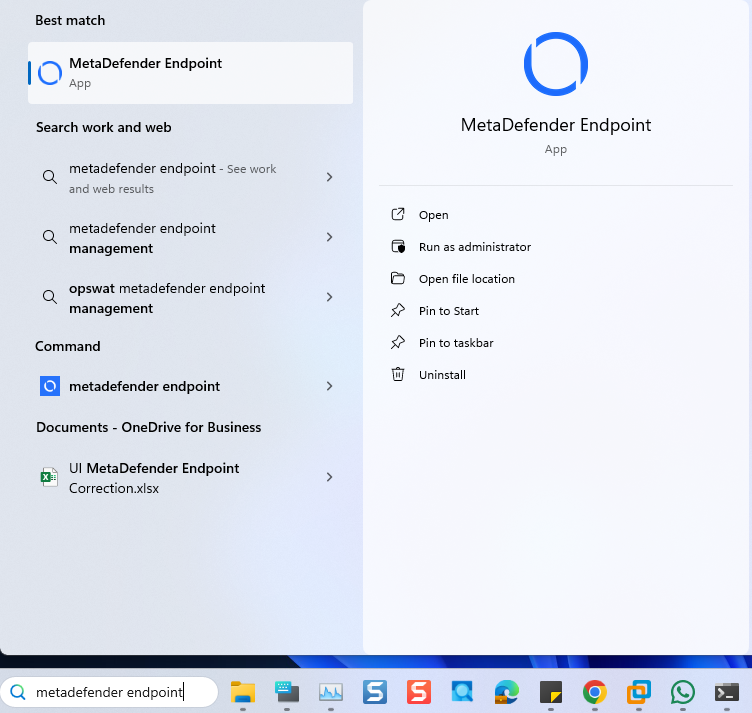
Open the Windows Start menu, then search for MetaDefender Endpoint (or My OPSWAT Central Management and select Run as administrator.
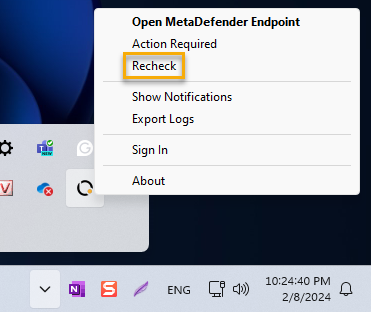
Once the app is running, right-click on the MetaDefender Endpoint tray icon and, from the pop-up menu, click Recheck.
This will trigger the MetaDefender Endpoint to scan all device compliance data and report to the My OPSWAT Central Management servers again.
If you have followed the instructions above but Continue To Experience ESET Endpoint Security Issues On Your MetaDefender Endpoint/MetaDefender IT Access Devices, please open a Support Case with the OPSWAT team via phone, online chat or form, or feel free to ask the community on our OPSWAT Expert Forum.