
The Endpoint Security Dashboard shows the security posture of all your managed devices in one place, so you can spot non-compliant, vulnerable, or infected devices and drill straight into them.
Go to Endpoint Security > Dashboard. The dashboard has four tabs:
Tabs | What It Does |
|---|---|
Overview 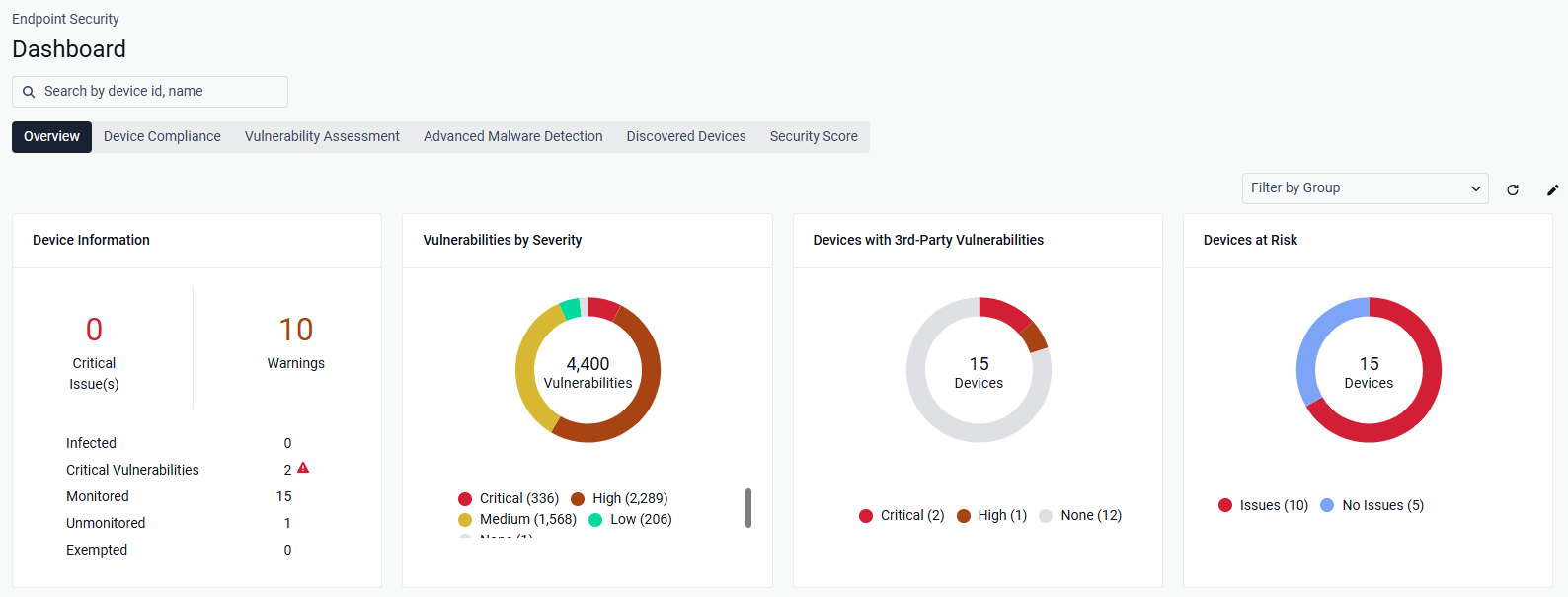 | Summarizes device status, threats, and vulnerabilities across all managed devices so you can decide where to look first. |
Device Compliance 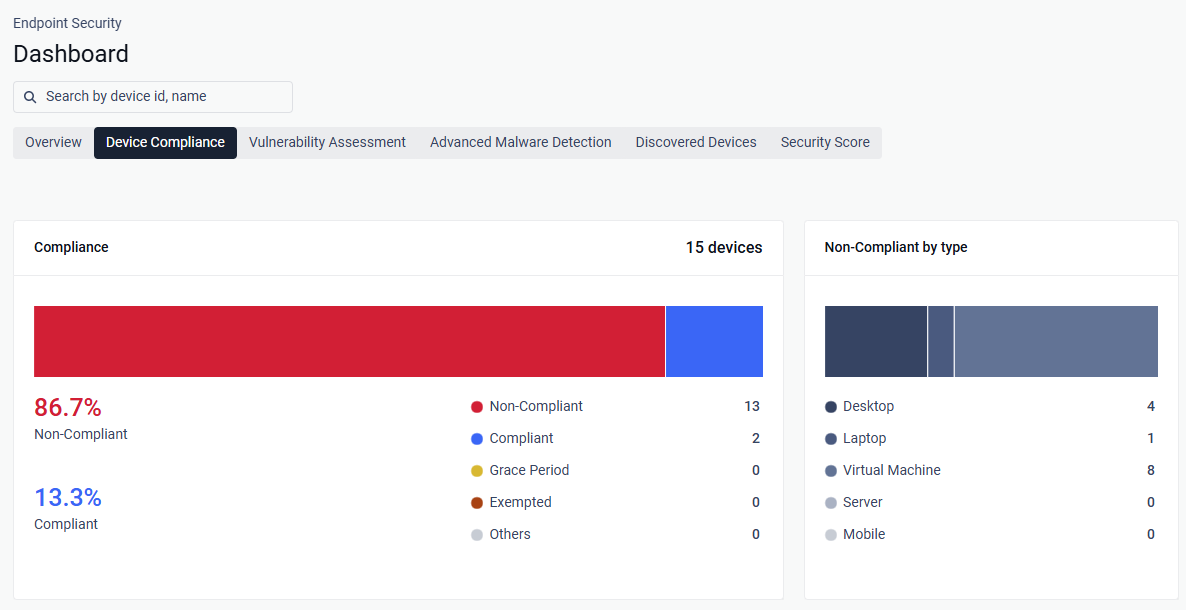 | Shows which devices fail your policies and why, broken down by compliance status, device type, operating system, and policy category, so you can target the categories and platforms that cause the most non-compliance. |
Vulnerability Assessment 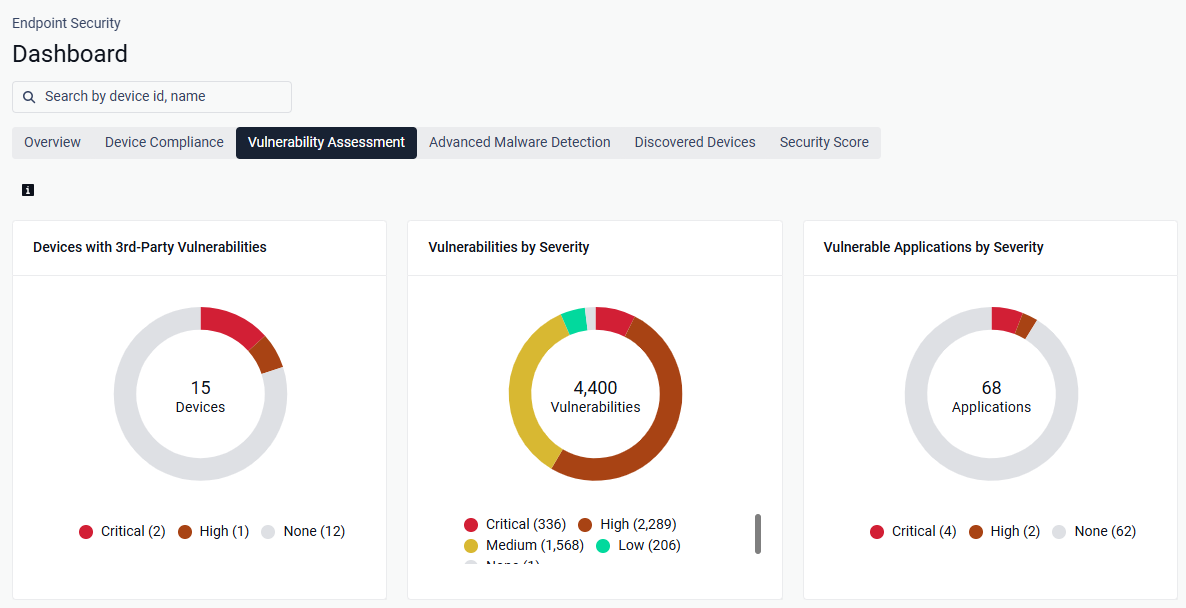 | Measures how exposed your devices are to known CVEs, so you can prioritize patching by severity and by the number of devices affected. |
Advanced Malware Detection 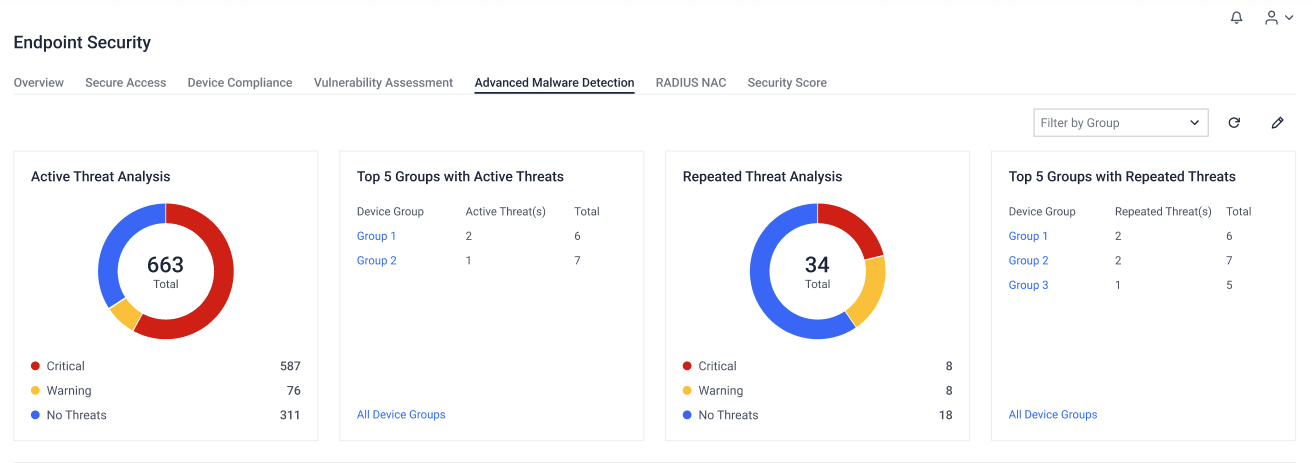 | Tracks threats found on your devices, separating active threats that need immediate response from threats that keep coming back. If the multi-scanning threat category is turned off in your policies, these widgets prompt you to turn it on. |