
Who can use this feature?
Any registered My OPSWAT Portal user can use My Submissions without a paid OEM license. Viewing Organization Submissions requires the OESIS Submission - Organization Submissions permission. Only the person who submitted a request can edit and resubmit it.
Use OESIS Submission to send an application to the OESIS Framework or request OESIS OK Certification, then check the request's status and respond when OPSWAT asks for more information.
Open OESIS Submission
Sign in to My OPSWAT Portal and open OEM Portal.
OEM customers see an OESIS Submission tab alongside the OEM overview
Customers without OEM permission go directly to OESIS Submission.
Create a submission
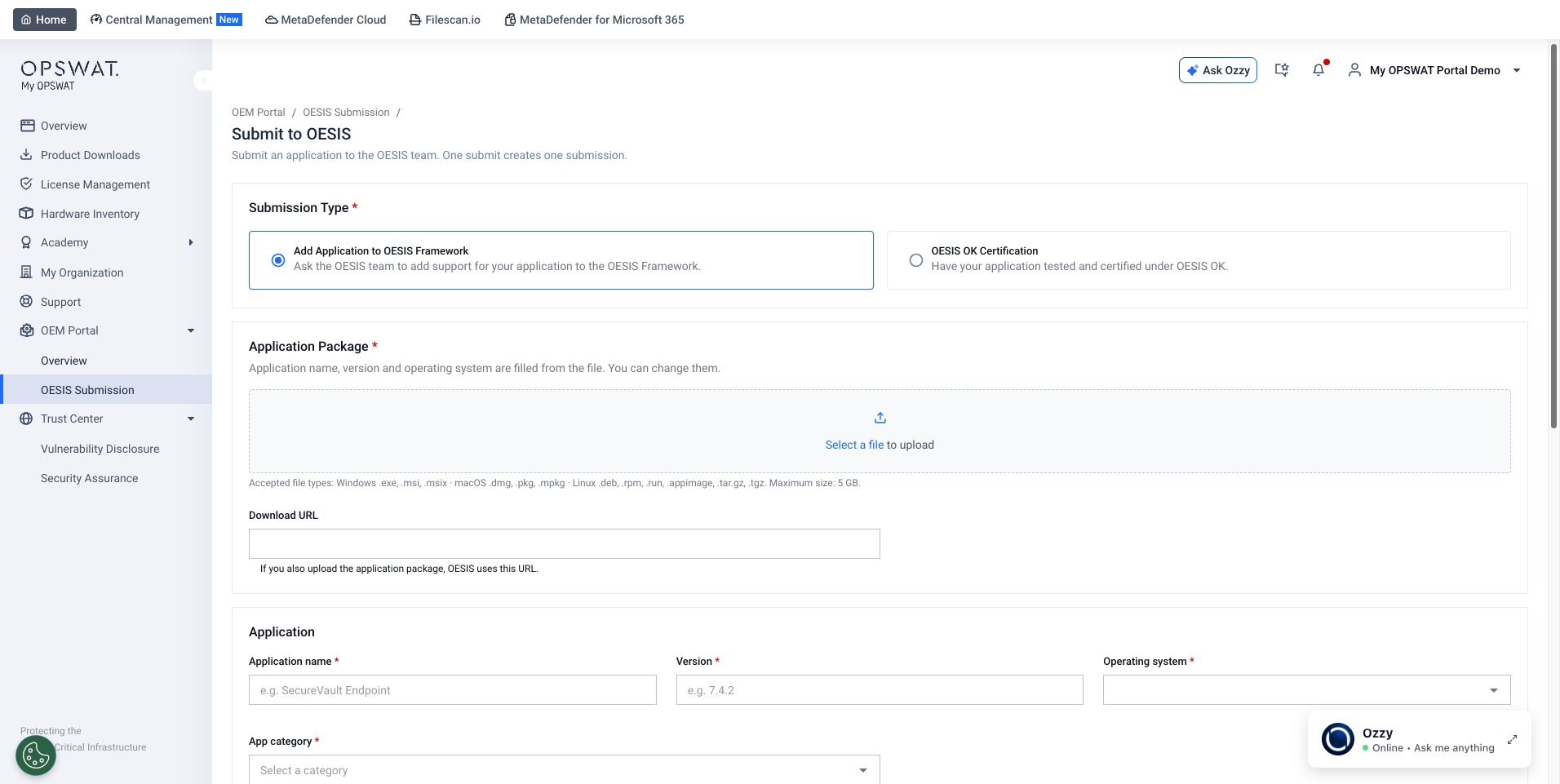
In OESIS Submission, select Submit.
Choose Submission type: Add Application to OESIS Framework or OESIS OK Certification.
Upload an Application Package, then review or enter Application name, Version and Operating system.
Choose the category for your submission type. For OESIS OK Certification, also choose Certification level and upload the required Test configuration file.
Add at least one Technical contact. You can also add a license key or file and additional information.
Wait for required files to finish uploading, then select Create Submission.
Your request appears in My Submissions with a submission ID. OESIS OK Certification requests can seek Gold or Platinum, but the awarded level depends on the test result.
Track a submission
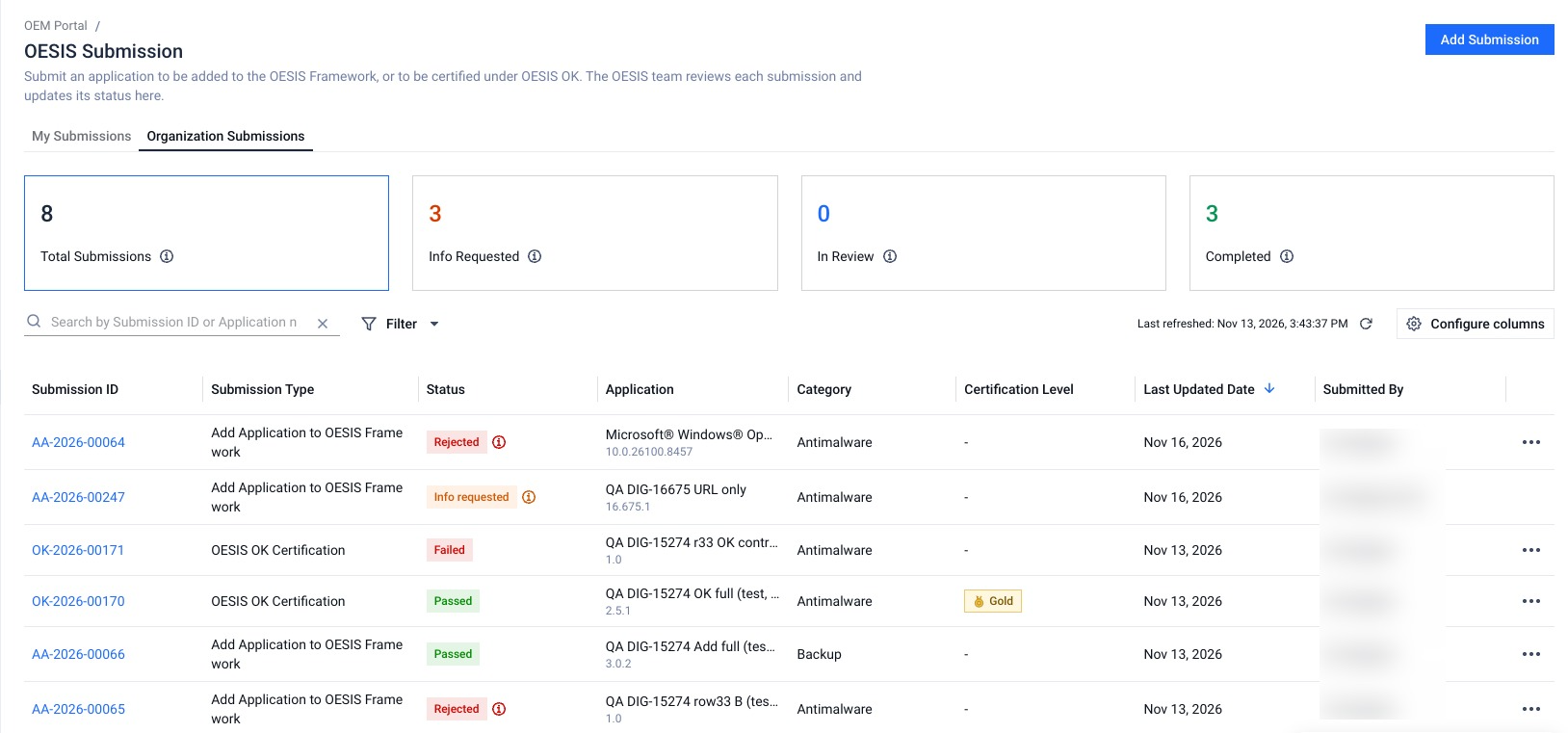
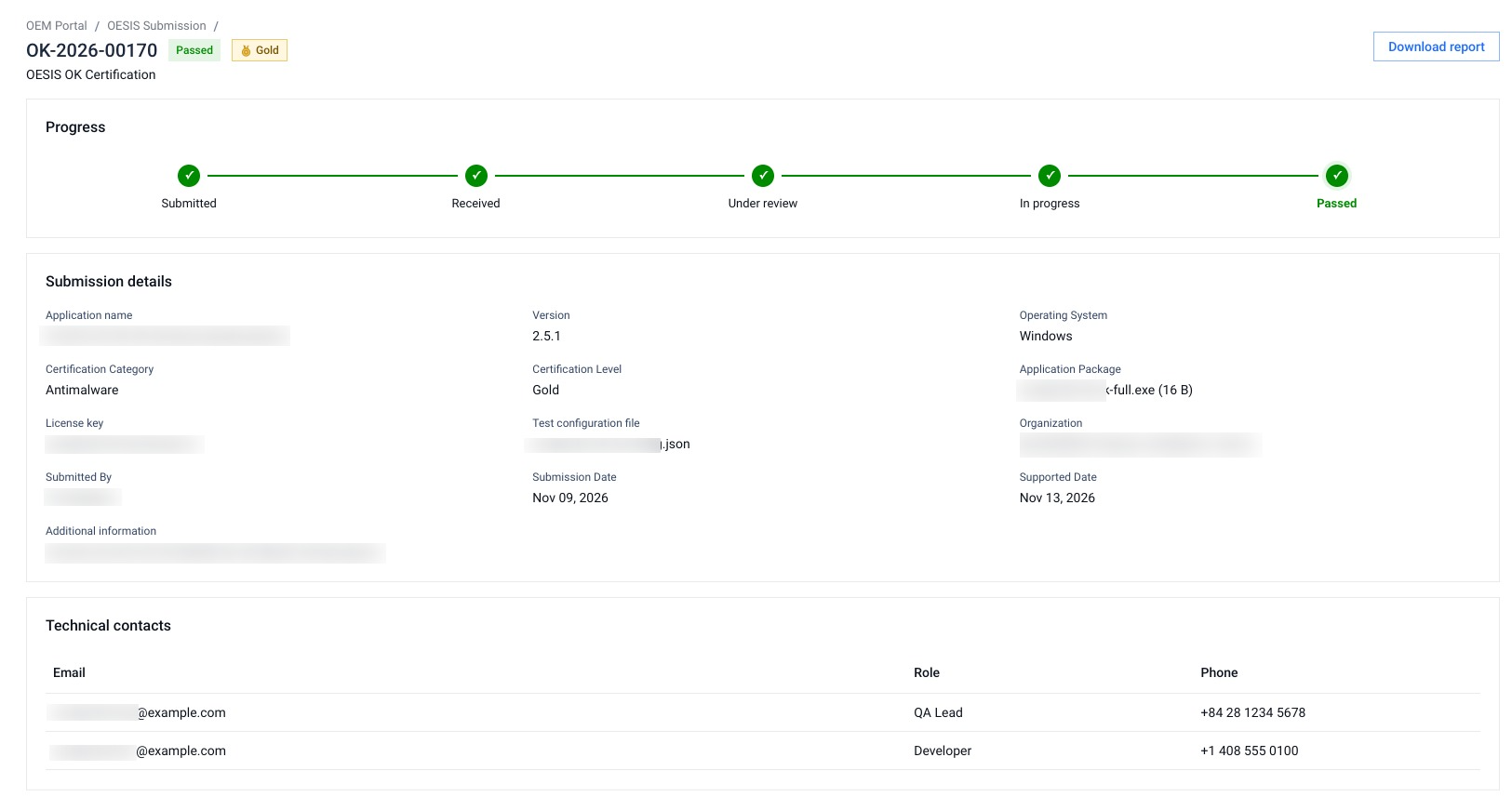
Open My Submissions to see requests you sent, including personal requests and requests sent while you belonged to an organization. Select a Submission ID to open its details and progress. The list and details fetch the current status when you open or refresh them; status changes are not pushed into an open page.
If you have OESIS Submission - Organization Submissions permission, use Organization Submissions to view requests sent by other members of your currently selected organization. That permission does not let you edit their requests.
Respond to a request for information
When a submission shows Info requested, open its details and select Edit & resubmit. The submitter has 30 days to provide the requested information or replacement file. If the request is not resubmitted within 30 days, OESIS marks it Rejected.
Download submission report
Select Download report from the submission details or the row action menu, reports are available for the following submission statuses.
OESIS OK Certification:
Passed,FailedAdd Application to OESIS Framework:
Passed,Rejected