
Configuration and Management
This type of notifications can be configured to be sent when an Instant or Scheduled scan is completed successfully, failed, or cancelled. To enable these, you need to configure a destination address where the request will be sent, the type of the request (POST or PUT), and optionally, you can add headers to be included in the request as well. The request body will contain information about the scan, like the Id, name, start and stop times, and the status.
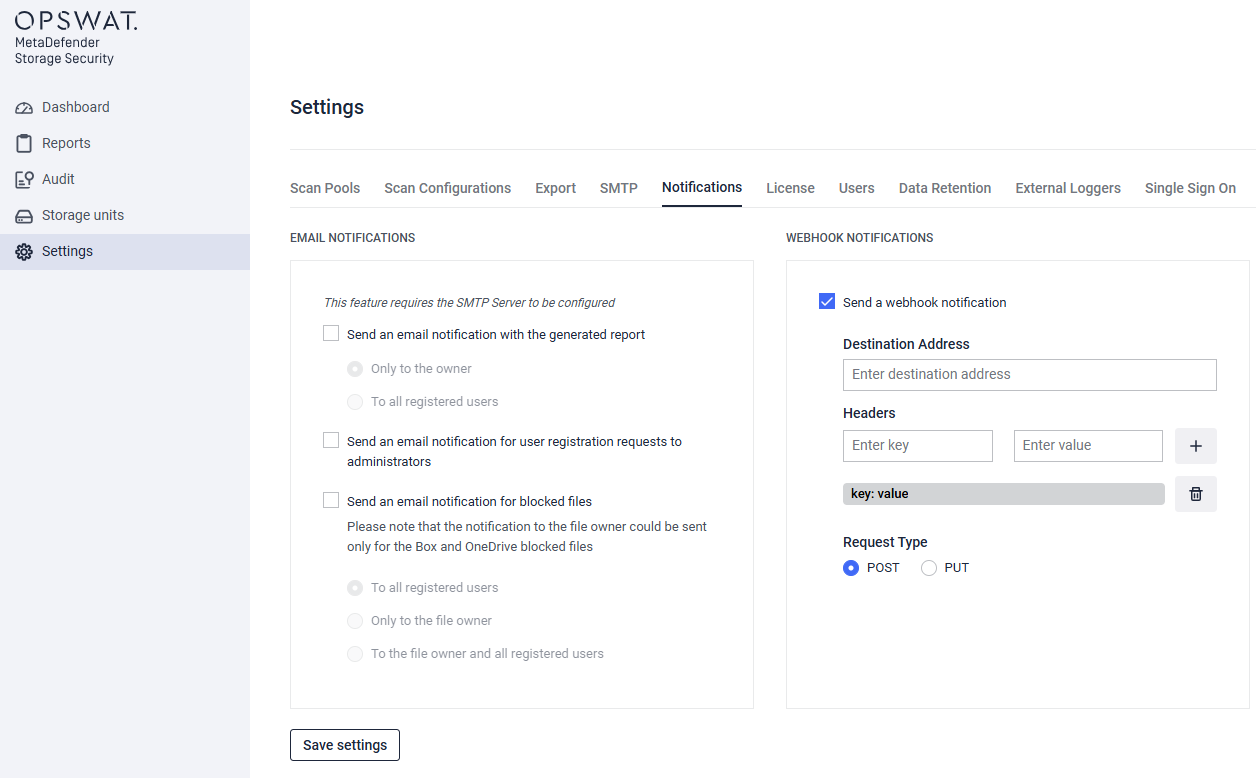
Here is an example of webhook notification body sent by MetaDefender Storage Security:
Webhook Notification Example
The following demonstrates the structure and content of webhook notification payload sent by MetaDefender Storage Security:
xxxxxxxxxx{ "ScanId":"01987f90-870a-7826-9115-18d96a1a4ae0", "ScanName":"second-scan", "StartTime":"2025-08-06T13:27:14.953181Z", "StopTime":"2025-08-06T13:27:20.12684Z", "Status":"Completed"}Was this page helpful?