
This feature allows you to map different users across multiple MFT systems to share and synchronize files between them.
Creating User Mappings
The User Mapping must be set up on the destination MFT.
To use the User Mapping feature:
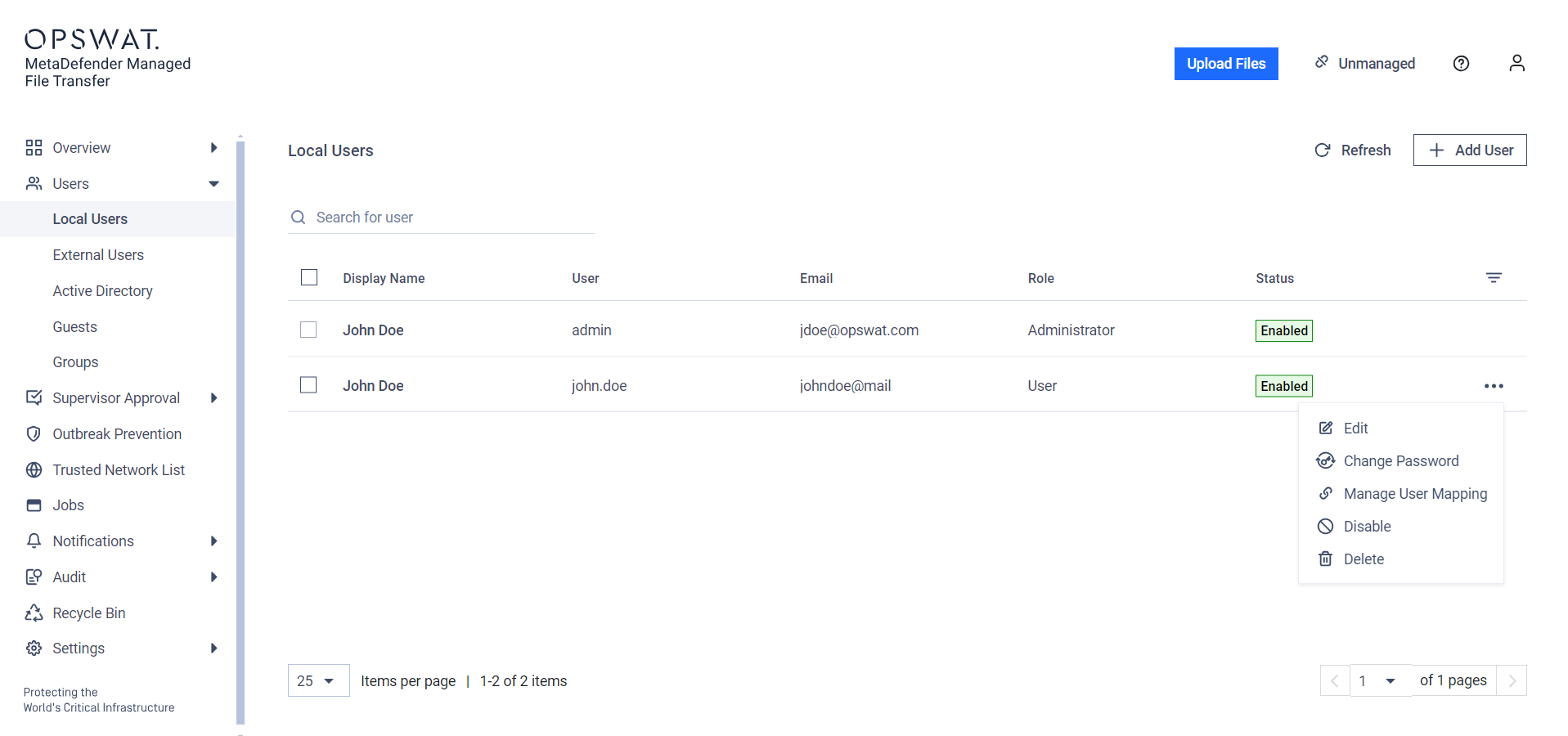
On the User Management page, click the three dots next to the user's row and choose "User Mapping" from the dropdown menu.
In the modal, select the user type you want to map and fill in the necessary fields to identify the user.
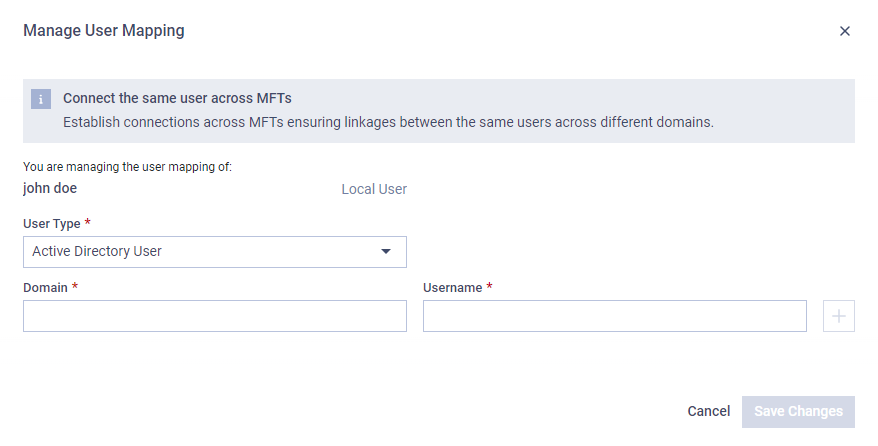
User mapping can be added to any user type and it can be mapped from any user type.
Different type of users need different kind of data for configuration
Local user/External user – Username, Email address
AD user – Domain, Username
Guest user – Guest Identifier
User mappings can be imported to avoid manual entry. For more information refer to the Import User Mapping Configuration page.