
You can restore files that you have deleted and sent to the Recycle Bin.
Permanently deleted files will not be moved to the Recycle Bin, therefore they cannot be restored.
Files that have been in the Recycle Bin for more than a specified period will be deleted automatically. You can check the retention period on the Recycle Bin page.
Restore a single file
Select Recycle Bin from the side menu.
Click on the action menu (three dots) in the right-most column in the table.
Select Restore File option from the menu.
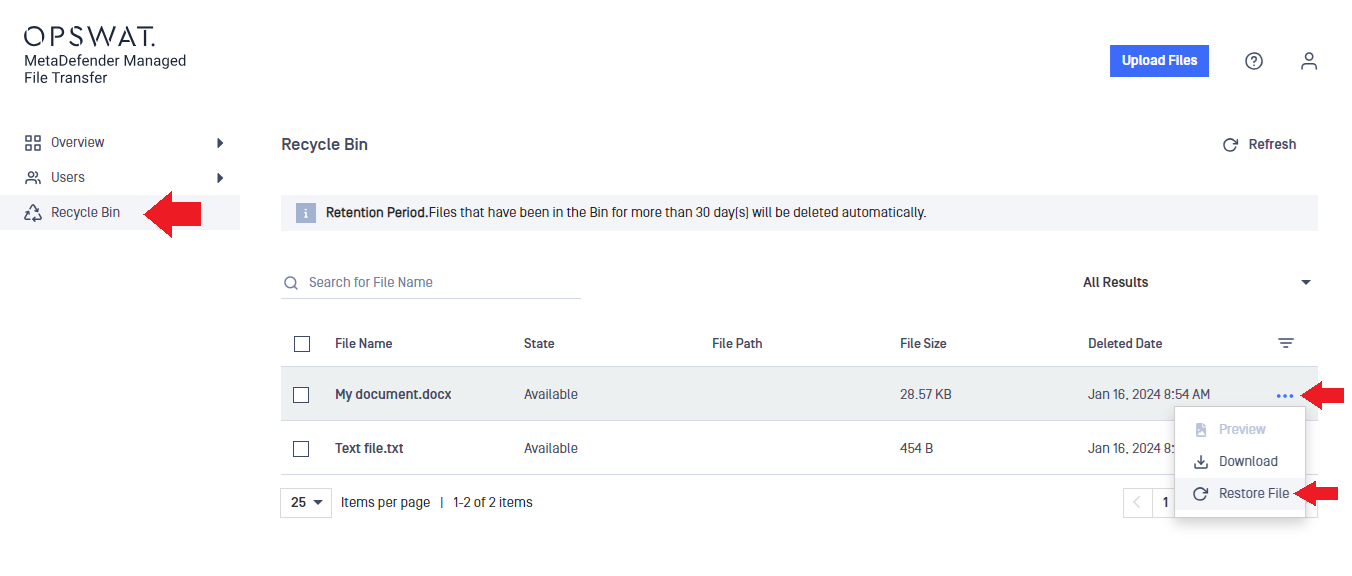
You can download any file from the Recycle Bin directly in the same way as you would do it in the My Files page if the file is not in Blocked state, so it is not necessary to restore them before download.
Restore multiple files at once
Select Recycle Bin from the side menu.
Check the checkboxes of the files to be restored in the left-most column of the table.
A menu will be displayed above the table.
Click on the Restore option in the menu above the table.
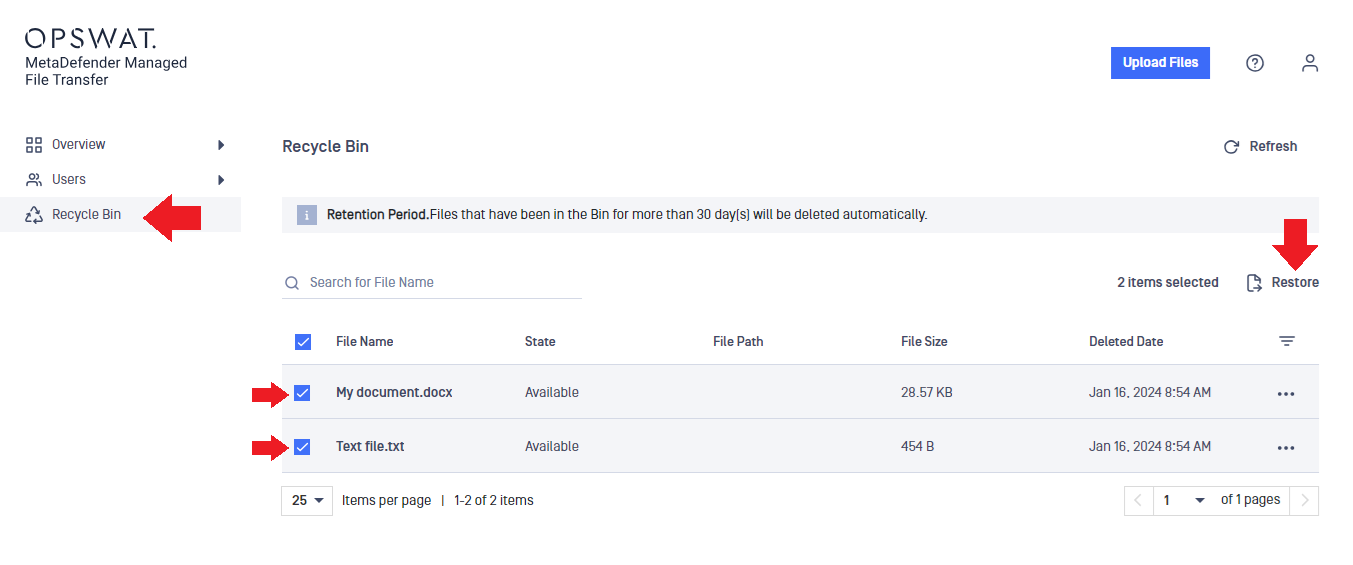
Folder structures cannot be restored, because only the files in the folders will be moved to the Recycle Bin.