
The file preview feature allows you to view a file without downloading it.
The preview may not be available
The "Preview" option is available only for sanitized, downloadable files. If not, the option will be grayed out
Accepted file types for preview include: PDF, XLS, XLSX, PPTX, SLDX, PPSX, POTX, DOCX, TXT, JPEG, JPG, PNG, JSON, ODP, OTP, ODS, OTS, ODT
The file must be less than 50 MB
Some complex file structures and certain browsers may not support file previews
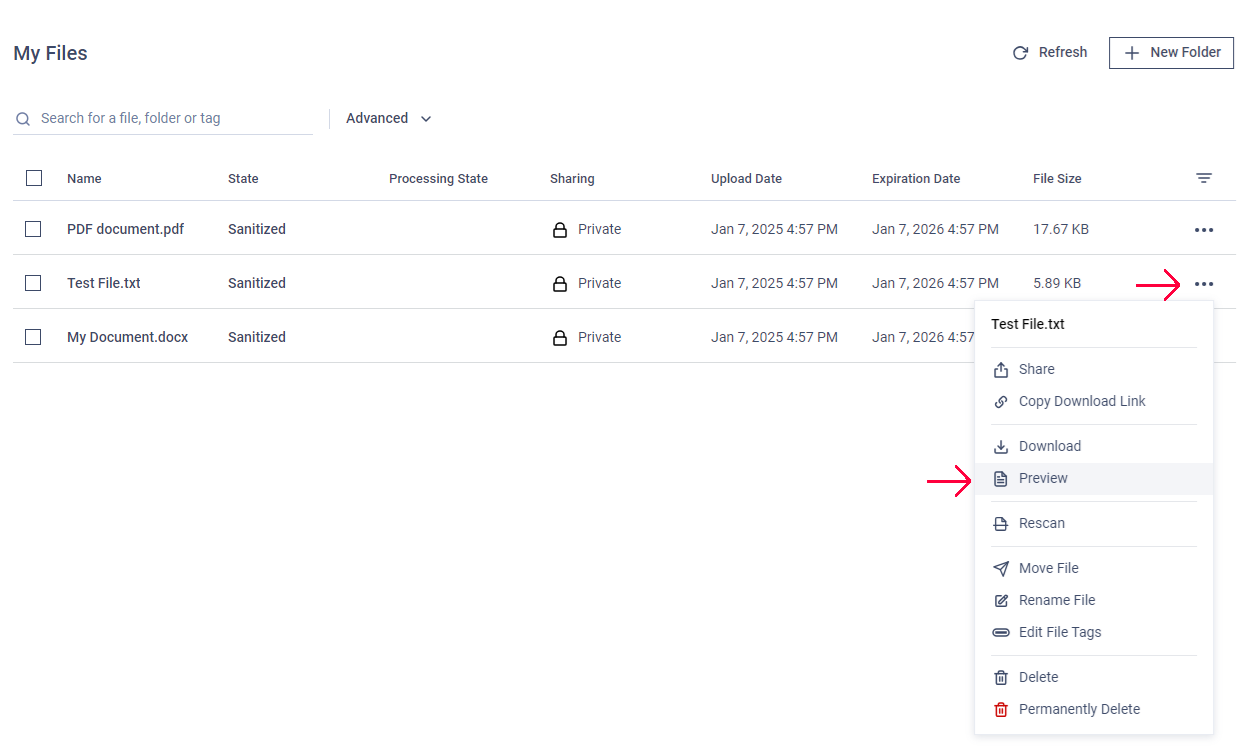
The "Preview" window also allows you to navigate through the file pages, search for words, and zoom in or out.

Was this page helpful?
End-User Guide