
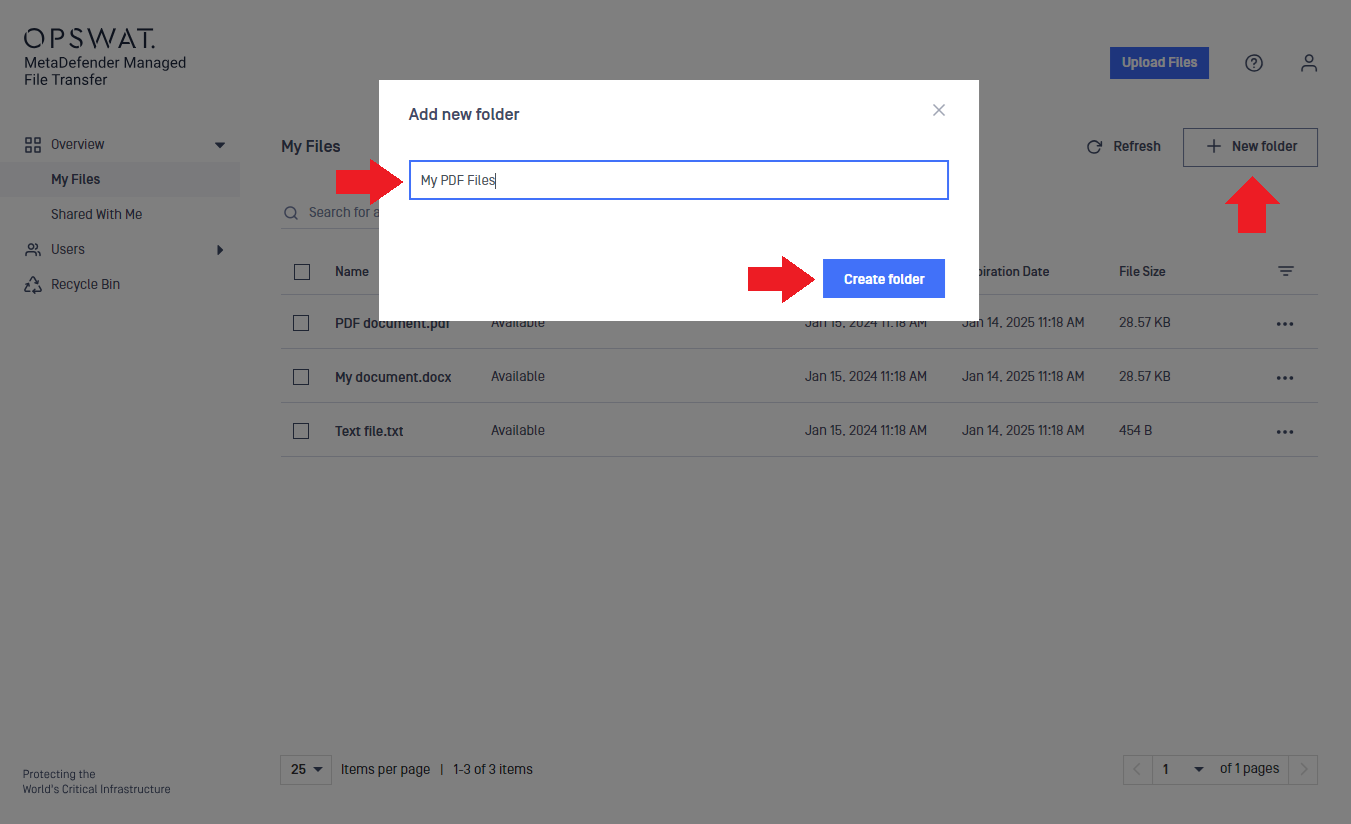
To create a new folder:
Click the "New folder" button.
Enter the folder name in the text box.
Click "Create folder."
Info
Folders can also be created during uploads.
Move files
You can move files into these folders later.
Case sensitivity
Folder names are case-sensitive, meaning that images and IMAGES can coexist in the same location. Pay attention to capitalization to correctly identify each folder.
Was this page helpful?
End-User Guide