
Kiosk shows warning popup for unexpected “C:\Program” File
Issue
When starting the Kiosk device, a popup with a file name warning may appear. This warning message can also occur during other stages of Kiosk operation.
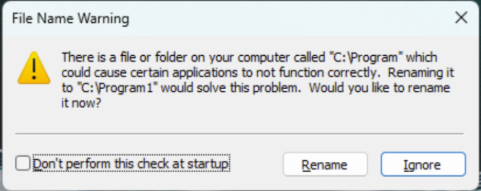
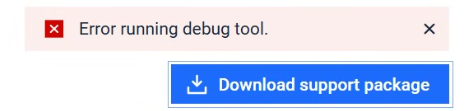
Some features may not work as expected. For example, errors may occur when downloading the support package, and RFID smart cards or encrypted drives may not function properly
Cause
A packaging issue in YARA engine version 5.0.0 (released 4 Sept 2025) may create a zero-byte file named C:\Program on Windows systems. This file can trigger a Windows warning about potential application conflicts.
Solution
To resolve the issue and prevent the warning from appearing, please following the instruction to update the YARA engine to version (5.0.2 or later)
From the Core Admin Console, navigate to Inventory > Modules > Update All to trigger the engine update of the Yara engine to version 5.0.2 or later. Yara engine will automatically delete the C:\Program file
If your device is in airgap environment, please follow this KB to update the engine link
Alternatively, you can manually rename or delete the C:\Program file if required.