
This article applies to all MetaDefender Kiosk Hardened Image versions
One of the security features of the Kiosk Hardened Image is the restriction on executing system utilities via their shortcuts (e.g., services.msc, firewall.cpl, gpedit.msc, etc.). This helps prevent unauthorized access to system settings and ensures the integrity of the Kiosk environment.
How to resolve this situation:
To access system utilities without using the restricted shortcuts, you must manually open them through the Microsoft Management Console (MMC) by adding the corresponding snap-ins.
Executing Microsoft Management Console (MMC):
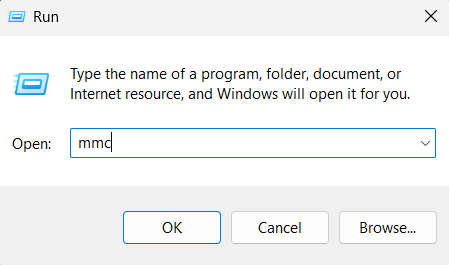
From Run > type “mmc” > Enter (required Administrator privilege)
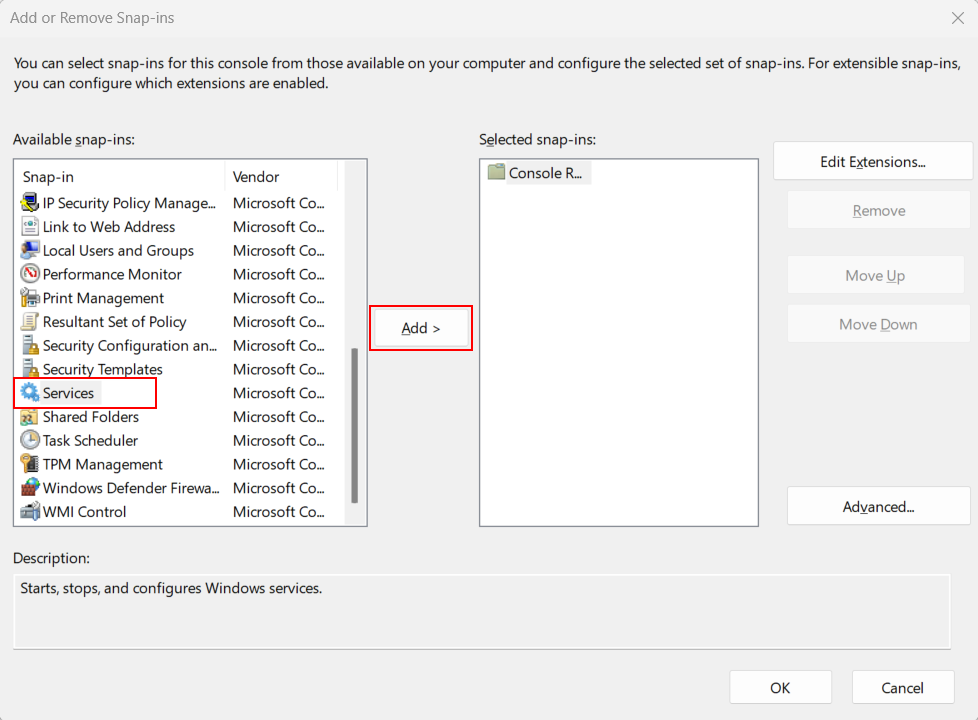
While in the MMC console, go to File > Add/Remove Snap-ins (Ctrl + M). Then find the system utilities that you want, and choose Add.
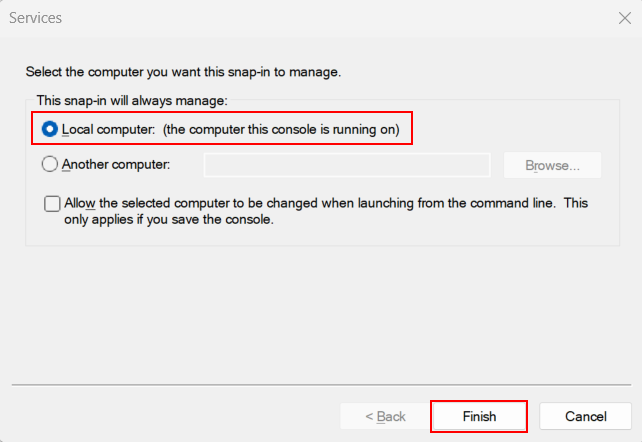
Choose “Local Computer” when a pop-up appears, then choose Finish.
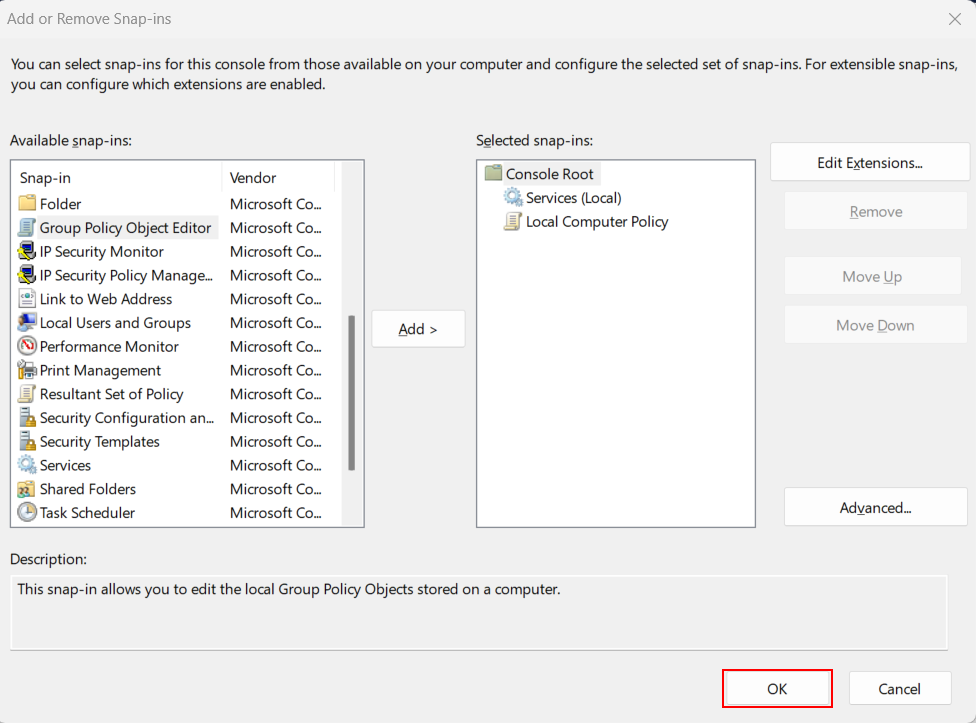
You can choose multiple settings at a time. For example: Services, Group Policy,… Then click OK to finish.
A console window will appear with the selected system utilities, where you can make the necessary configuration changes.
If you close the console, you may need to redo the steps above to open it.
If Further Assistance is required, please proceed to log a support case or chat with our support engineer.