
Knowledge Base
v4.7.10
Search this version
How to manually install Windows patches in Kiosk Hardened Image
Copy Markdown
Open in ChatGPT
Open in Claude
The purpose of this document is to provide manual steps to install Windows patches in Kiosk device with Kiosk Hardened Image.
Step 1. Enable Windows Update
By default, Kiosk Hardened Image disabled Windows Update. Refer to the instruction in Enabling Windows Update - MetaDefender Kiosk Windows to re-enable Windows Update
Step 2. Restart the device
Reboot the device to ensure Windows Update services are active
Step 3. Install the downloaded Windows patches
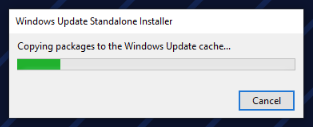
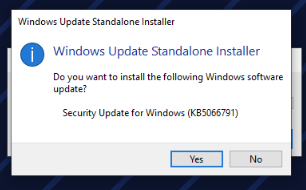
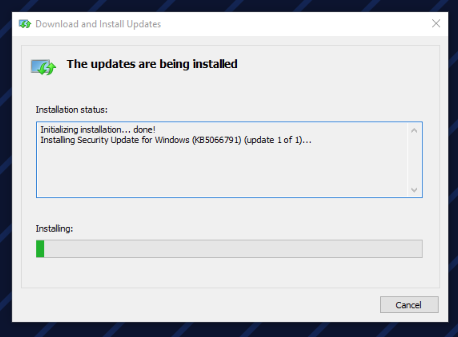
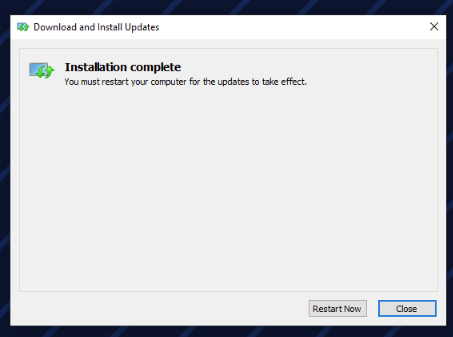
Step 4. Disable Windows Update again
Refer the instruction in Disabling Windows Update - MetaDefender Kiosk Windows to disable Windows Update
Step 5. Restart the device
Reboot the device to complete the disable of Windows Updates
Last updated on
Was this page helpful?
null
Discard Changes
Do you want to discard your current changes and overwrite with the template?
Archive Synced Block
Message
Create new Template
What is this template's title?
Delete Template
Message
Knowledge Base
Knowledge Base
Configuration & Setup
Error & Troubleshooting
Page
Code Steps
Category
Label
Link
Separator
Title
Message
Page icon
No icon. This page keeps the plain index row.
orSVG or PNG, square, at least 32×32.
Create new category
What is the title of your new category?
Edit page index title
What is the title of the page index?
Edit category
What is the new title of your category?
Edit link
What is the new title and URL of your link?