
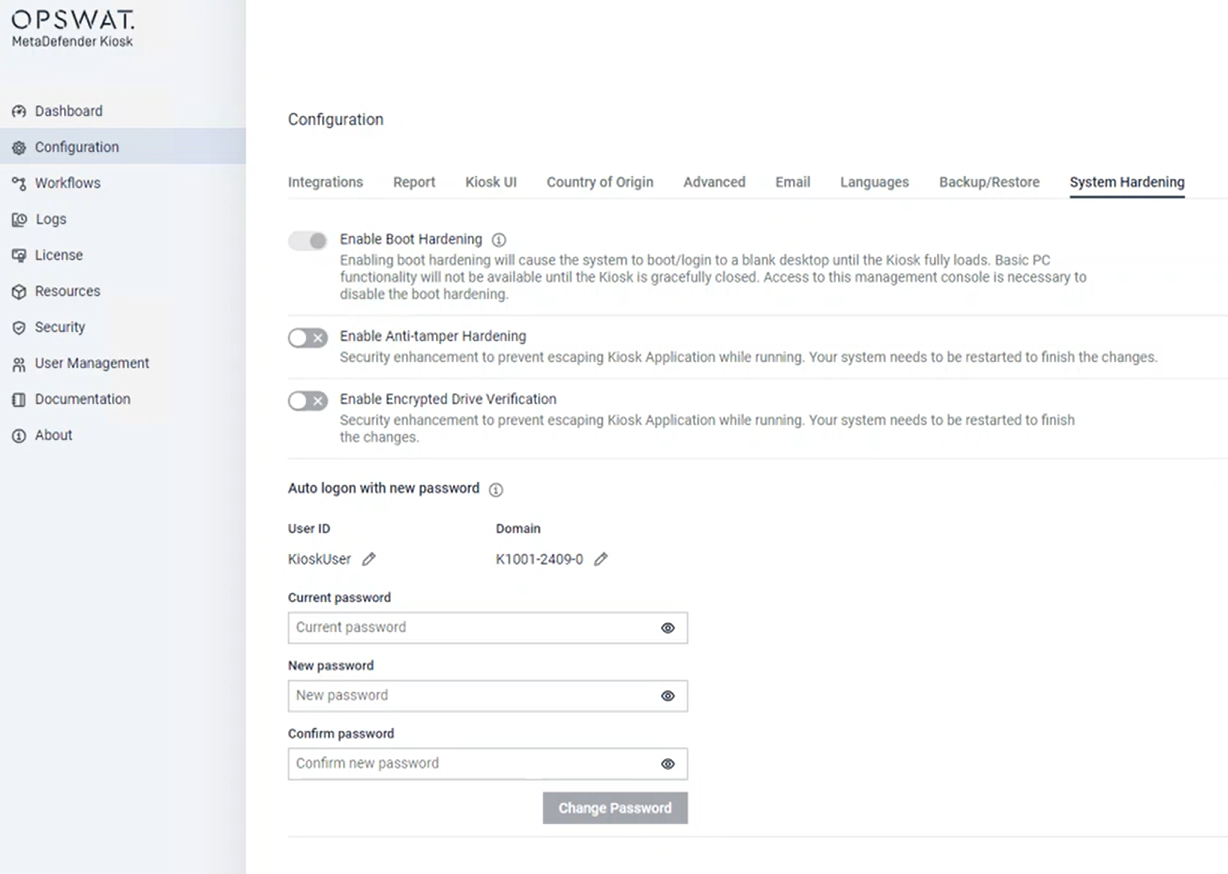
The latest versions of Kiosk Hardened Image are configured with Windows autologon to enhance the security level. With Kiosk version 4.7.2, Administrator can change the autologon password directly from Kiosk WebMC.
To change the autologon password, select Configuration, select System Hardening Image, provide Current password and New password, click Change Password.
When applying the change, the password will be applied directly to the system. Kiosk does not store this information.
Info
Change autologon password option is only available on Kiosk Hardened Image with Kiosk version 4.7.2 or newer.
This feature is not yet supported by My OPSWAT.
Was this page helpful?
Hardened Image