File Security (MetaDefender)
Version 6.0.2
Search this version
File Security (MetaDefender)
Title
Message
Create new category
What is the title of your new category?
Edit page index title
What is the title of the page index?
Edit category
What is the new title of your category?
Edit link
What is the new title and URL of your link?
File Security - Pause Scheduled Jobs
Copy Markdown
Open in ChatGPT
Open in Claude
If you need to pause scheduled jobs running within your Salesforce Organization that are managed by Cloud Security for Salesforce, here’s what you need to know.
Assign User Permissions
The Assign User Permissions job enables the Cloud Security for Salesforce application to grant users permission to submit files for scanning.
To pause this job, follow a few simple steps.
- Go to your wheel on the right hand side and choose Setup

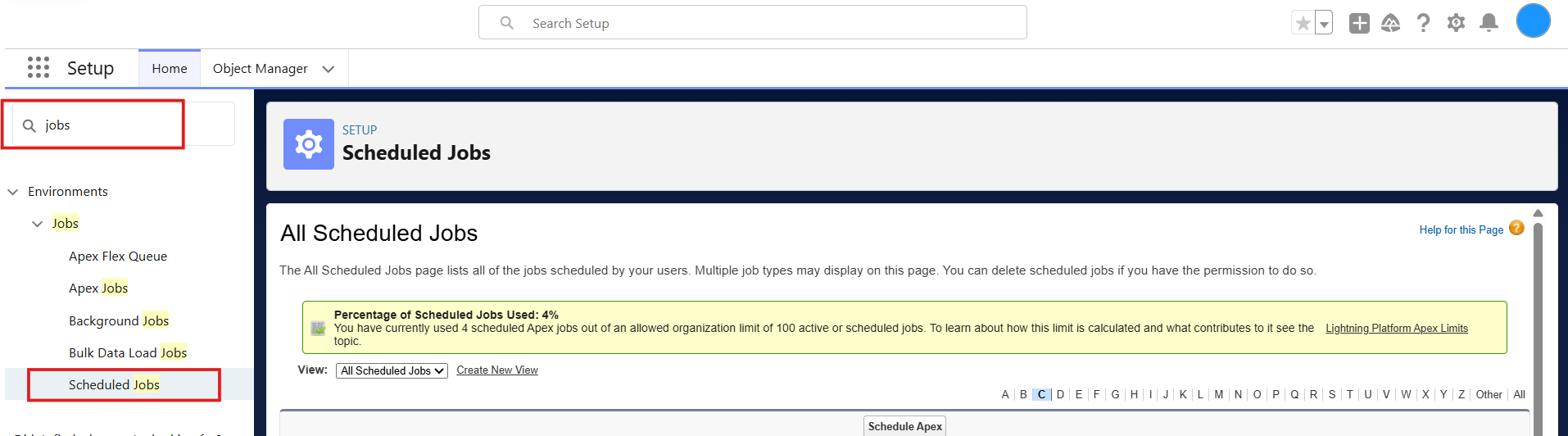
- Search for Scheduled jobs within search bar and select Scheduled Jobs
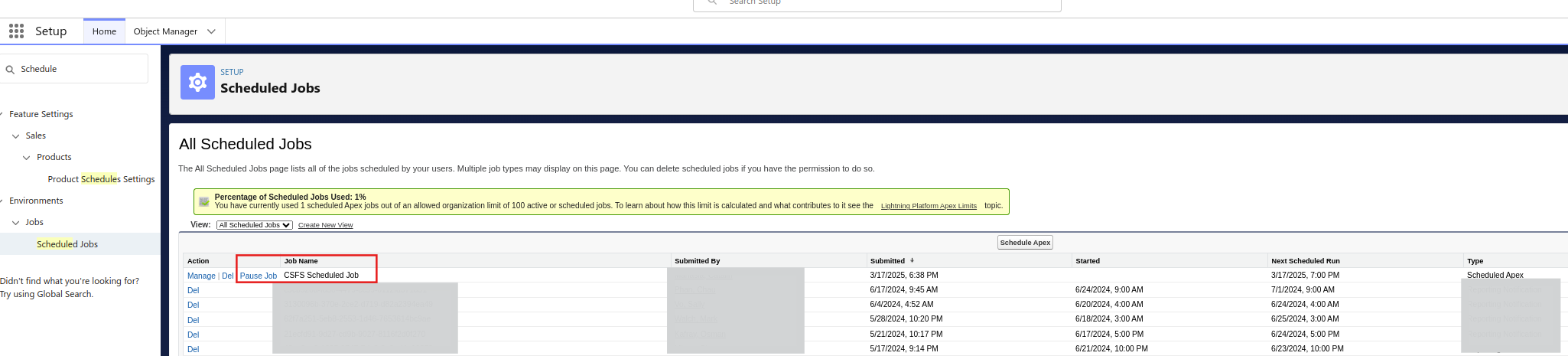
- All you have to do is to locate the CSFS Scheduled Job and to pause the job.
Type to search, ESC to discard
Last updated on
Was this page helpful?
Next to read:
File Security - FAQDiscard Changes
Do you want to discard your current changes and overwrite with the template?
Archive Synced Block
Message
Create new Template
What is this template's title?
Delete Template
Message
