
This article applies to the current My OPSWAT Central Management, supported versions of the MetaDefender Core API, and all MetaDefender Endpoint releases deployed on Windows, macOS, Linux, Android and iOS systems.
If you or your organization have already deployed OPSWAT MetaDefender Core servers, you now have the option to integrate (add) these servers to MetaDefender IT-OT Access to enable threat scanning of all your managed devices.
To do so, please follow the instructions below.
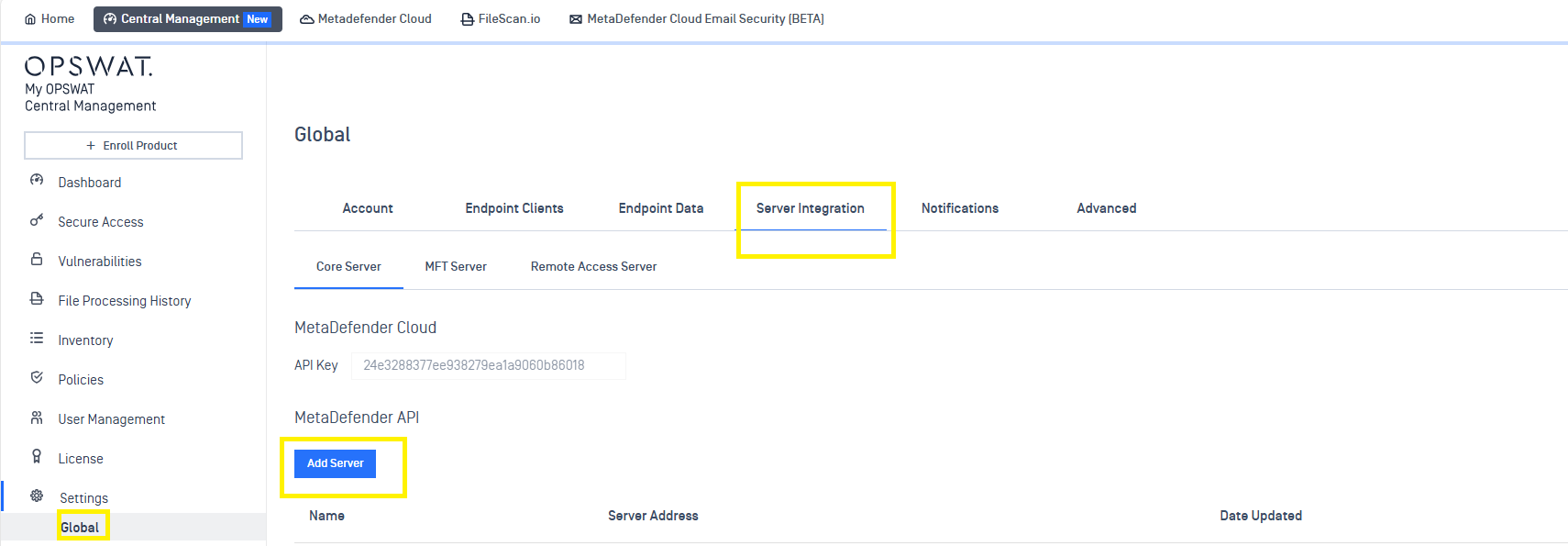
Log into your My OPSWAT Central Management, then navigate to Settings > Global > Server Integration.
Click the Add Server button, as illustrated below.
In the pop-up, fill the required information into the fields provided, as illustrated below, including:
Name: the name of the server, for your own reference purposes.
API Key: the API key associated with your server.
Server Address: your MetaDefender server’s URL.
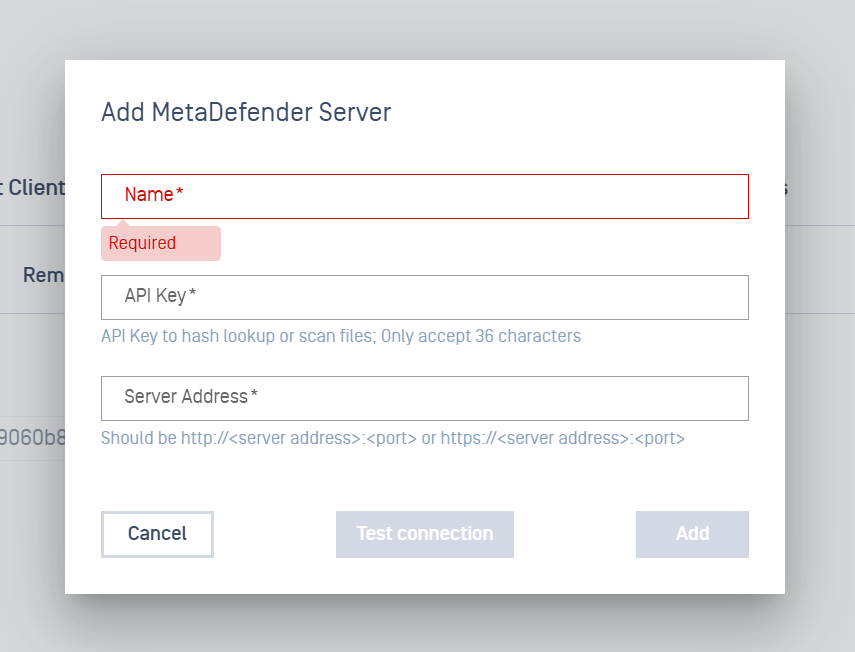
Once all the fields are filled, click the ADD button to apply your changes, then click Save, to save all of the changes you’ve applied.
If you click the Test Connection button, My OPSWAT Central Management will try to connect to your server.
If your server can be reached via the internet, the test will be successful. If your server cannot be reached online, the test will be unsuccessful.
The most important thing, however, is that the managed devices from which you intend to scan files are able to connect to the server.
Finally, confirm with your PIN, as prompted.
For queries, concerns or issues regarding Adding Your Own MetaDefender API Servers To My OPSWAT Central Management To Scan For Threats On Your Managed Devices, please open a Support Case with the OPSWAT team via phone, online chat or form, or feel free to ask the community on our OPSWAT Expert Forum.