
Endpoint Management
v2411
Search this version
How to setup the Multi-scanning server on MetaDefender IT-OT Access ?
On the MetaDefender IT-OT Access
Setup MetaDefender Cloud
The MetaDefender Cloud server is added by default for each account on the MetaDefender IT-OT Access. However, you need to upgrade the account before using it.
Setup MetaDefender Core
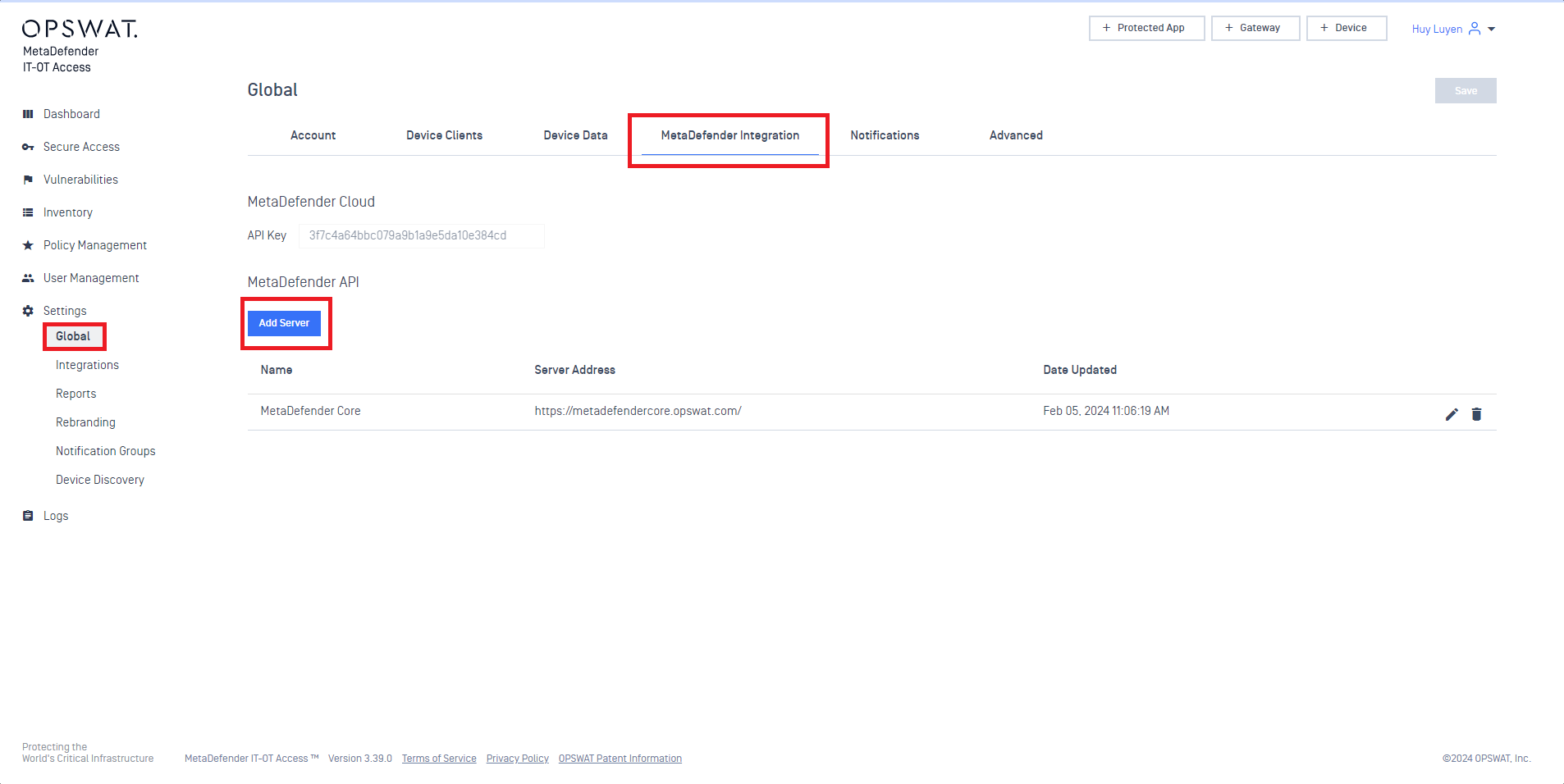
Go to Settings -> Global -> MetaDefender Integration
Click Add Server button, as illustrated in the screenshot below.
Enter the multi-scanning server information to the popup, as illustrated in the screenshot below.
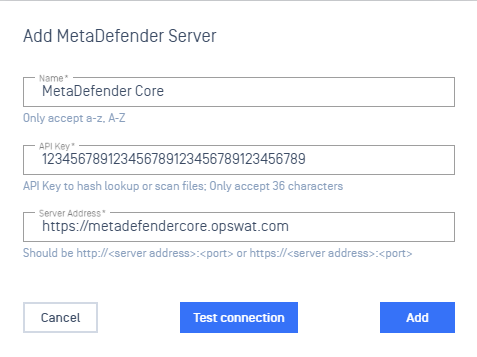
Then, you can click on the Test connection button to verify the server connection before clicking on Add button to finish the setup.
Last updated on
Was this page helpful?
Next to read:
What is Threat Detection on MetaDefender IT-OT Access?Endpoint Management
Endpoint Management
OPSWAT Central Management
MetaDefender IT-OT Access - Endpoint Management