
Issue
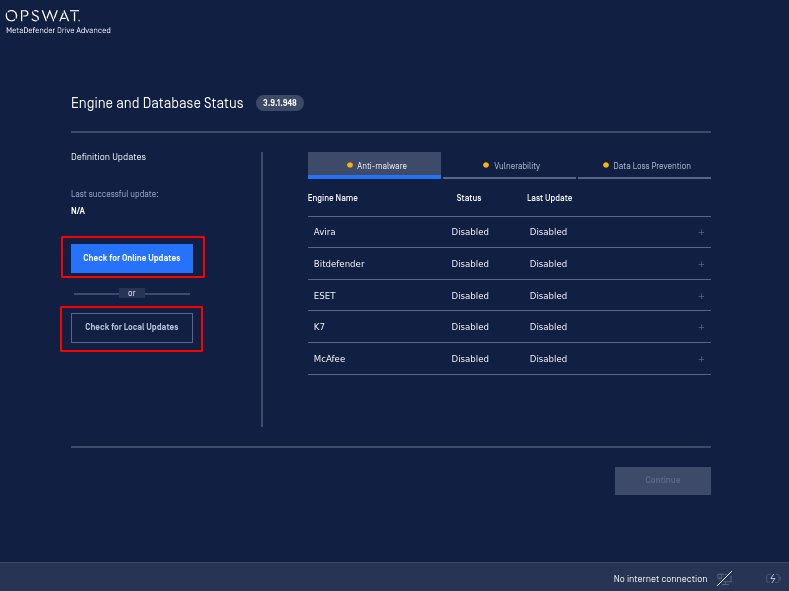
In Light Mode, the selected scanning engine's status is Disabled.
Solution
Trigger an online or a local update by pressing either Check for Online Updates and Check for Local Updates on the Engine and Database Status page, as shown in image below:
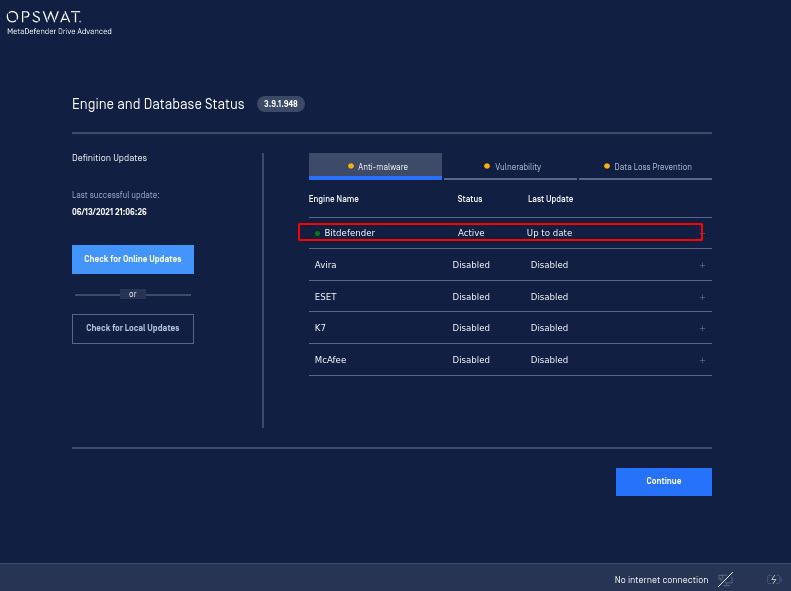
After triggering an update, the engine will begin initiation and its status will change to Active.
Was this page helpful?
Troubleshooting