
Check Your Version:
This article applies to all MetaDefender Update Downloader releases deployed on Windows systems.
Overview
By default, Metadefender Update Downloader will be installed on the C drive when installed via the Wizard or the command line using the ignition file:
To install Metadefender Update Downloader on a custom path, please follow the steps below:
Install the product like normal
Stop the “OPSWAT Metadefender Update Downloader” service
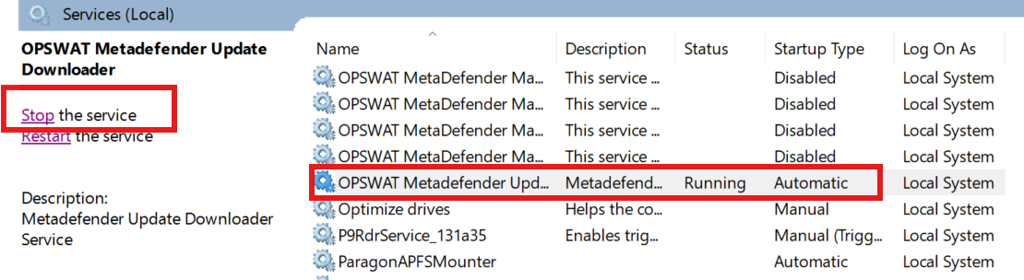
Open the registry location: Computer\HKEY_LOCAL_MACHINE\SOFTWARE\OPSWAT\Metadownloader
Modify the string value for “InstallationFolder” to the desired path. For example, I created the K drive, and created the OPSWAT folder under Administrator privileges.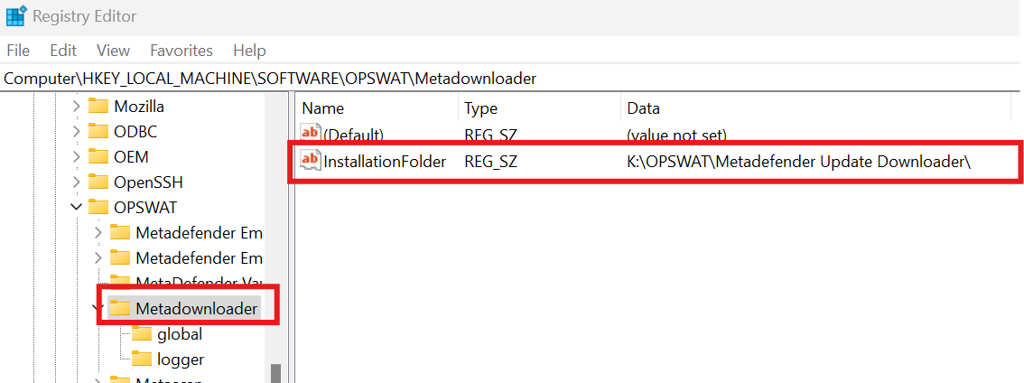
Open the File explorer and copy the “MetaDefender Update Downloader” folder to the new location that matches the registry path.
- Copy “MetaDefender Update Downloader” folder from “C:\Program Files\OPSWAT\MetaDefender Update Downloader”
For Example, I copied the MetaDefender Update Downloader to the K:\OPSWAT\ directory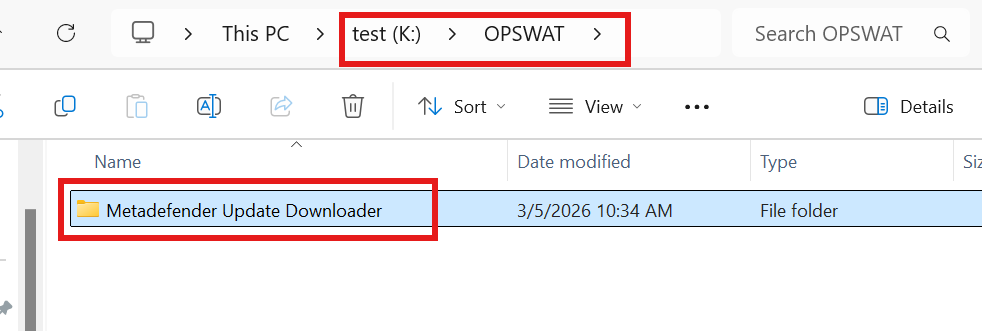
Start the “OPSWAT Metadefender Update Downloader” service
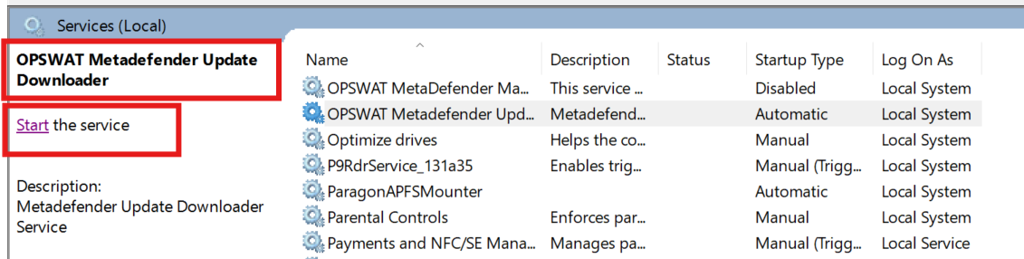
If done correctly, the service will start like normal.Navigate to the browser, http://localhost:8028 or http://<ipaddress>:8028 and configure. Setup users and other settings.
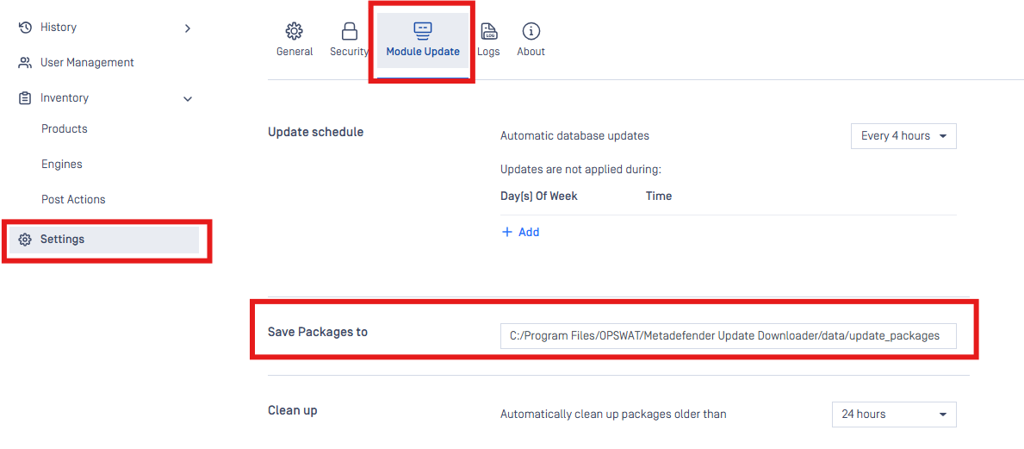
For MetaDefender Core engine packages, please modify the path to store these in the custom path, if you do not want them in the C drive.
We are planning on supporting a built in custom installation path for newer releases.
Support:
If Further Assistance is required, please proceed to log a support case or chatting with our support engineer.