
The use of alternate tags within the PDF allows authors to define what image is displayed when printed. This means if there is sensitive information in the second image, someone can pass it on to an external source and view it with a click of the print button.

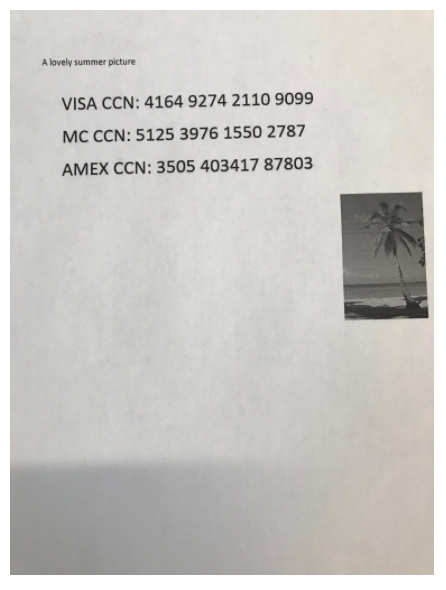
To prevent this case, go to Workflow Management > Workflows > Proactive DLP enable Remove Alternative Images in PDF Files

** **
The output file after processing contains the first image only
Was this page helpful?
Proactive DLP