
Sanitizing a signed PDF changes its content; therefore the original signature no longer validates. If the signature is important. Deep CDR provides configuration options that let users decide whether and how to skip sanitization for signed files.
Enable "Skip Signed File" and "Validate Digital Signature": Deep CDR validates the digital signature and file content to ensure integrity. Warning: there is a risk if an attacker uses a self-signed certificate.
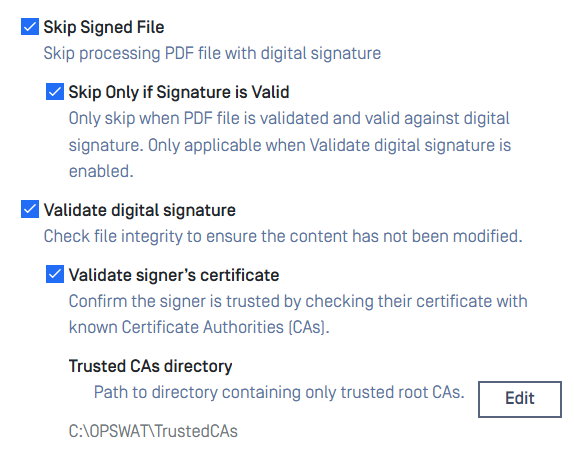
Recommended Configuration: Enable the following options for maximum security:
Skip Signed File
Skip Only if Signature is Valid
Validate Digital Signature
Validate Signer's Certificate
Additionally, configure the certificate path. You can obtain the certificate by opening the PDF file in Adobe Reader, check the Signatures panel
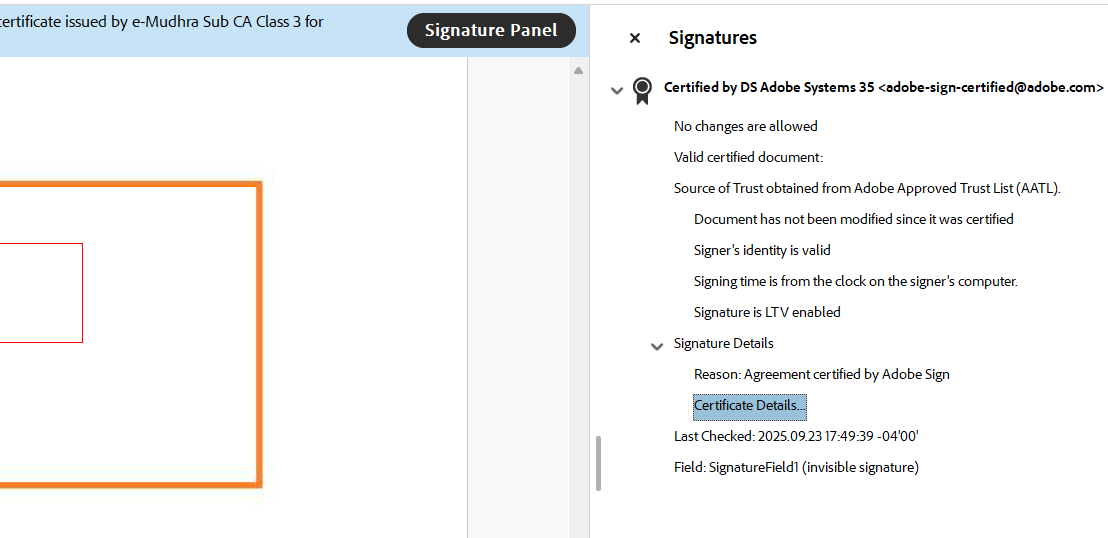
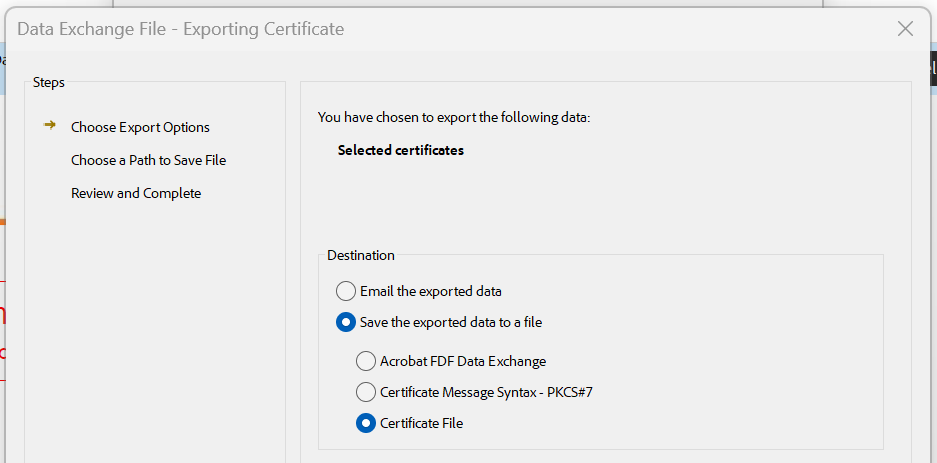
Choose "Certificate Details" and "Export", choose the "Certificate File" format and save to a folder.
Configure "Trusted CA directory" in the PDF Advanced configuration to point to that folder.
Files signed with this certificate will be skipped during sanitization.
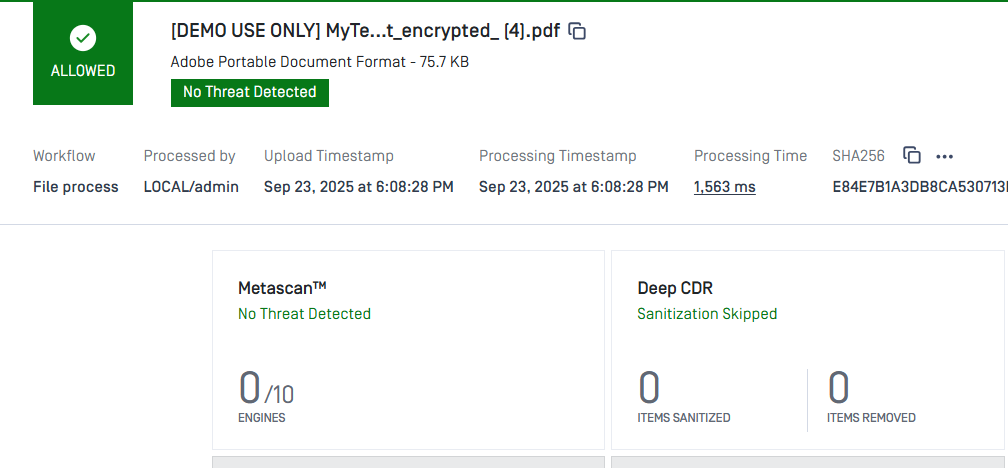
With these configurations Deep CDR only allows if the file has exact match to certificate.