Deep CDR
v5.16.0
Search this version
Deep CDR
Deep CDR
Title
Message
Create new category
What is the title of your new category?
Edit page index title
What is the title of the page index?
Edit category
What is the new title of your category?
Edit link
What is the new title and URL of your link?
Retain password protection on sanitized files
Copy Markdown
Open in ChatGPT
Open in Claude
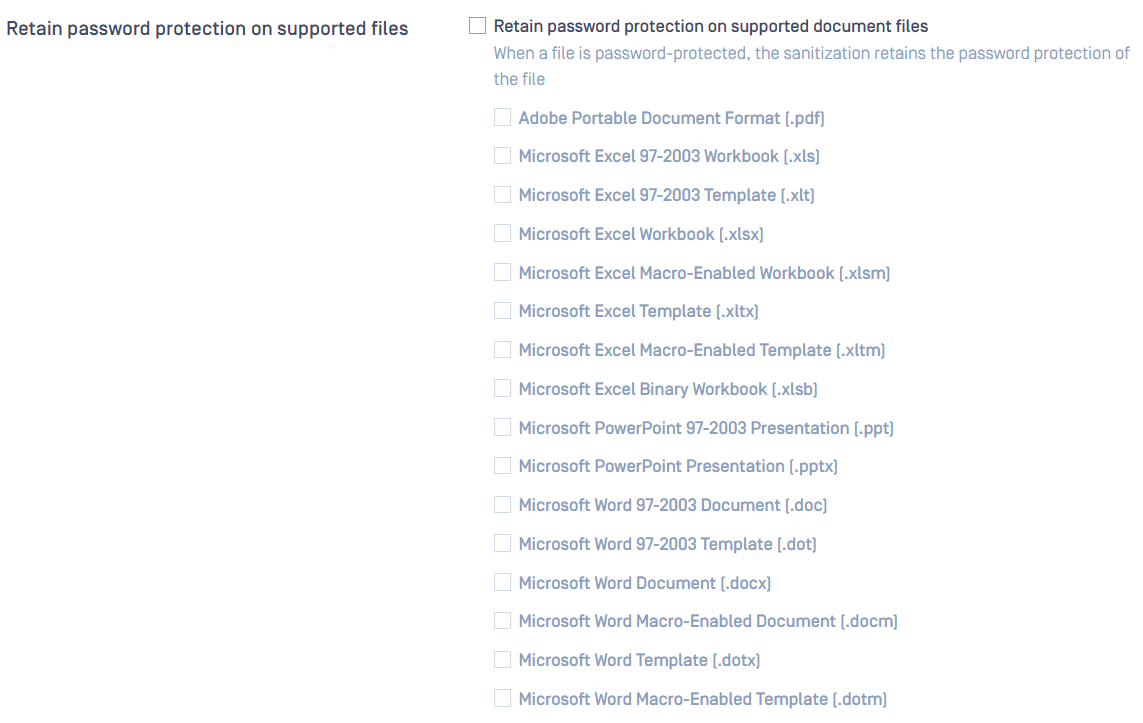
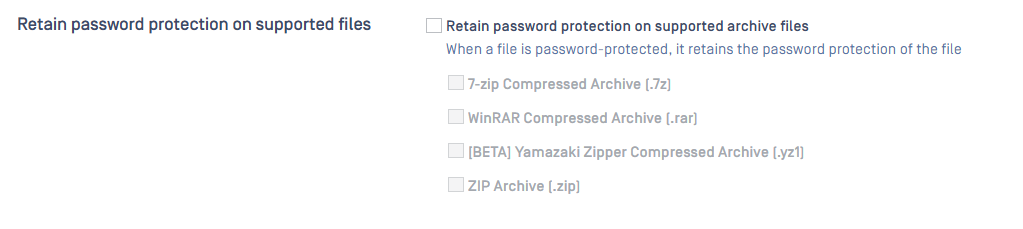
When having a password-protected encrypted file processed by Deep CDR, you can decide whether to encrypt the sanitized file with the same password or no password.
To retain password protection, modify rule under
- Workflow Management> Workflows > Workflow Name > Deep CDR for document files.
- Workflow Management> Workflows > Workflow Name > Compression for archive files.
Supported file types:
- zip, 7z, yz1 (Windows only), rar, pdf, xls, xlt, xlsx, xlsm, xltx, xltm, xlsb, ppt, pptx, doc, dot, docx, docm, dotx, dotm
Note:
- If you enable "System cryptography: Use FIPS compliant algorithms for encryption, hashing, and signing" on Windows, the encryption will not work with PPTX file.
Type to search, ESC to discard
Last updated on
Was this page helpful?
Next to read:
Allow MacrosDiscard Changes
Do you want to discard your current changes and overwrite with the template?
Archive Synced Block
Message
Create new Template
What is this template's title?
Delete Template
Message
