
Where to enable DeepCDR sanitization for file extensions that is detected as archive file type?
To see all the File Types that DeepCDR support, please navigate to this page: Supported File Types - MetaDefender Core
For some of the file types (SCDOC, UTIB, YZ1, TNEF, ZSTD, etc…), especially file extensions that are still in BETA support of DeepCDR, it might be detected as an archive. Therefore, you will need to enable it in the Compression Engine.
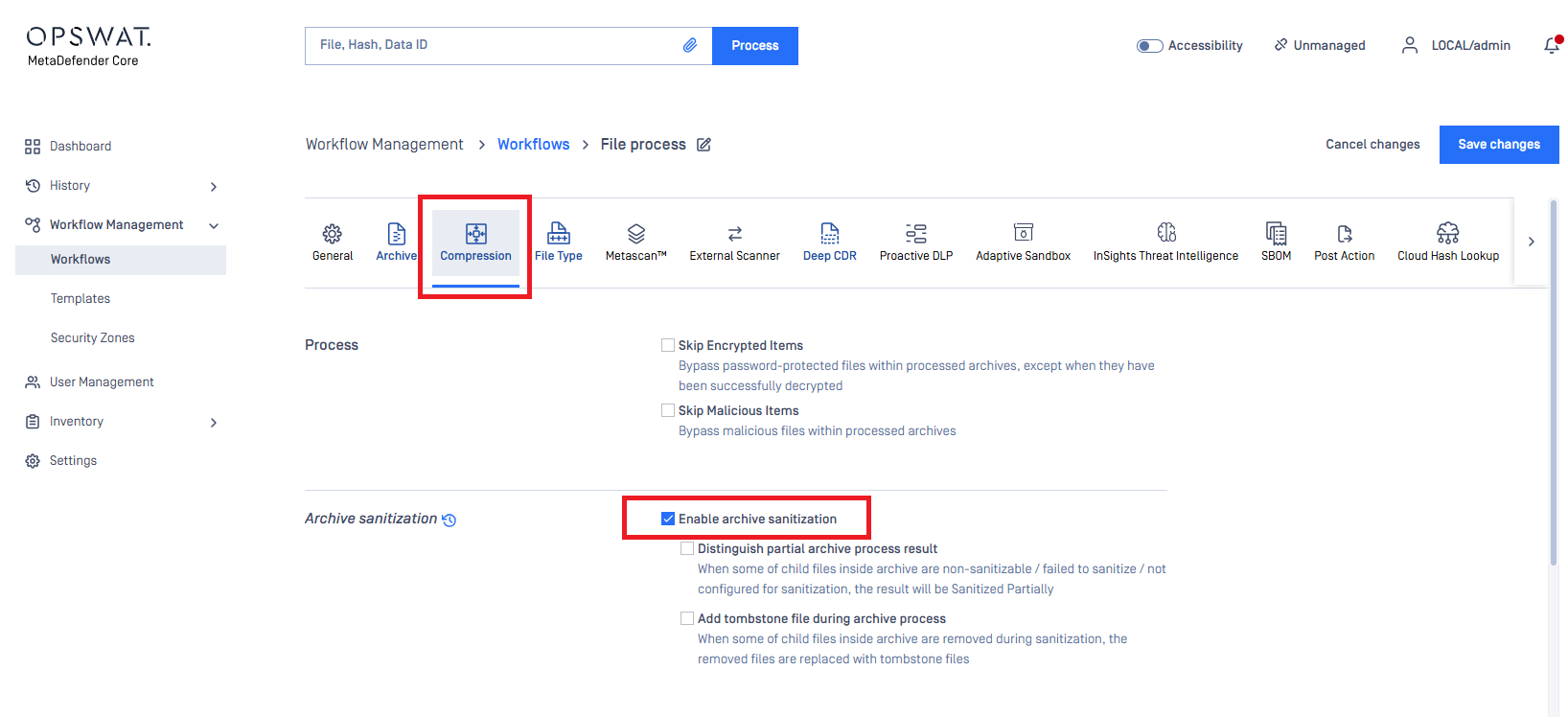
Navigate to Workflows > Desired Workflow > Compression
Enable archive sanitization
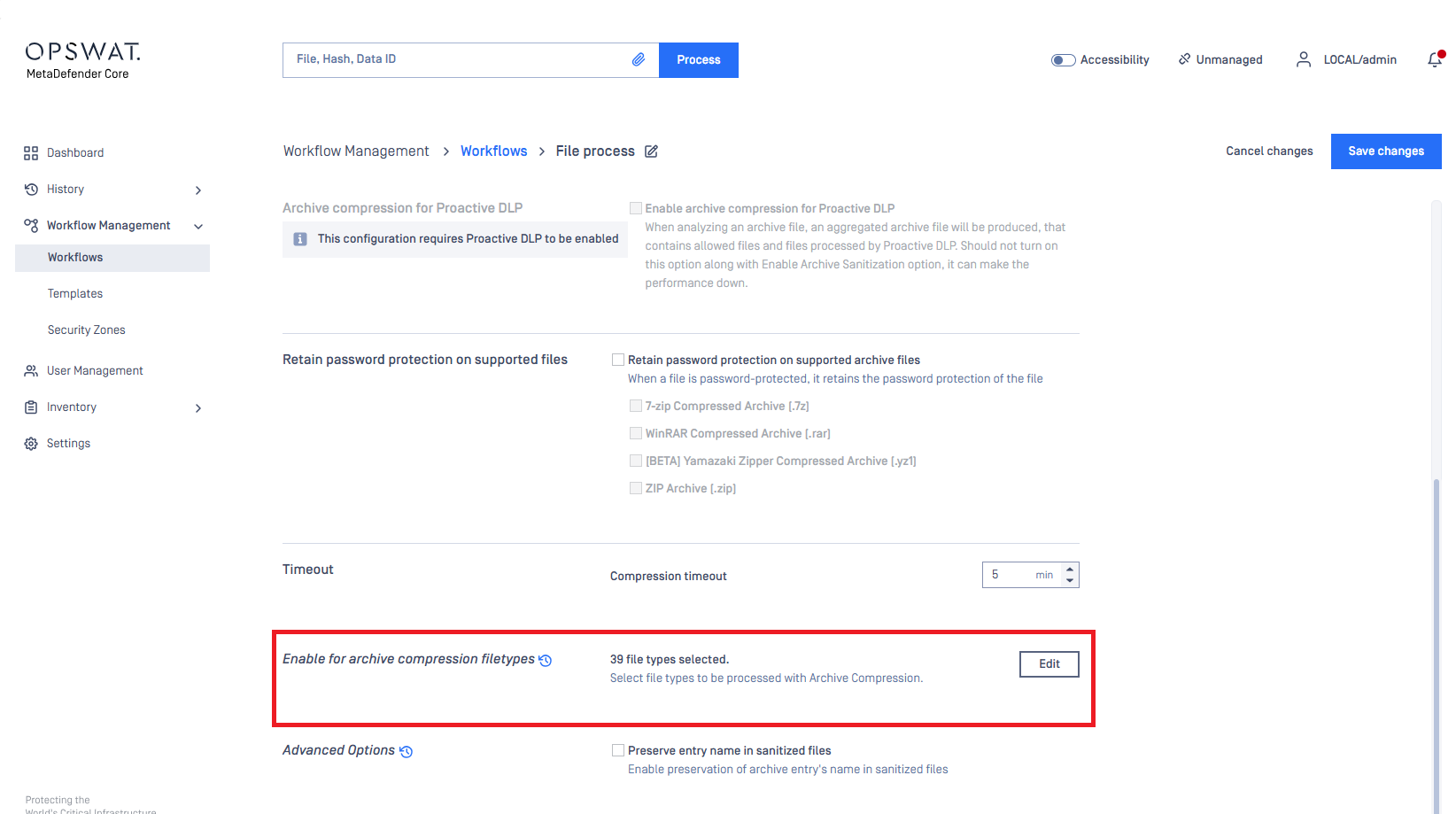
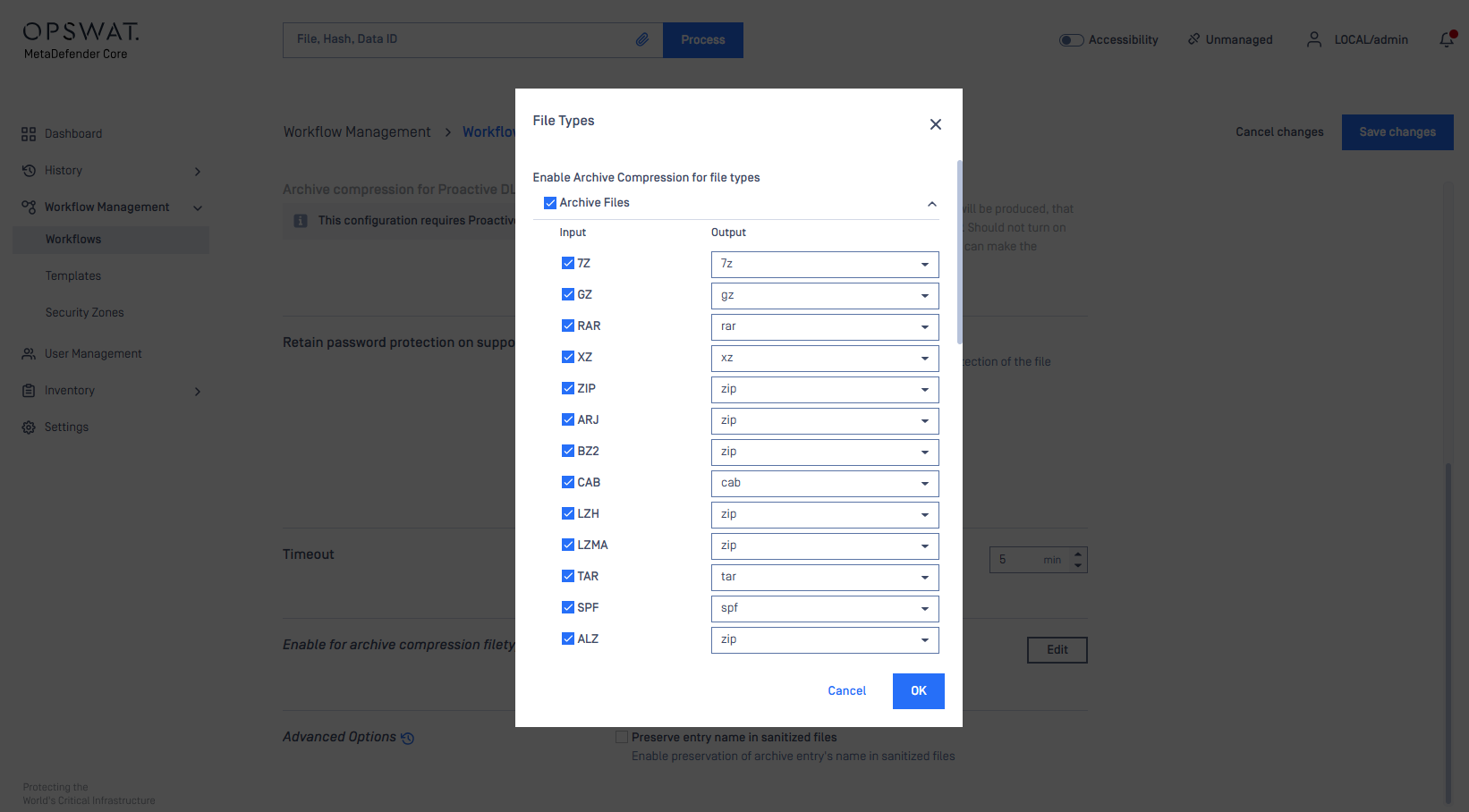
Scroll down to Enable for archive compression filetypes. Choose the archive file type that you need to sanitize, or you can choose all.
If you encounter any issues with file sanitization or require further assistance, please contact OPSWAT support via My OPSWAT at: Home - My OPSWAT.
Our support team will be able to provide you with the necessary guidance or request for file type support concerns.