
The list of OTfuses is accessible under OTfuse menu
The list of OTfuses contains all the information about OTfuses in the system.
The part Summary displays statistics about:
Total connected Otfuse: Total number of connected OTfuses.
Updates available: Total number of OTfuses having new versions need to be updated.
Protected PLCs: Total number of PLCs that are protected in the system.
Unacknowledged events: Total number of unacknowledged events.
Low disk alerts: Total number of alerts related to the free space of the disk.
Full memory alerts: Total number of alerts related to full memory.

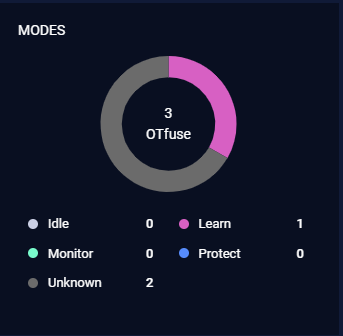
Modes
This field displays a summary of the connected OTfuse mode.
Versions
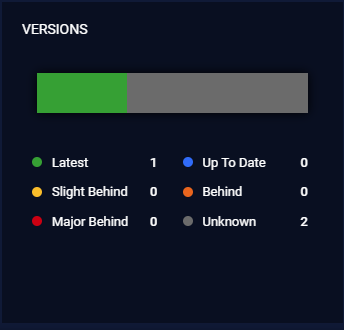
This field displays a summary of the connected OTfuse version.
For versions of connected OTfuses bar, there are 5 colors can be displayed:
Green: display the number of OTfuses having Latest version.
Blue: display the number of OTfuses having Up To Date version.
Yellow: display the number of OTfuses having Slight Behind version.
Orange: display the number of OTfuses having Behind version.
Red: display the number of OTfuses having Major Behind version.
Grown: display the number of OTfuses having Unknown version.
OTfuse List
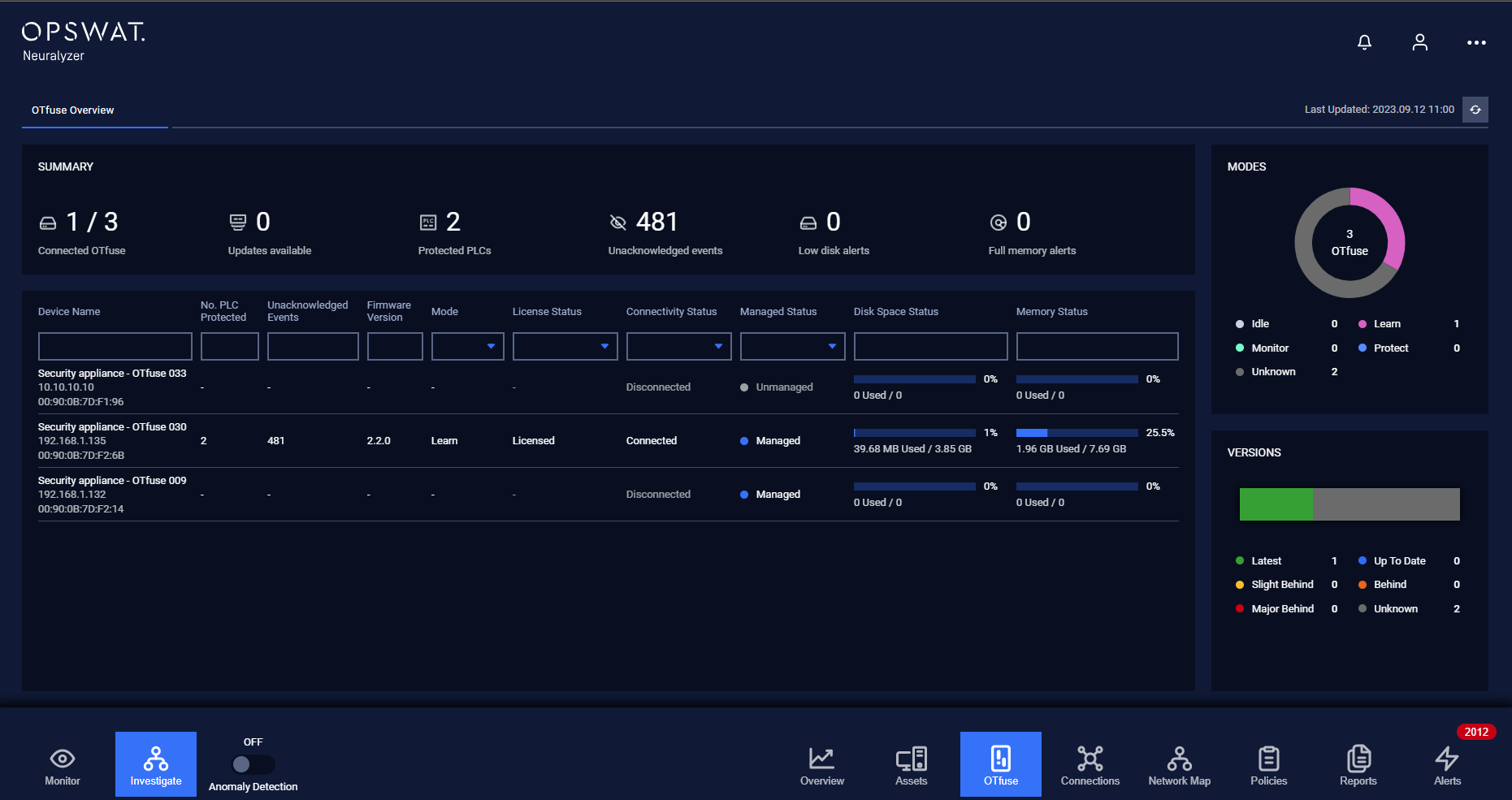
Each row contains the following fields:
Device Name
No. of protected PLC
Unacknowledged Events
Firmware Version
Mode
License Status: No License/Licensed
Connectivity Status: Disconnected/Connected (whether Neuralyzer can connect the OTFuse device or not)
Managed Status: Managed/Unmanaged (whether Neuralyzer can manage the OTFuse device or not)
Disk Space Status
Memory Status
Filter
We support filtering on the list of OTfuses:

User can enter a value for one or more fields, and the result list and the number of total records will be updated according to the value(s) you entered.