Troubleshooting
v3.6.1
Search this version
Troubleshooting
Troubleshooting
Title
Message
Create new category
What is the title of your new category?
Edit page index title
What is the title of the page index?
Edit category
What is the new title of your category?
Edit link
What is the new title and URL of your link?
Create Reports
Copy Markdown
Open in ChatGPT
Open in Claude
How to create reports
MetaDefender OT Security support exporting the system settings, device data that scanned/learnt or policies.

User just need to click on save report button at the top right corner every page and then select the type of file you want to save. For the first version, we only support CSV format.
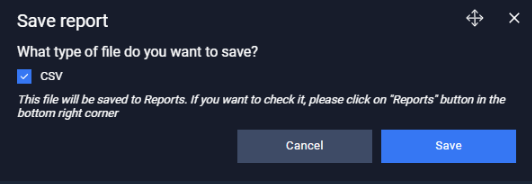
After save reports successfully, all files is stored in Reports page (at the bottom right).
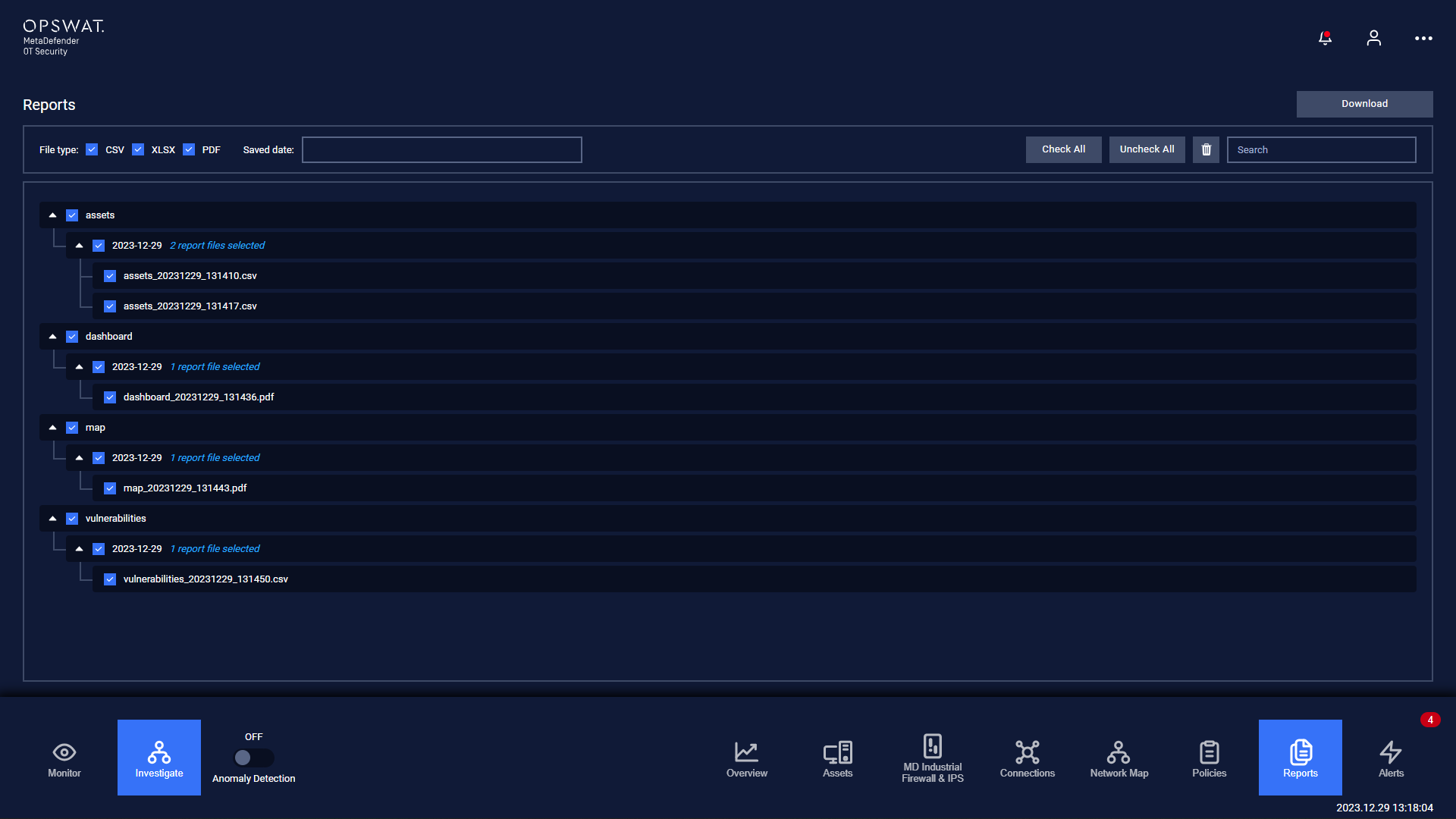
User can check on which file you want to export. Then plug-in the USB and click on Download button.
User is able to filter report file by type, downloaded date or search report file by name.
Type to search, ESC to discard
Last updated on
Was this page helpful?
Discard Changes
Do you want to discard your current changes and overwrite with the template?
Archive Synced Block
Message
Create new Template
What is this template's title?
Delete Template
Message
