Setup Captive Portal on-premises
Access to your Captive Portal server
Locate your
.envconfig file, by default the path should bednat-server/.envInput the License key that link to your MetaDefender IT Access Profile
Input SNI Server address and DNAT Server address
Configurate Captive Portal Profile
Aruba
To configure Access Rules for Network Vendors that support DNAT (ex: Aruba), perform the below steps:
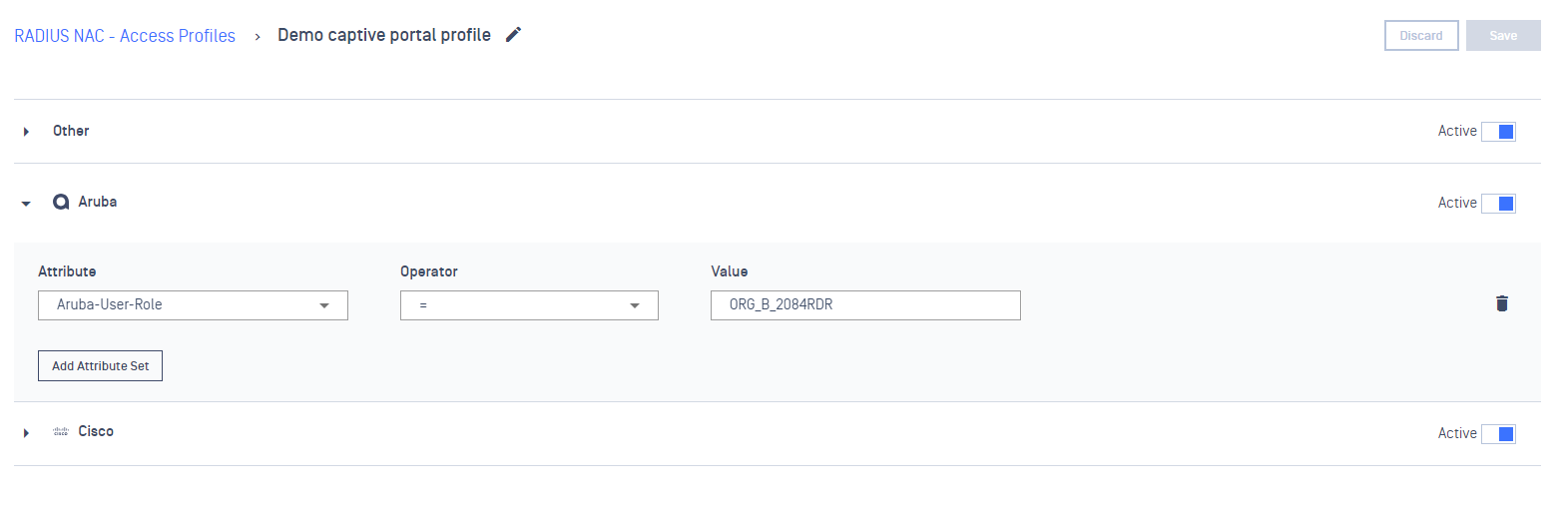
On Access Profiles tab, create a Access Profile for Captive Portal
On Aruba drop-down, declare a values (ex: ORG_B_2084RDR) for Aruba-User-Role attributes
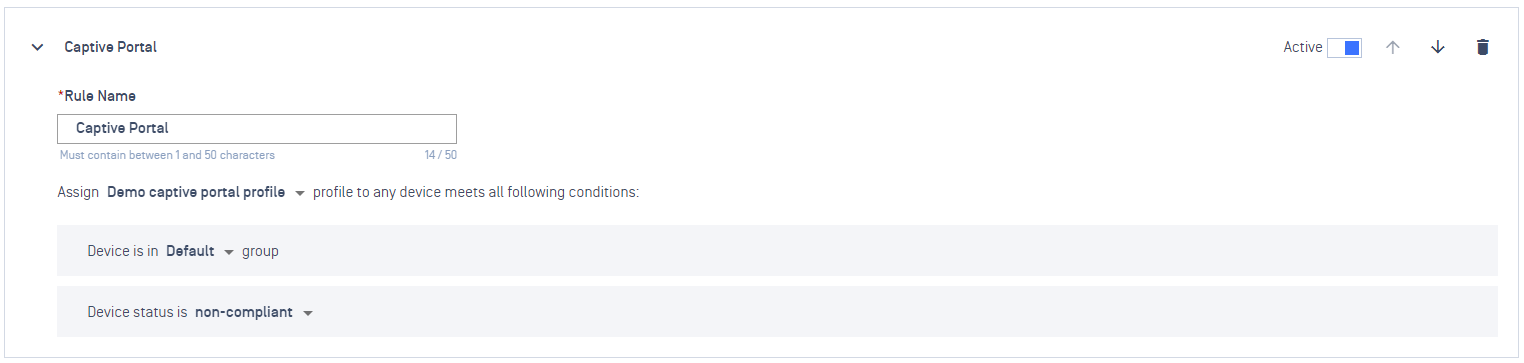
On Rules tab, add a new Rule and select to assign to the above Captive Portal profile
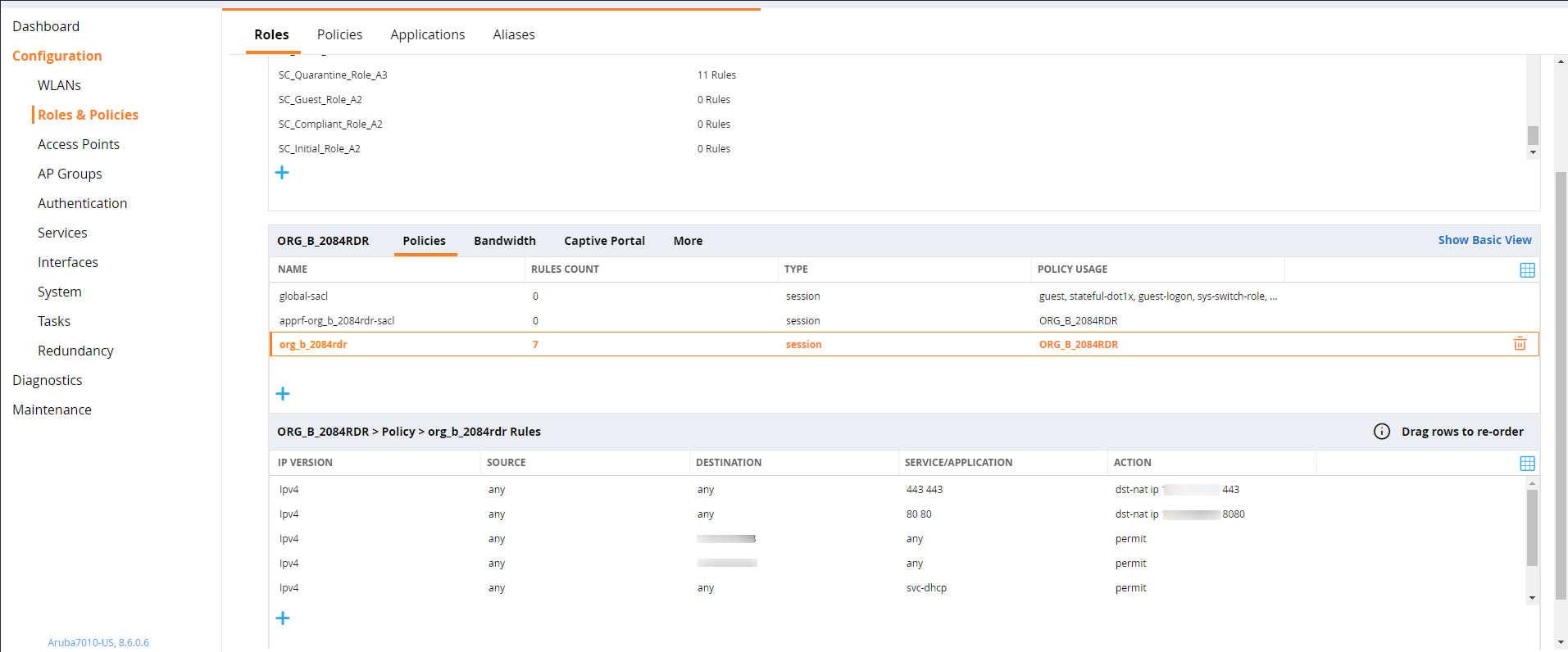
On the Network Vendor (ex: Aruba) console, create an ACL (Network Access Control List) to forward traffic to your DNAT server
How to verify
Using a test device & Connect to the Network
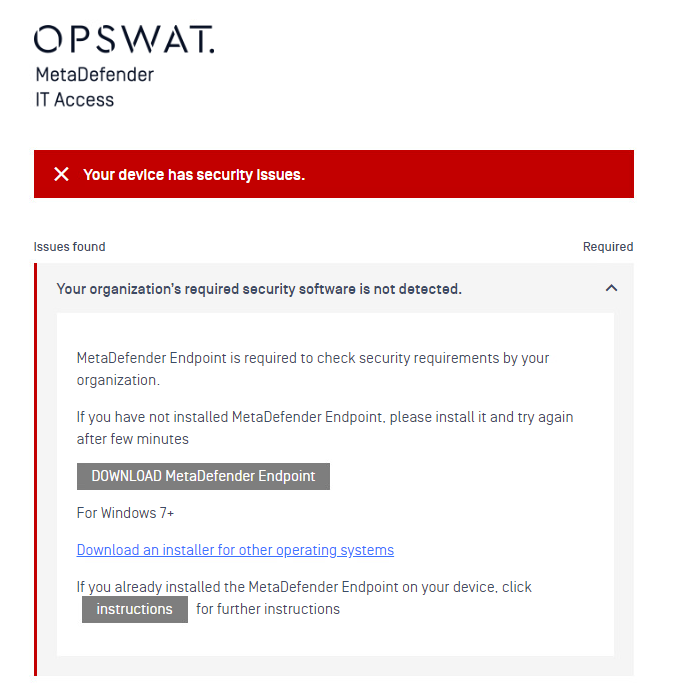
If the agent is not installed on that machine, it will match with the Captive Portal rule and redirect user to the Captive Portal page to download the agent
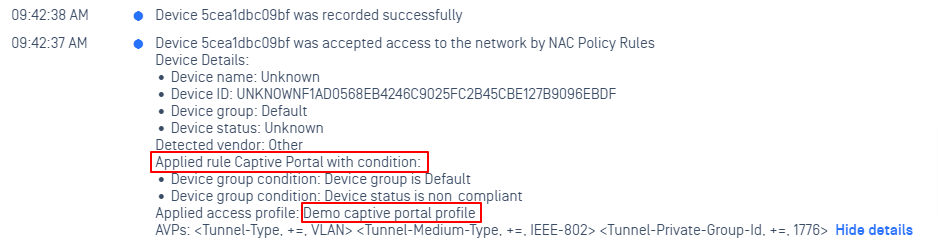
From RADIUS Events log, we can observe that the device is matching Captive Portal rule