
HA (High Availability) Mode is all about keeping your systems running, come what may. It's that redundancy, that safety net, that ensures minimal downtime. Think of it as having a backup plan for your entire infrastructure. If one server goes belly up, another seamlessly takes over, keeping the lights on and the data flowing.
How to Enable
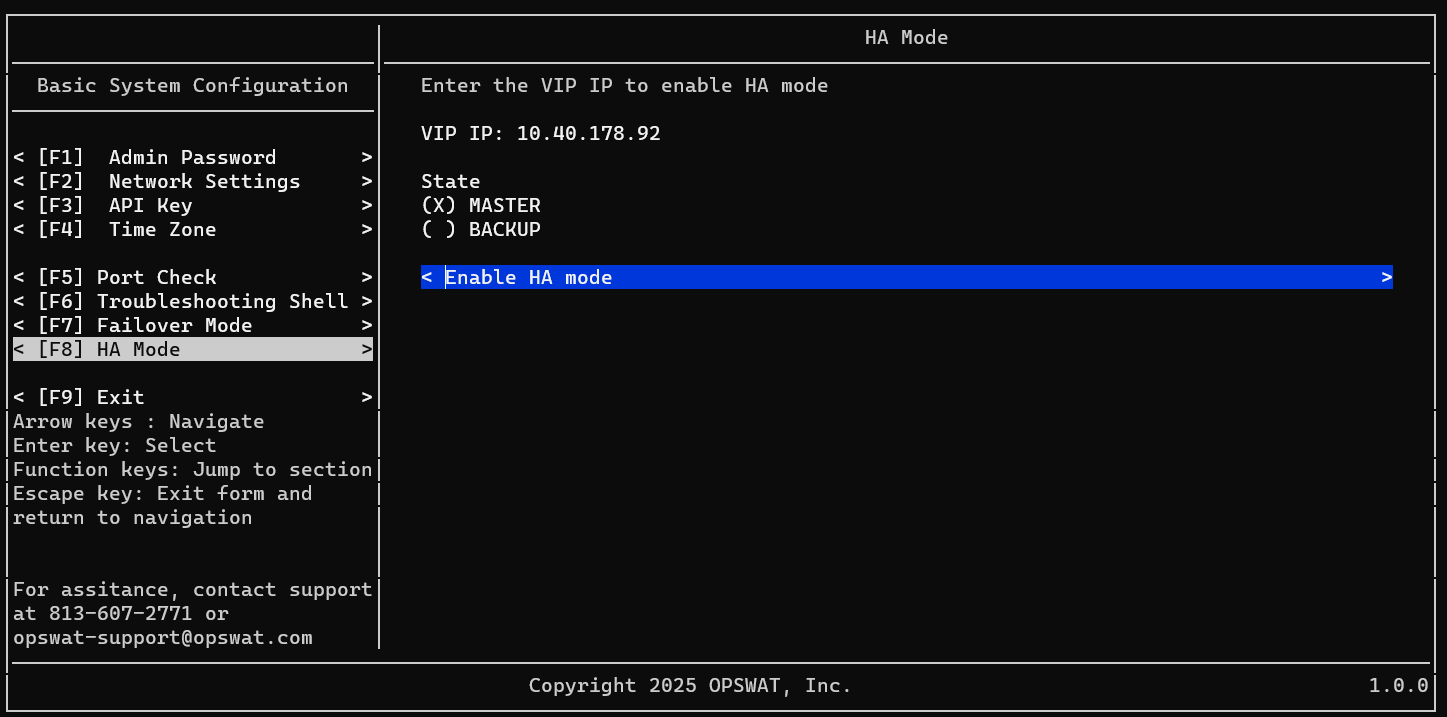
Setup Master node
- Login to your 1st NAC VM as admin user
- Navigate to HA Mode
- Input your VIP (Virtual IP)
- Select state as Master
- Select Enable HA Mode
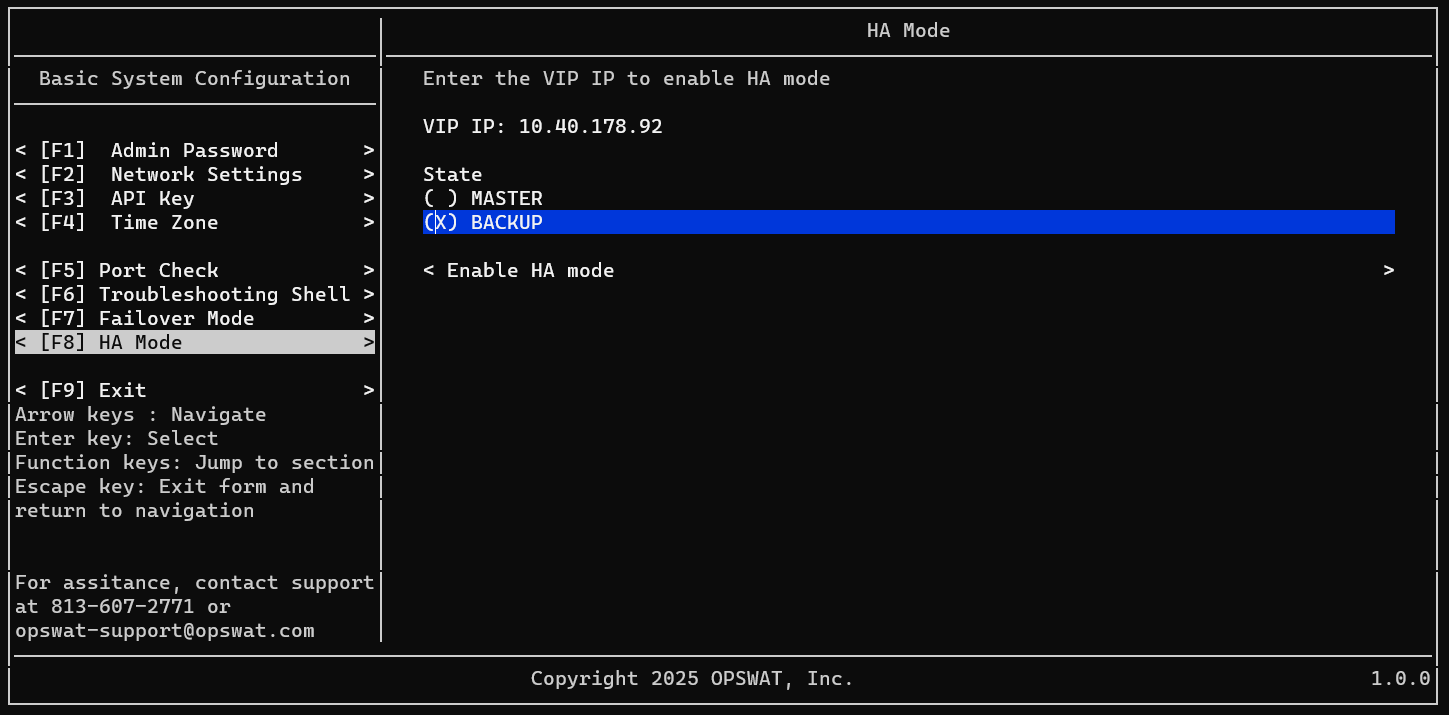
Setup Backup node
- Login to your 2nd NAC VM as admin user
- Navigate to HA Mode
- Input your VIP (Virtual IP)
- Select state as Backup
- Select Enable HA Mode
Was this page helpful?

