
This article applies to latest NAC DHCP Syslog service installed on Windows Server.
Issue: DHCP Syslog Service does not start automatically on boot
Open Services and search for a service named DHCP Server.
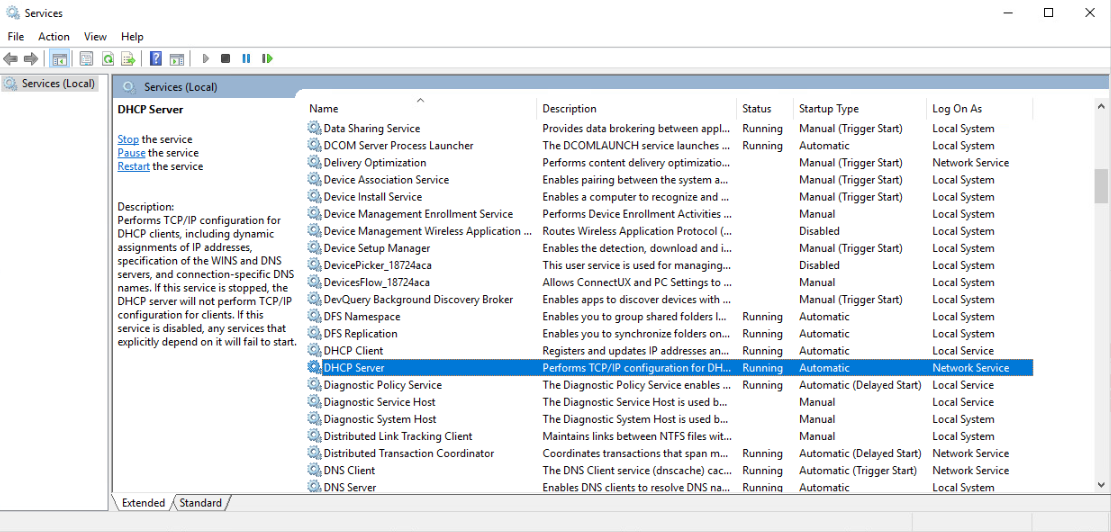
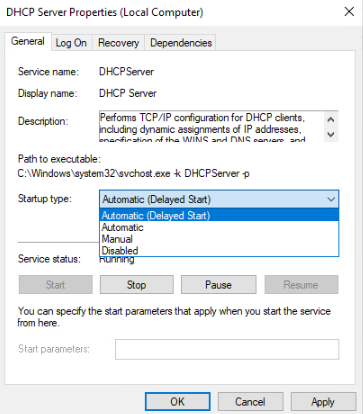
Ensure that the Startup Type is listed as Automatic (Delayed Start).
Issue: A range of issues that could be the result of a DHCP logging error
To confirm that DHCP logs are being created, you must first verify the Windows DHCP Server log settings, specifically the location where the DHCP server writes out its log files.
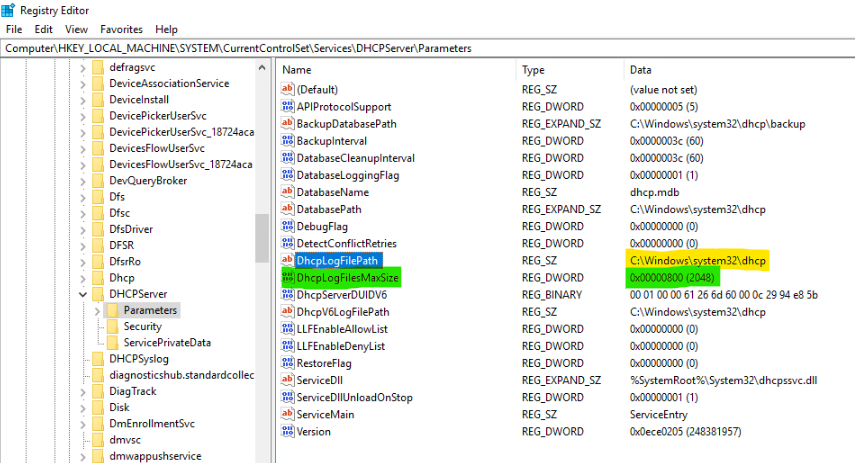
To confirm this location, open the Registry Editor and locate HKLM\SYSTEM\CurrentControlSet\Services\DHCPServer\Parameters\DhcpLogFilePath.
If the DHCP Server is under default settings, the key may not be present - this is normal and, in such cases, the log files will be written to C:/windows/system32/dhcp.
If the key is present, record the location to which the log files are written by noting the path in the Data column (highlighted in yellow below).
Navigate to the recorded path to confirm the presence of the DHCP Server logs. SafeConnect DHCP Syslog uses this same path to locate the log files.
Search the location for log files beginning with DhcpSrvLog-XXX (where XXX represents the day of the week).
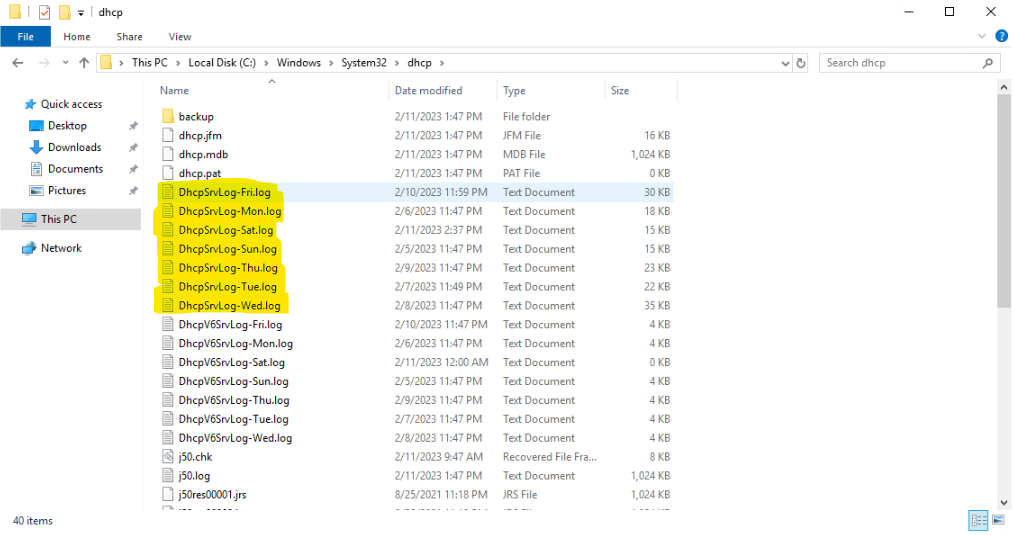
These logs should be updating in real time, so if the latest Date Modified timestamp is more than a minute or two old, the registry key value for “DhcpLogFilesMaxSize” (highlighted in green in screenshot for step 4), may need to be increased.
After increasing the value, Restart the DHCP Server service.
If you have followed the instructions above but continue to experience difficulties when Troubleshooting DHCP Syslog Service Issues, please open a Support Case with the OPSWAT team via phone, online chat or form, or feel free to ask the community on our OPSWAT Expert Forum.