
Info:
This article applies to all Meta IT Access versions.
Overview
In some cases, Windows may classify removable drives (e.g., USB drives) as Local Disk, which can affect how MetaAccess applies compliance rules. OPSWAT does not control this classification — it is determined by the Windows operating system.
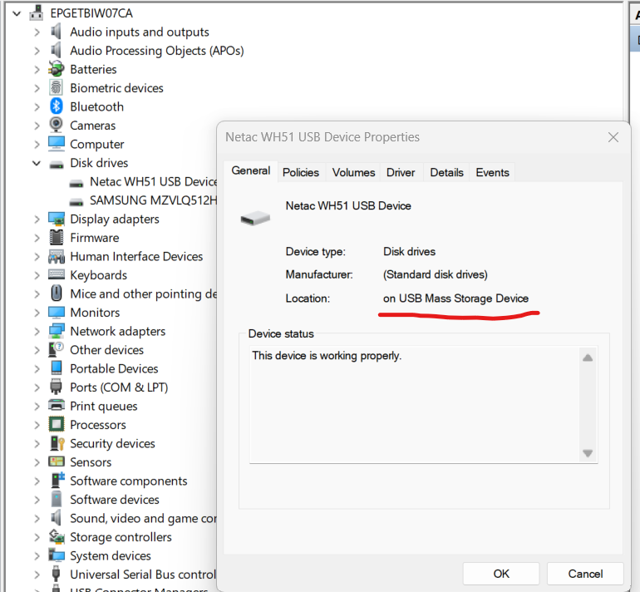
Windows Explorer may label both internal and external drives as “Local Disk,” but the OS provides additional metadata that distinguishes between them. MetaAccess retrieves this information from the OS registry to evaluate compliance policies.
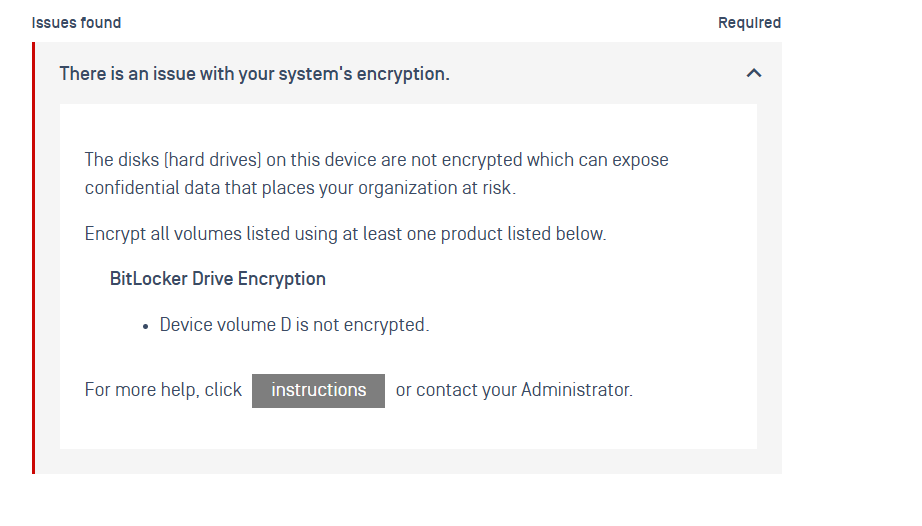
This article explains how Windows identifies drives and how to configure compliance policies in MetaAccess to properly handle removable devices detected as local disks.
How Windows Identifies Drives
Internal Disks (SATA/SCSI/NVMe):
Reported with Bus Number, Target ID, and LUN in Device Manager.
Exposed under WMI class Win32_DiskDrive with interface type SCSI/SATA.
External USB Disks:
Reported as USB Mass Storage Device in Device Manager.
Exposed under WMI class Win32_DiskDrive with interface type USB.
Example
Netac WH51 → Detected as USB Mass Storage Device (external).
ADATA ED600 → Detected with SCSI parameters (Bus/Target/LUN), consistent with internal enumeration.
Steps to Configure: Adjusting Compliance Rules in MetaAccess
Since MetaDefender Endpoint relies on the OS classification, the compliance behavior must be tuned through policy configuration.
Modify Encryption Compliance Behavior: Go to Deep Compliance > Encryption > Treat as Warning these Conditions. Configure the policy so that:
Devices marked as compliant → Treated as non-critical.
Devices marked as non-compliant → Treated as critical.
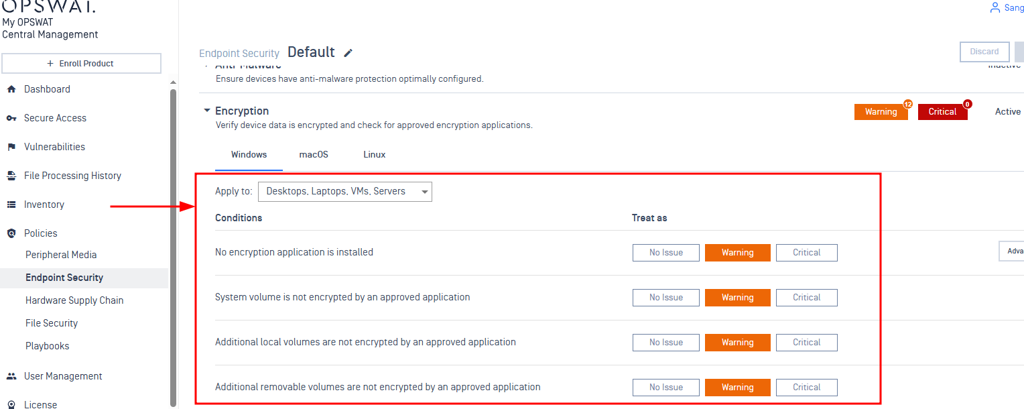
Configure Device Rules : Navigate to Rules → Adjust rules to better handle devices that are misclassified.
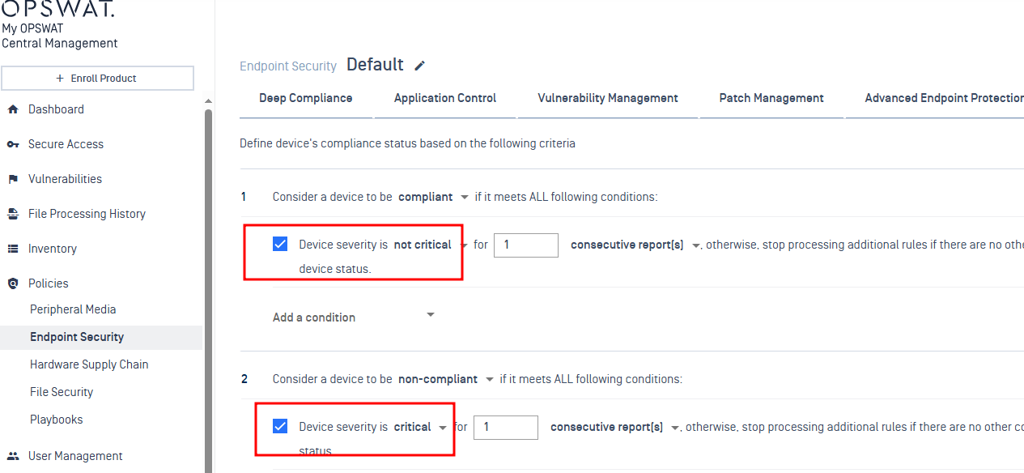
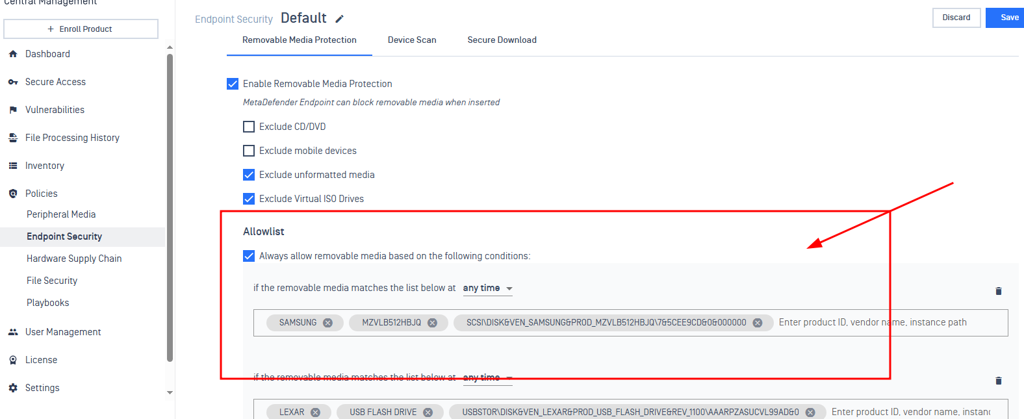
Go to Advanced Endpoint Protection > Enable Threat Detection for Windows > Removable Media Protection > Allow list → Add device details such as:
Vendor
Product ID
Device Instance Path
This ensures that specific removable devices are permitted even if detected as local disks.
To claim the device info, you can simply retrieve it in MetaDefender Endpoint
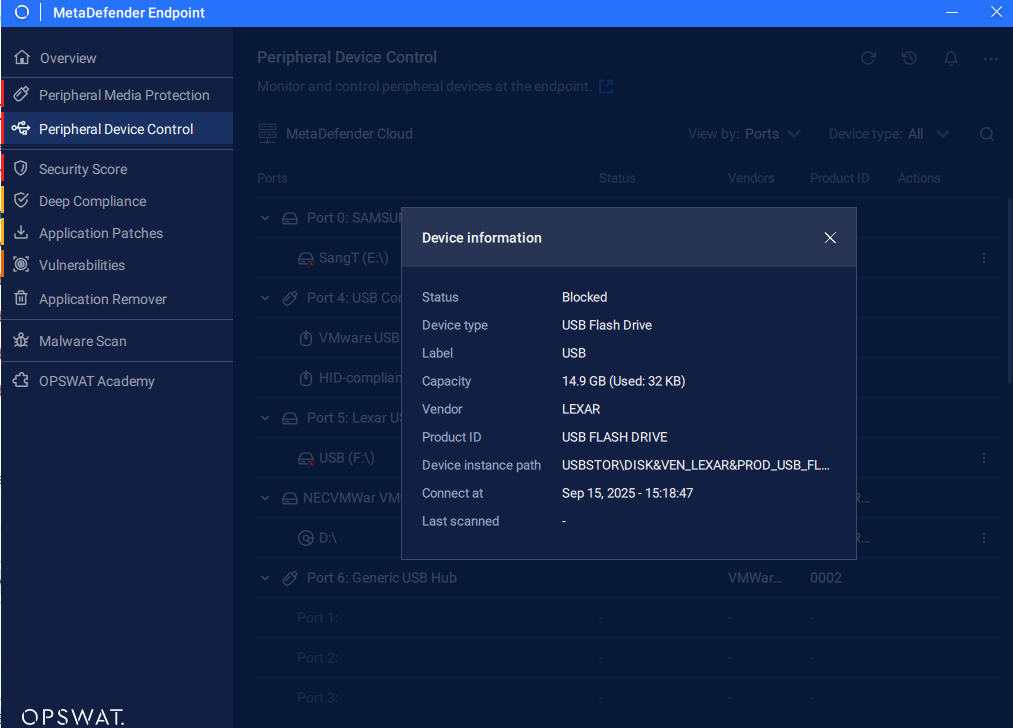
Verify the Change
After applying these configurations, the removable device will be accessible and treated as compliant within MetaAccess, even if Windows classifies it as a local disk.
Support:
If you require further assistance, please follow these instructions on How to Create Support Package?, before creating a support case or chatting with our support engineer.