
Check Your Version:
This article applies to all MetaDefender Endpoint releases deployed on Windows MetaAccess IT Access
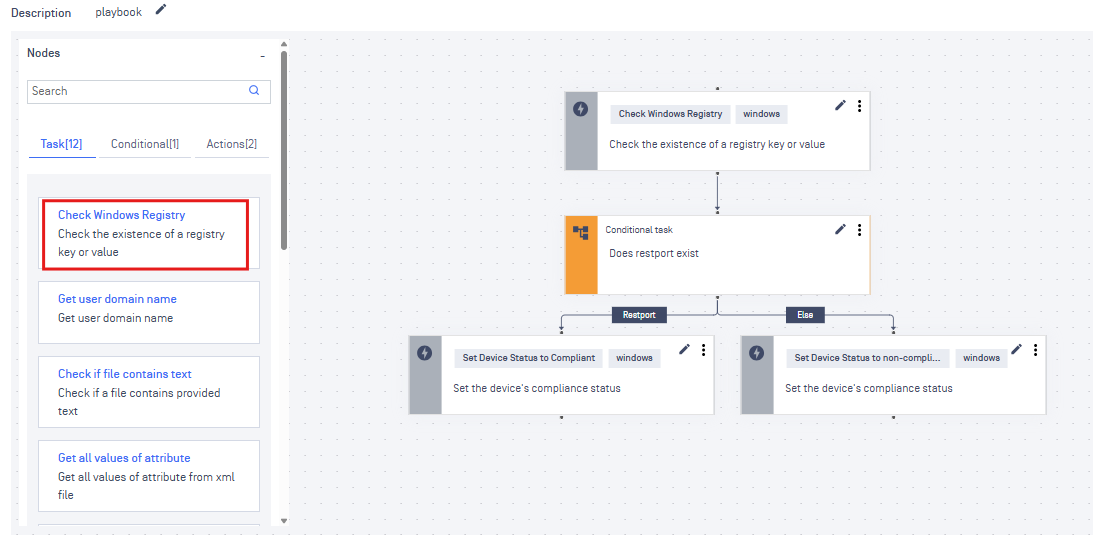
Playbook checks whether a Windows Registry Key and Value Exists
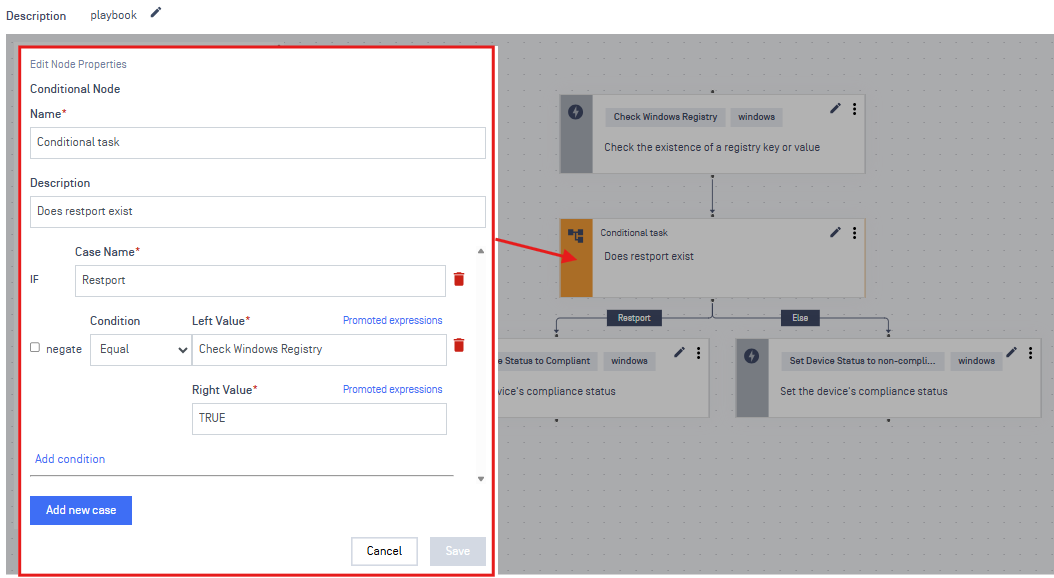
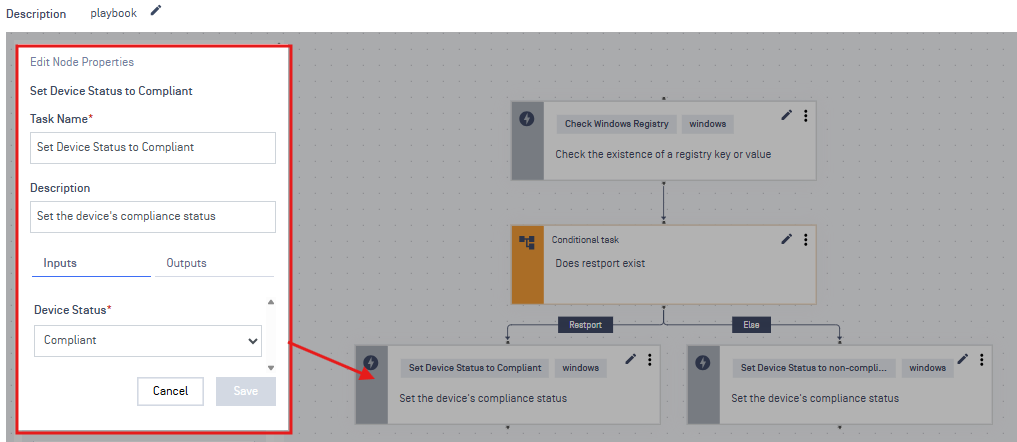
If TRUE, mark the device as Compliant
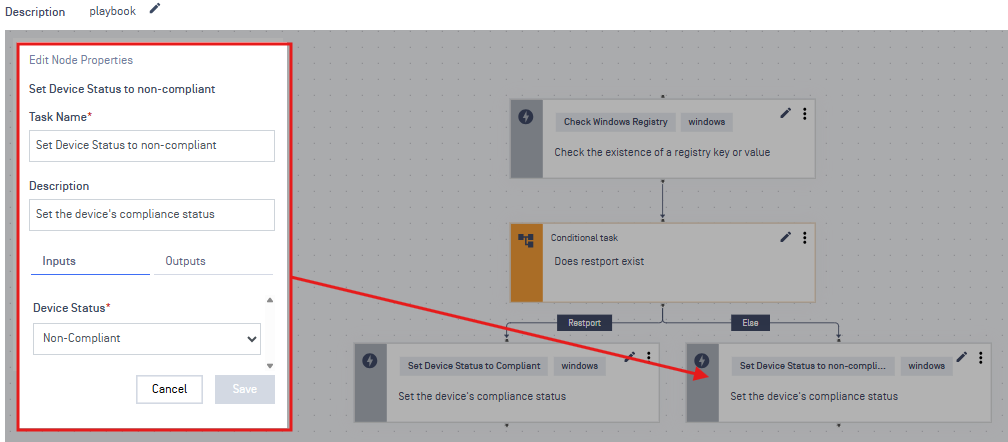
If FALSE, mark the device as Non-Compliant
Outline
Registry
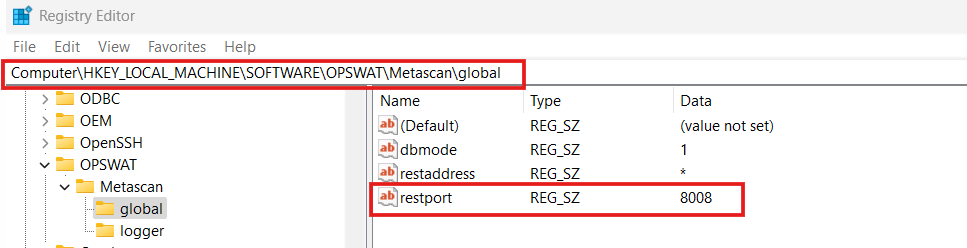
We are checking if the “global” key exists, with the value/string “restport”
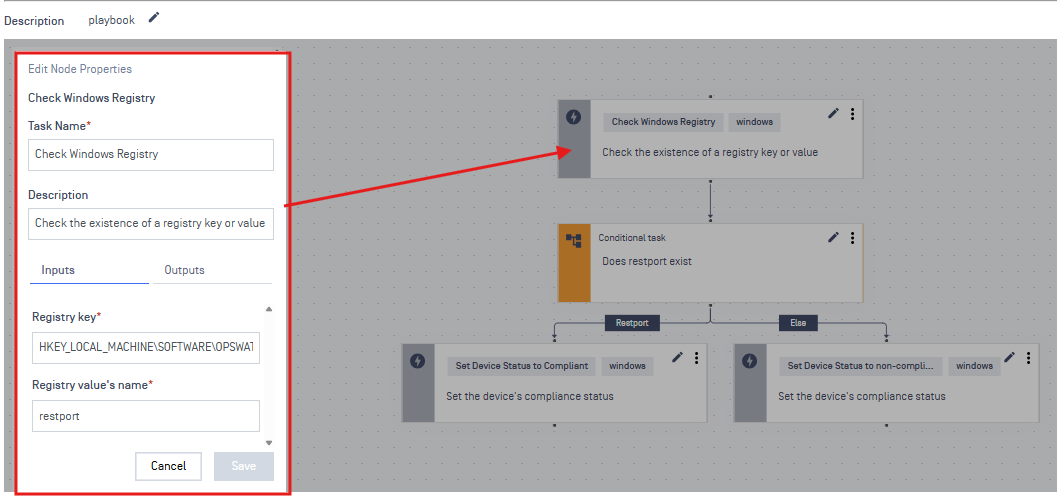
Task
Registry key: HKEY_LOCAL_ MACHINE\SOFTWARE\OPSWAT\Metascan\global
Warning:
We are removing the Computer\ from the path
Conditional Node
Actions
Left: Returns compliant if the registry exists
Right: Returns non-compliant if the registry does not exist
Support:
If Further Assistance is required, please proceed to log a support case or chatting with our support engineer.
Was this page helpful?
Knowledge Base