Overview MetaDefender Sandbox API Reference Release Notes
Getting Started
Deployment & Usage
Support
Troubleshooting Guide
3.1.1
Search this version
Troubleshooting Guide
General
Title
Message
Create new category
What is the title of your new category?
Edit page index title
What is the title of the page index?
Edit category
What is the new title of your category?
Edit link
What is the new title and URL of your link?
How do I license MetaDefender Aether through MyOpswat
Copy Markdown
Open in ChatGPT
Open in Claude
In order to license a managed MetaDefender Aether instance through our On-Prem OCM V10 instance the following steps are necessary:
- Navigate to the OCM console (OCM console\License\MetaDefender Aether tab)
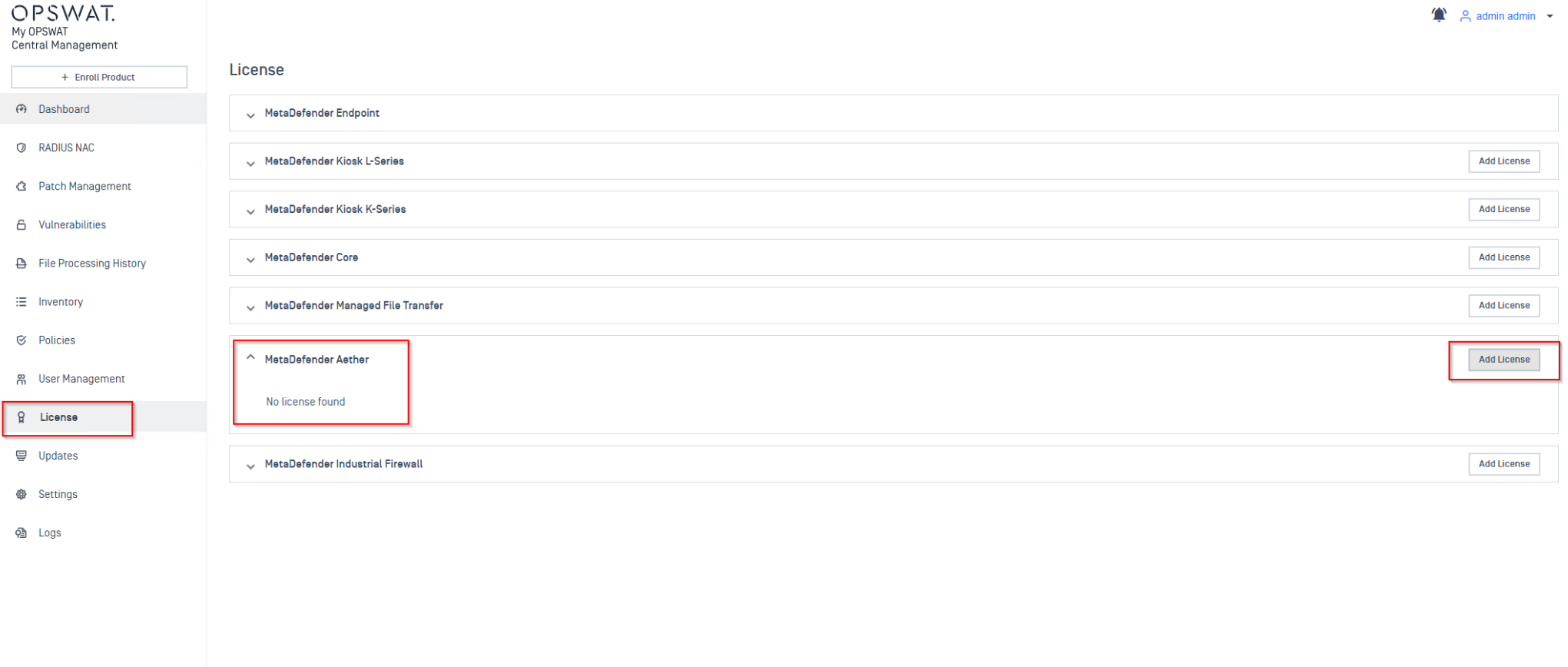
- Type in the activation key/ upload YML file that has MetaDefender Aether license slots available
You can add/update licenses two ways:
-Online Activation — Only requires the license key. Enter it on the License page, and OCM v10 validates it with the Activation Server, then pushes it to enrolled instances automatically via the heartbeat mechanism.
-Offline Activation — For air-gapped environments. You'll need to obtain a license file from the MyOPSWAT Portal and upload it.
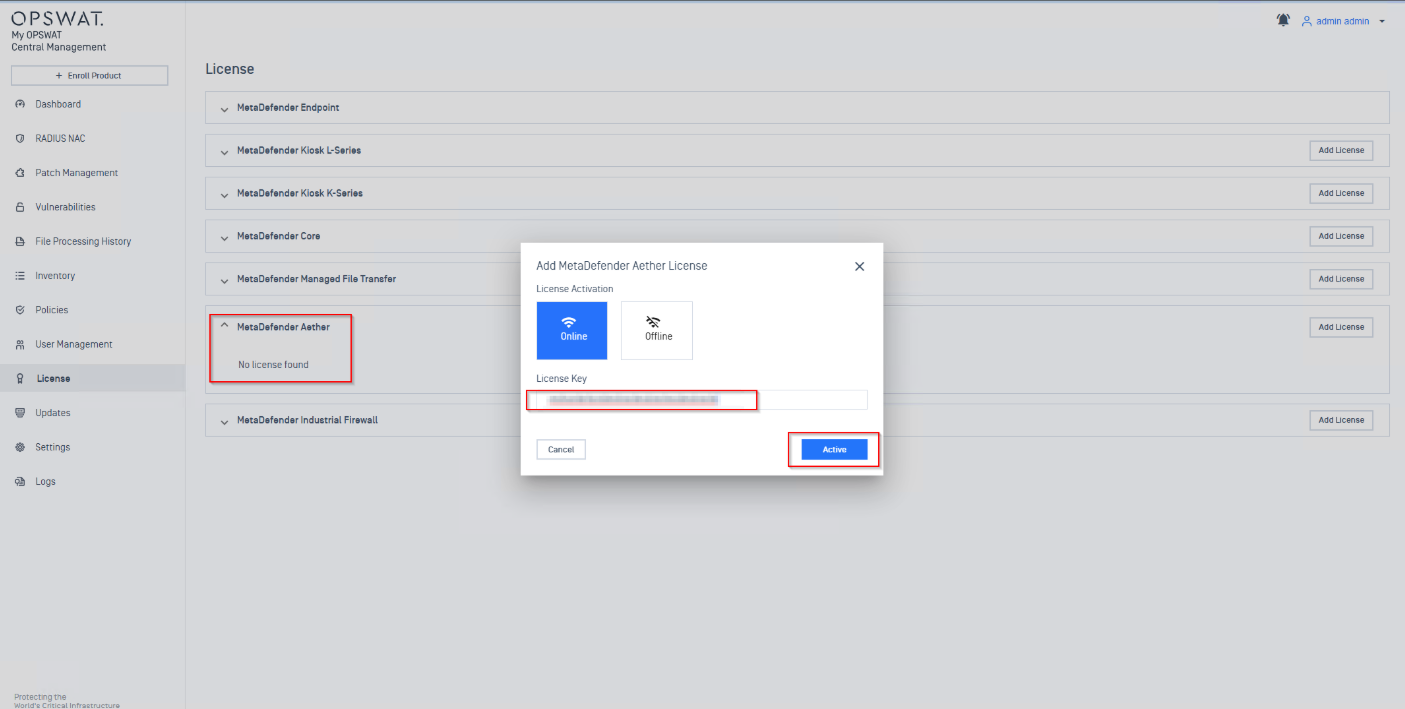
- The enrolled instances periodically send heartbeat calls. When a license command is pending, the instance fetches and activates it automatically.
VariableType to search · ESC to discard
GlossaryType to search · ESC to discard
InsertType to search · ESC to discard
No matches
Last updated on
Was this page helpful?
Next to read:
Installation troubleshootingSee the "Technical Datasheet" for a complete list of features: https://docs.opswat.com/filescan/datasheet/technical-datasheet
Discard Changes
Do you want to discard your current changes and overwrite with the template?
Archive Synced Block
Message
Create new Template
What is this template's title?
Delete Template
Message