
Configure Captive Portal Profile
For DNAT supported Vendor
To configure Access Rules for Network Vendors that support DNAT (ex: Aruba), perform the below steps:
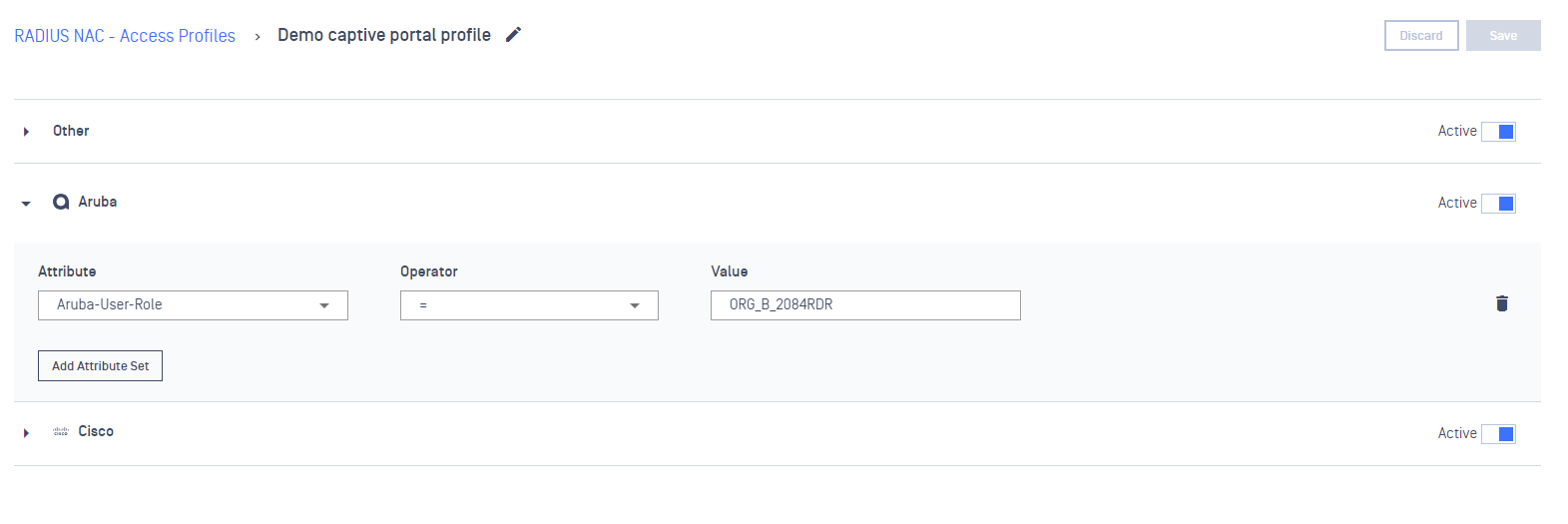
On Access Profiles tab, create a Access Profile for Captive Portal
On Aruba drop-down, declare a values (ex: ORG_B_2084RDR) for Aruba-User-Role attributes
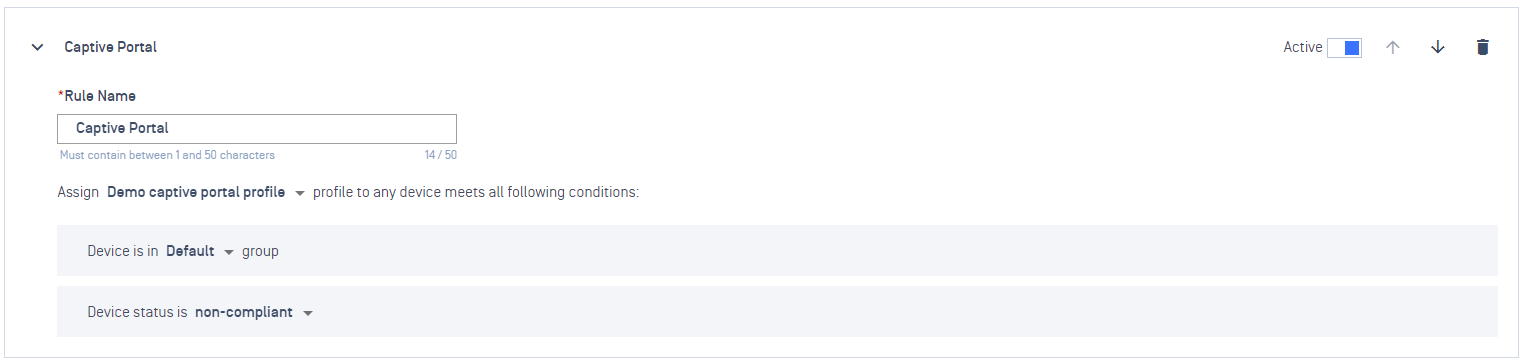
On Rules tab, add a new Rule and select to assign to the above Captive Portal profile
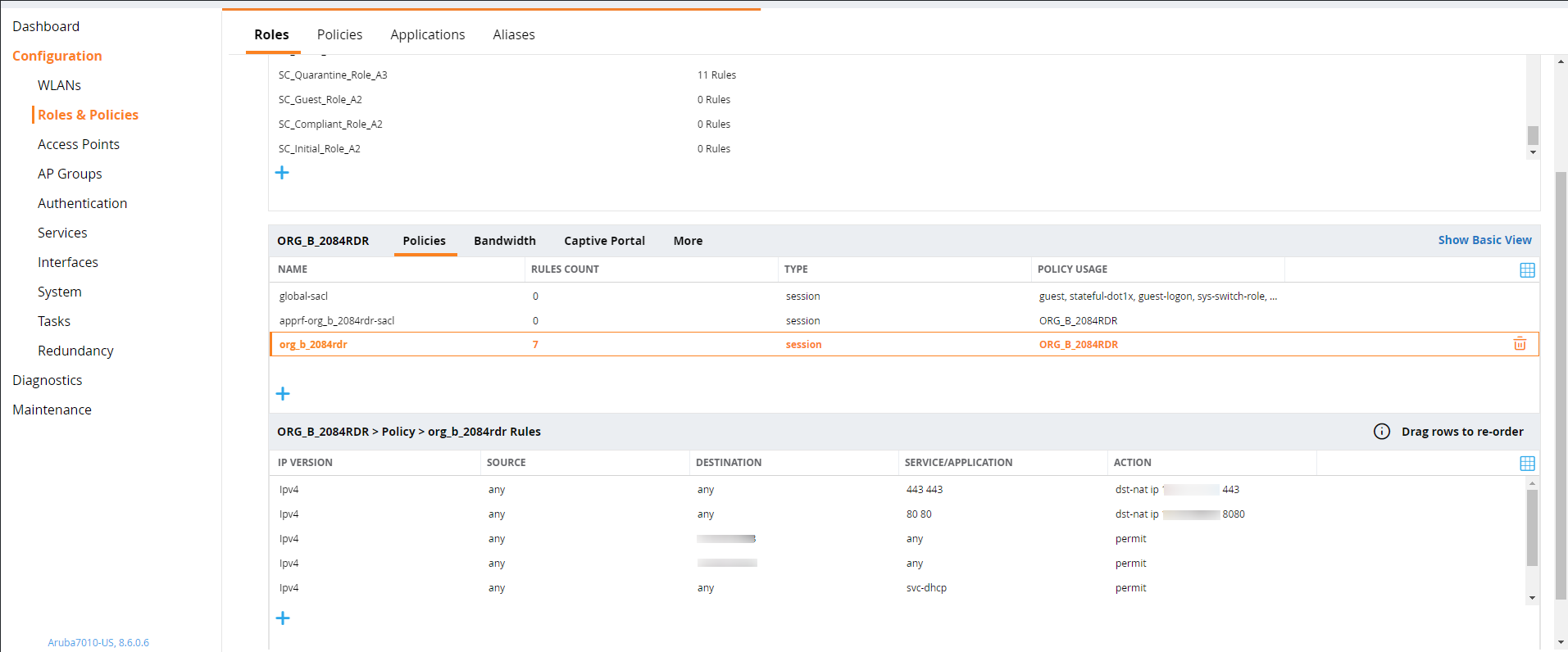
On the Network Vendor (ex: Aruba) console, create an ACL (Network Access Control List) to forward traffic to your NAC Edge.
For VLAN supported Vendor
To configure Access Rules for Network Vendors that support VLAN redirect (ex: Cisco), perform the below steps:
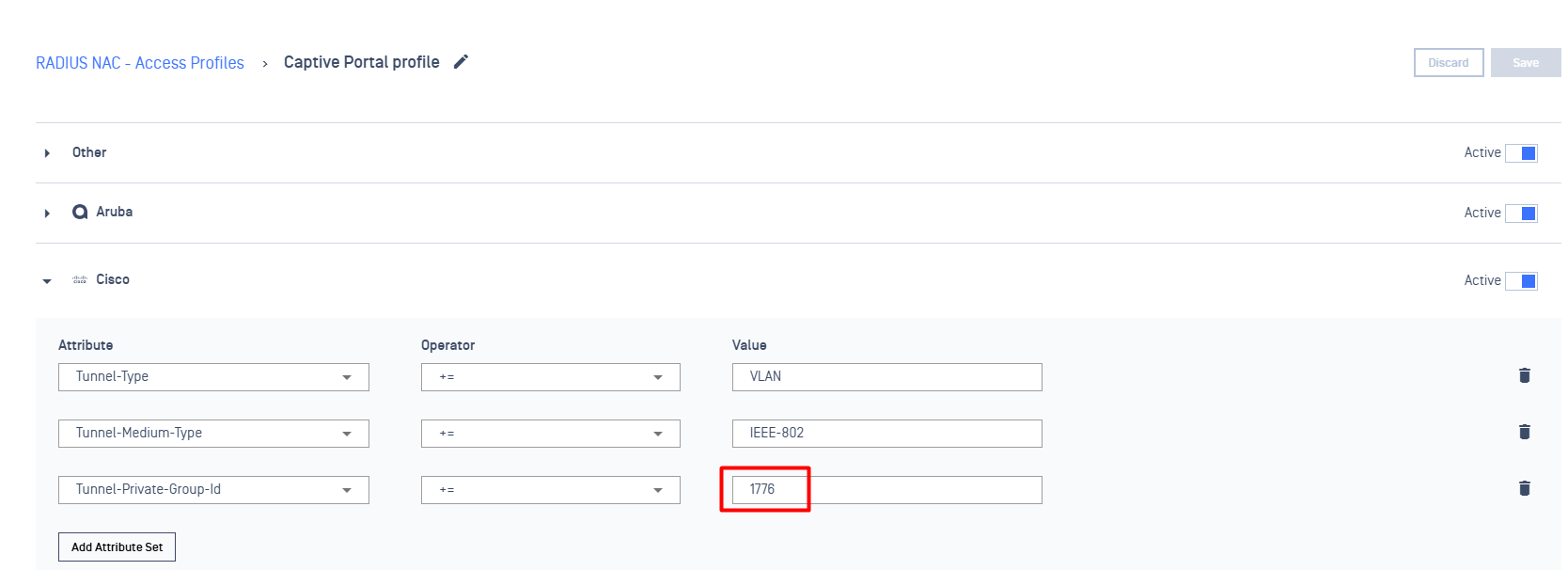
On Access Profiles tab, create a Access Profile for Captive Portal
On Cisco dropdown, declare a value (ex: 1776) for Tunnel-Private-Group-Id attribute
Config redirect for VLAN
Pre-condition: a Layer 3 router or switch with ACL (Access Control List) and Policy Routing capabilities is required. The configuration will involve the following sections:
ACL and Policy Map on Router
How to verify
Using a test device & Connect to the Network
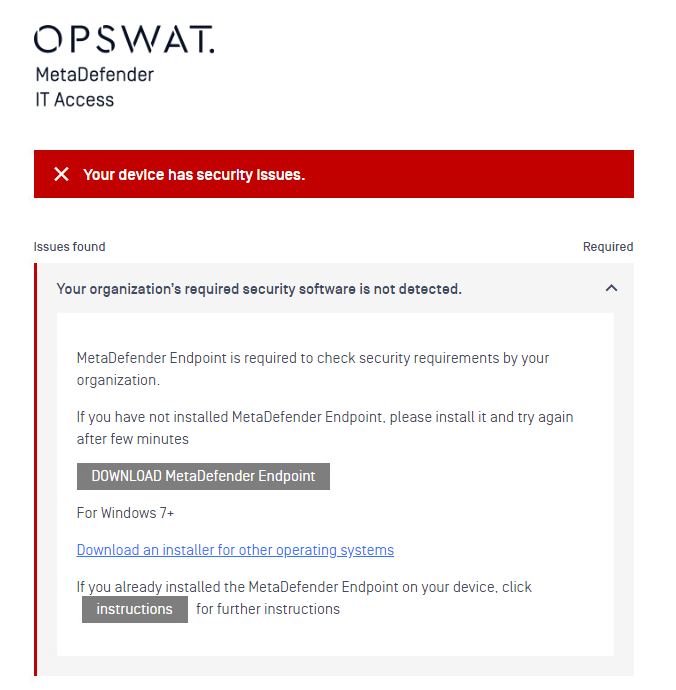
If the agent is not installed on that machine, the browser will be redirect to a remediation page, prompting the user to install Agent.
Note: For Apple devices, IT admin can make use of DHCP option 114 on Windows DHCP server to get NAC integrated with Apple CNA (Captive Network Assistant),