
From the version 7.22, administrators can now add a custom message to the login page of the management console like the image below.
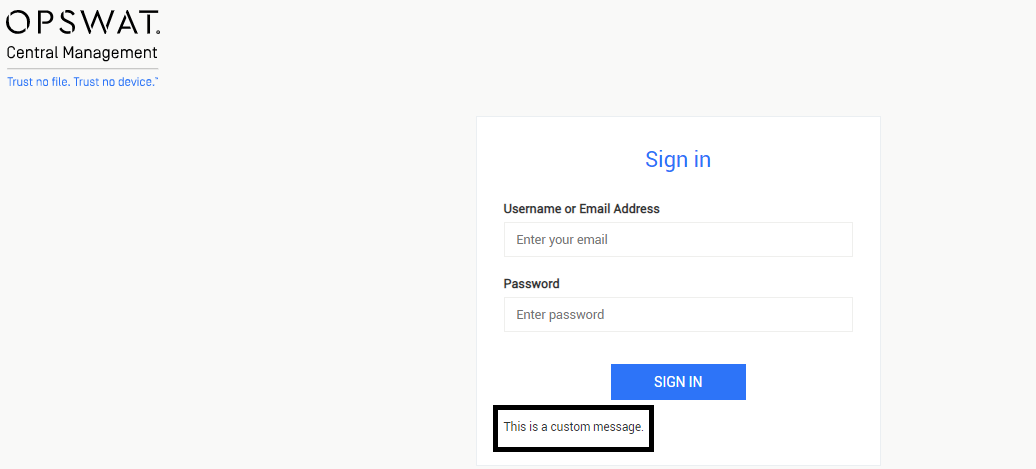
Here are the steps to add a custom message to the login page:
1/ Locate the gears-onpremise_definition.properties file in the configuration folder.
Windows: <System Drive>\ProgramData\OPSWAT\Central\gears-onpremise_definition.properties
RedHat/Ubuntu: /etc/opt/ocm/gears-onpremise_definition.properties
2/ Add or modify the disclaimer.message variable.
3/ Restart OPSWAT Central Management for the change to take effect.
If the disclaimer message contains special characters that require Unicode format (such as non-Roman characters), these characters must be converted to the UTF-16.
For example, the value of disclaimer.message to show this message こんにちは" should be
disclaimer.message=\u3053\u3093\u306b\u3061\u306f