
This article applies to MetaDefender Security Gateway version 5.11.0 or higher.
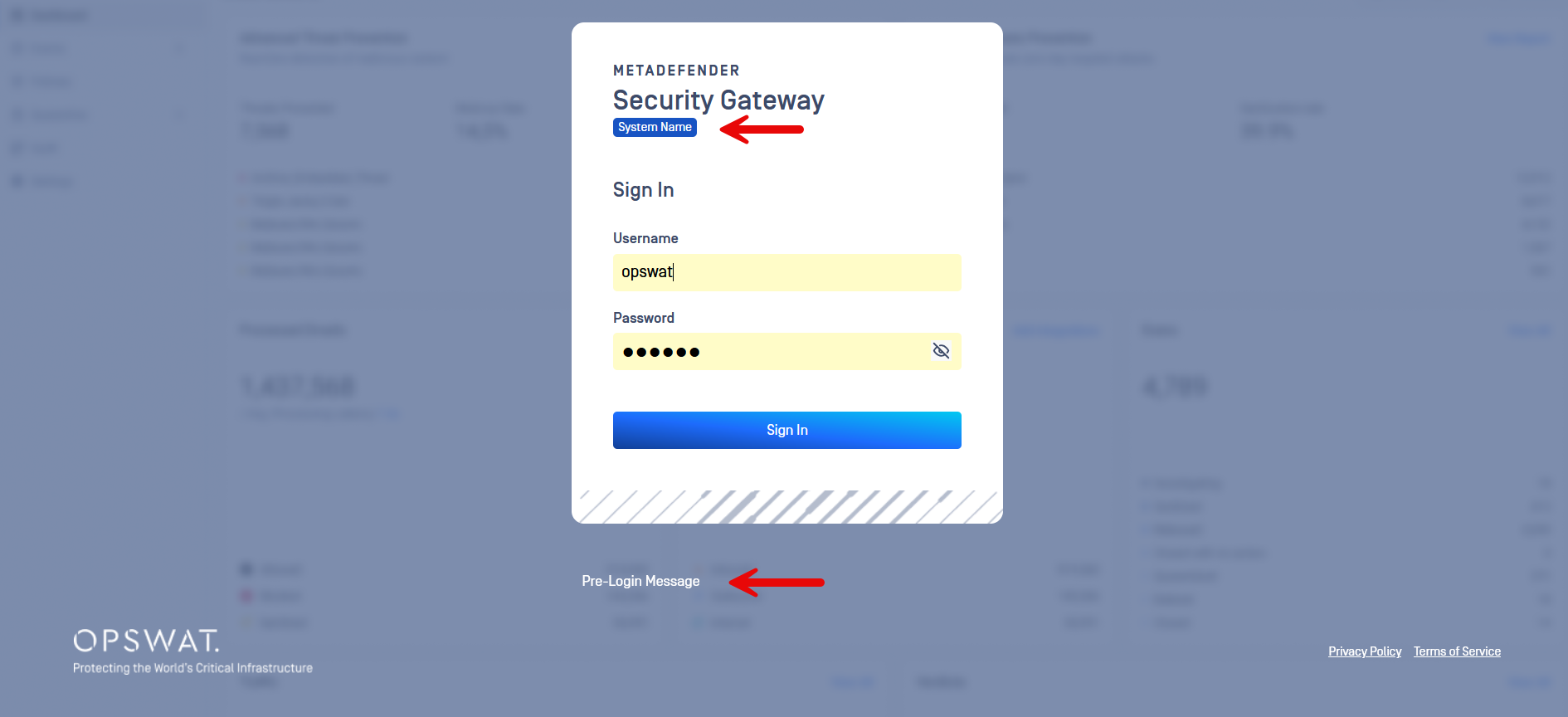
MetaDefender Security Gateway now offers the ability to add customized messages/labels to the login screen as follows:
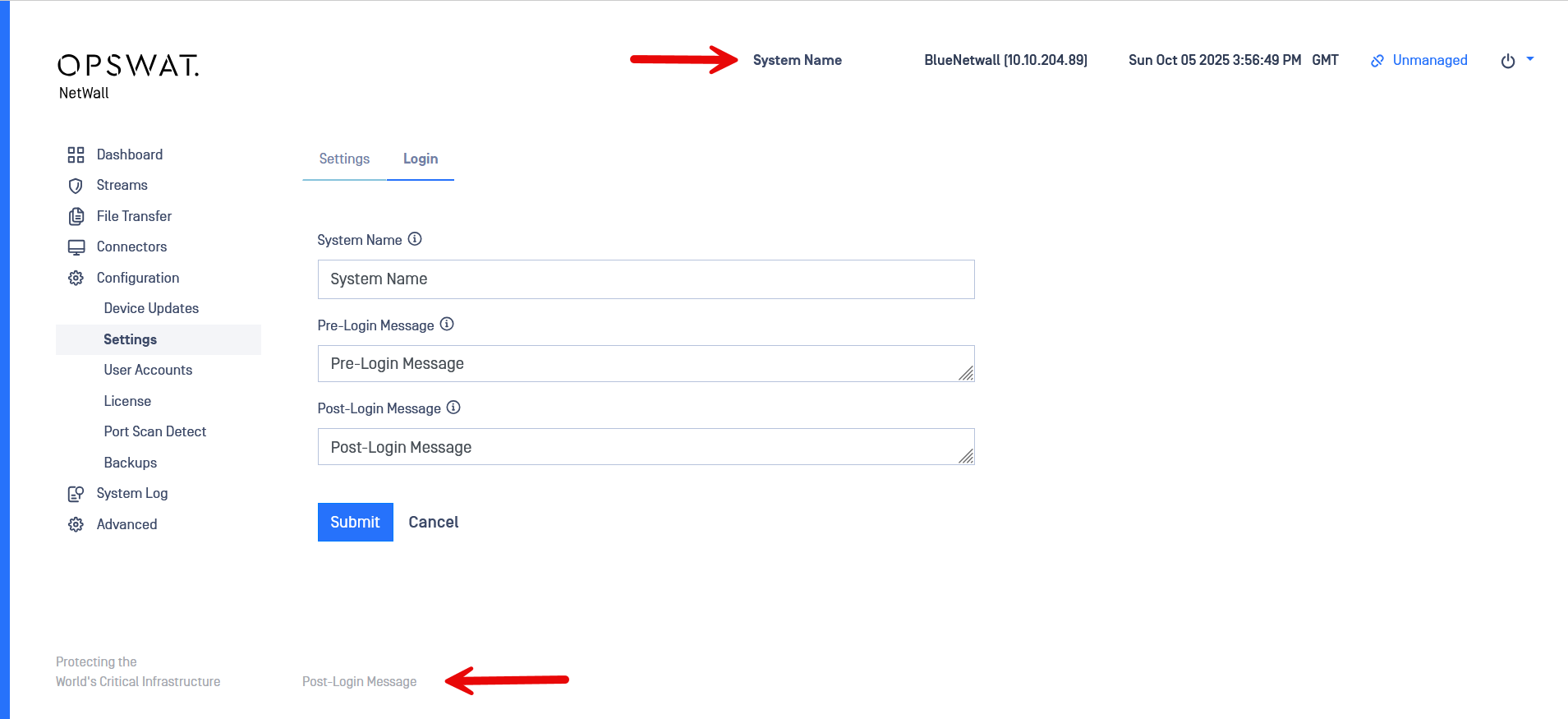
System Name - The name of the system that will appear at the top of every screen and the login screen.
Default: BLUE/RED Server.
Restrictions: Only alphanumeric, spaces,hyphens, underscores, periods and commas are allowed. Maximum length is 50 characters.
Pre-Login Screen - This is the message that will show at the bottom of the login screen.
Default: Absent.
Restrictions: alphanumeric, spaces, line breaks, and .,?':;()_-+&/”!#%@. Maximum number of lines breaks is 50. Maximum length is 1500 characters.
Post-Login Screen - Message text that appears at the bottom of every screen after user logs in.
Default: Absent.
Restrictions: alphanumeric, spaces, line breaks, and .,?':;()_-+&/”!#%@. Maximum number of lines breaks is 50. Maximum length is 1500 characters.
Navigate to Configuration > Settings > Login to set up:
If Further Assistance is required, please proceed to log a support case or chat with our support engineer.