
My OPSWAT On-premises can integrate with an SMTP email server to provide email notifications for certain features. The SMTP email server information can be configured in the Email section of the Settings > Server tab navigated from the left navigation menu.
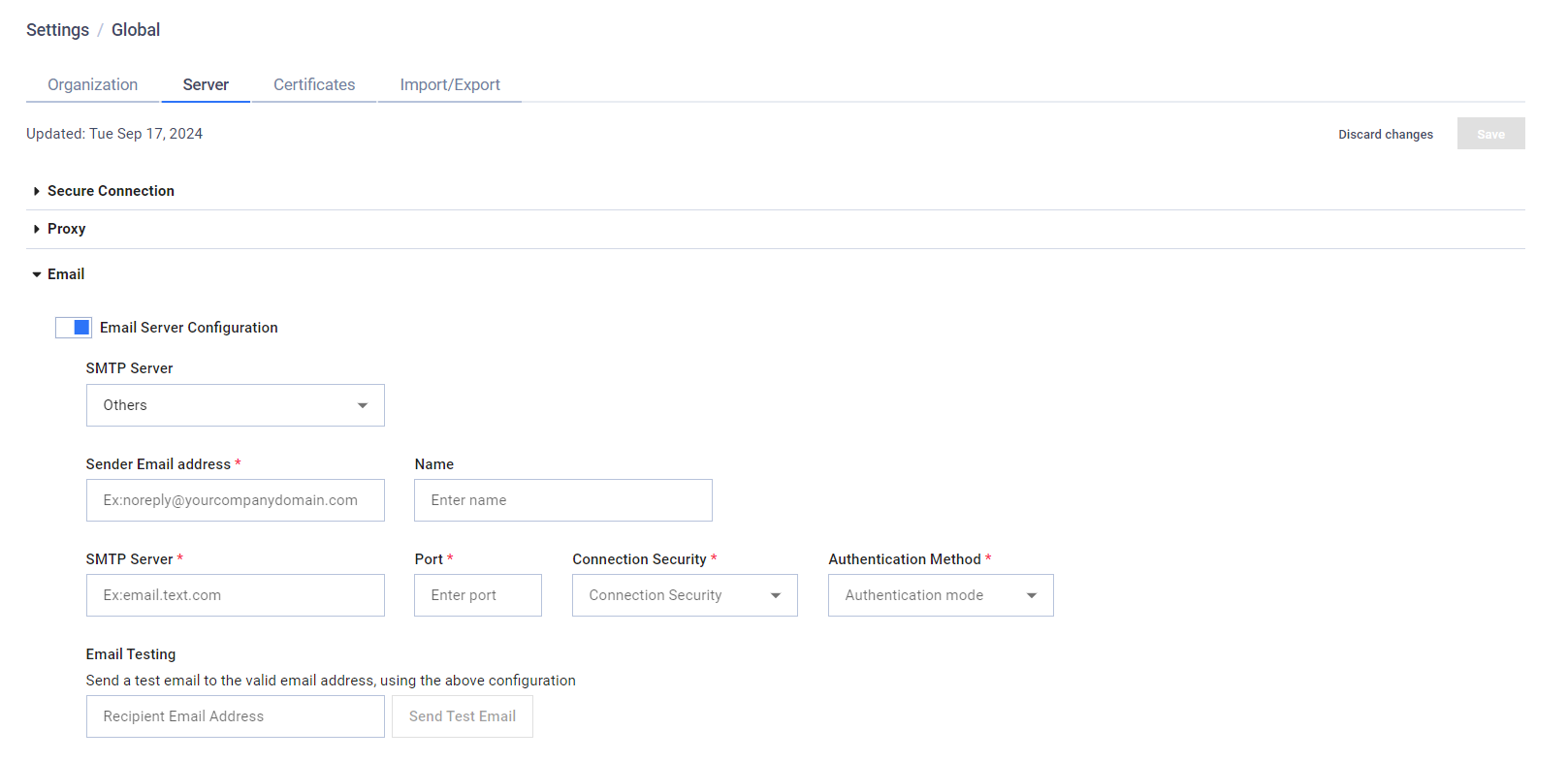
Email Server Configuration: Tick this checkbox to enable the email server configuration.
SMTP Server:
Microsoft 365: Use the Microsoft 365 SMTP server (smtp.office365.com)
Others: Use a generic SMTP server.
The options below differ depending which SMTP Server type was chosen.
Microsoft 365:
To properly setup integration with Microsoft 365, you will need to set up an application registration for My OPSWAT On-premises server in Microsoft Entra. Please refer to this article for more information.
After registering the application, you will need the following information from Microsoft Entra:
Directory (tenant) ID: The ID of your Microsoft Entra tenant.
User ID: The Object ID of the user used for authentication. The email will be sent as this user.
Application (client) ID: The ID of the application registered to My OPSWAT On-premises.
Client Secrets: The credential used to authenticate the application.
You will then need to grant email sending permission to the new application. Please refer to this article for more information.
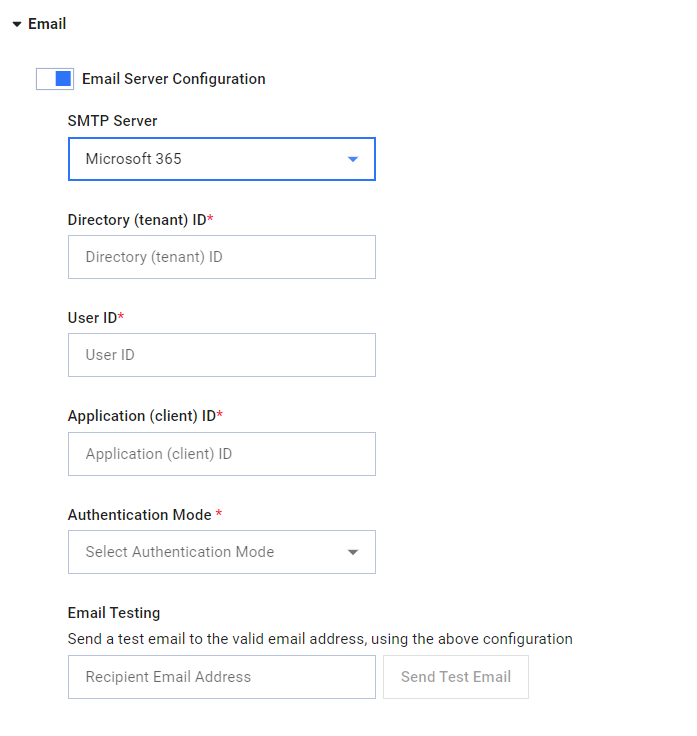
Directory (tenant) ID: The ID of your Microsoft Entra tenant.
User ID: The Object ID of the user used for authentication. The email will be sent as this user.
Application (client) ID: The ID of the application registered to your My OPSWAT On-premises server.
Authentication Mode: Only Client Secrets is currently supported
Client Secrets: The credential used to authenticate the application.
Email Testing: Click Send Test Email to send a test email using the above configuration.
Recipient Email Address: The email address that should be used in the test.
Others:
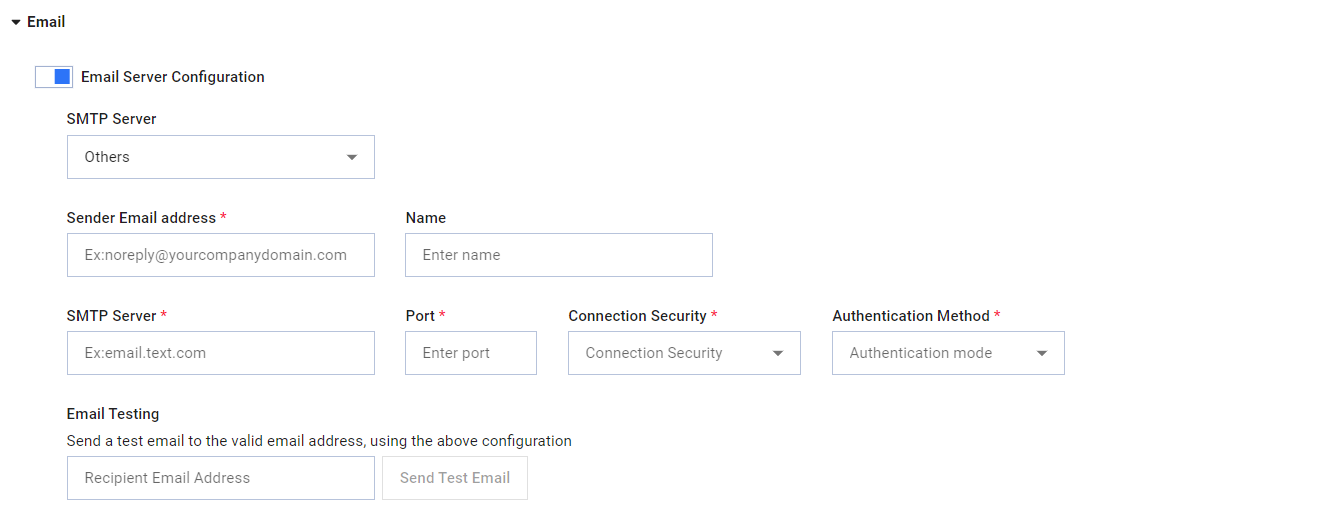
Sender Email address: The sender email address used to represent My OPSWAT On-premises
Name: The name associated with the sender email address.
STMP Server: The host part of the SMTP server's address
Port: The port number part of the SMTP server's address
Connection Security: TLS security options for sending email: None, TLS or StartTLS.
Authentication method: The method used to authenticate with the email server. Currently, only Login authentication is supported.
Login authentication
Username: The username used for authentication.
Password: The password used for authentication.E
Email Testing: Click Send Test Email to send a test email using the above configuration.
Recipient Email Address: The email address that should be used in the test.